Using the APP Recorder 6-3
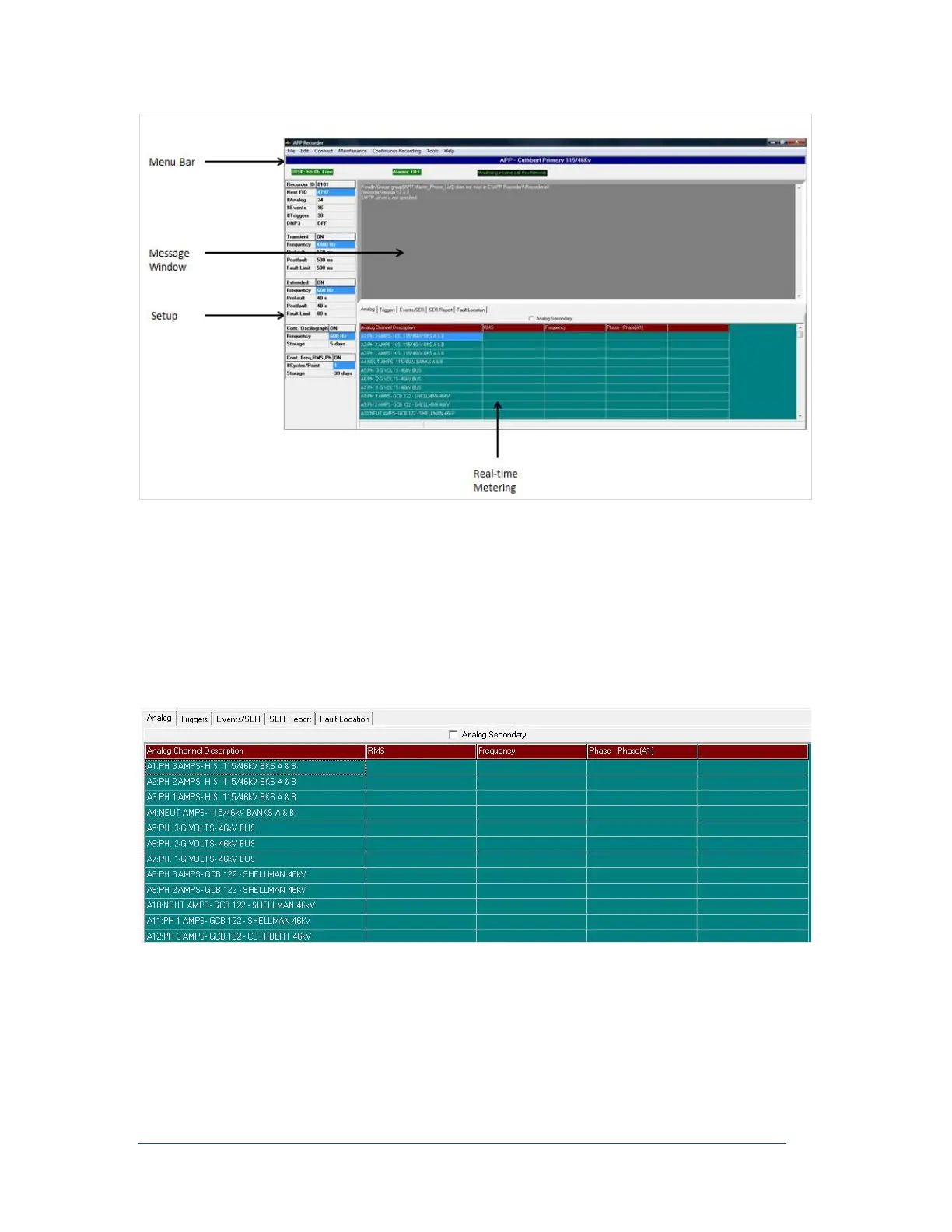
Figure 20: APP Recorder Program Main Window
The Setup area displays the major parameters that are set up or selected from the menu choices.
The Message window displays information related to program startup, program re-initialization,
information sent to the APP Recorder Driver, and error messages. In addition, it can display
messages sent during a chat session with someone at the master station.
The near Real-time Metering section provides a quick look at RMS values for all the analog
channels, event status, trigger status, and the sequence of event logs. You can use the tabs in this
section to view different types of information.
Analog Tab
Figure 21: Analog Tab
This tab appears only if there are analog channels configured in the Point Assignment Record and if
continuous recording is turned on. If the Analog Secondary check box is not selected (this is the default
setting), this tab shows primary values. If the Analog Secondary check box is selected, then the tab shows
secondary values. The data will update continuously for an interval of about 10 to 15 seconds.



 To Next Page