Using the APP Recorder 6-21
3. Click the Email Settings button.
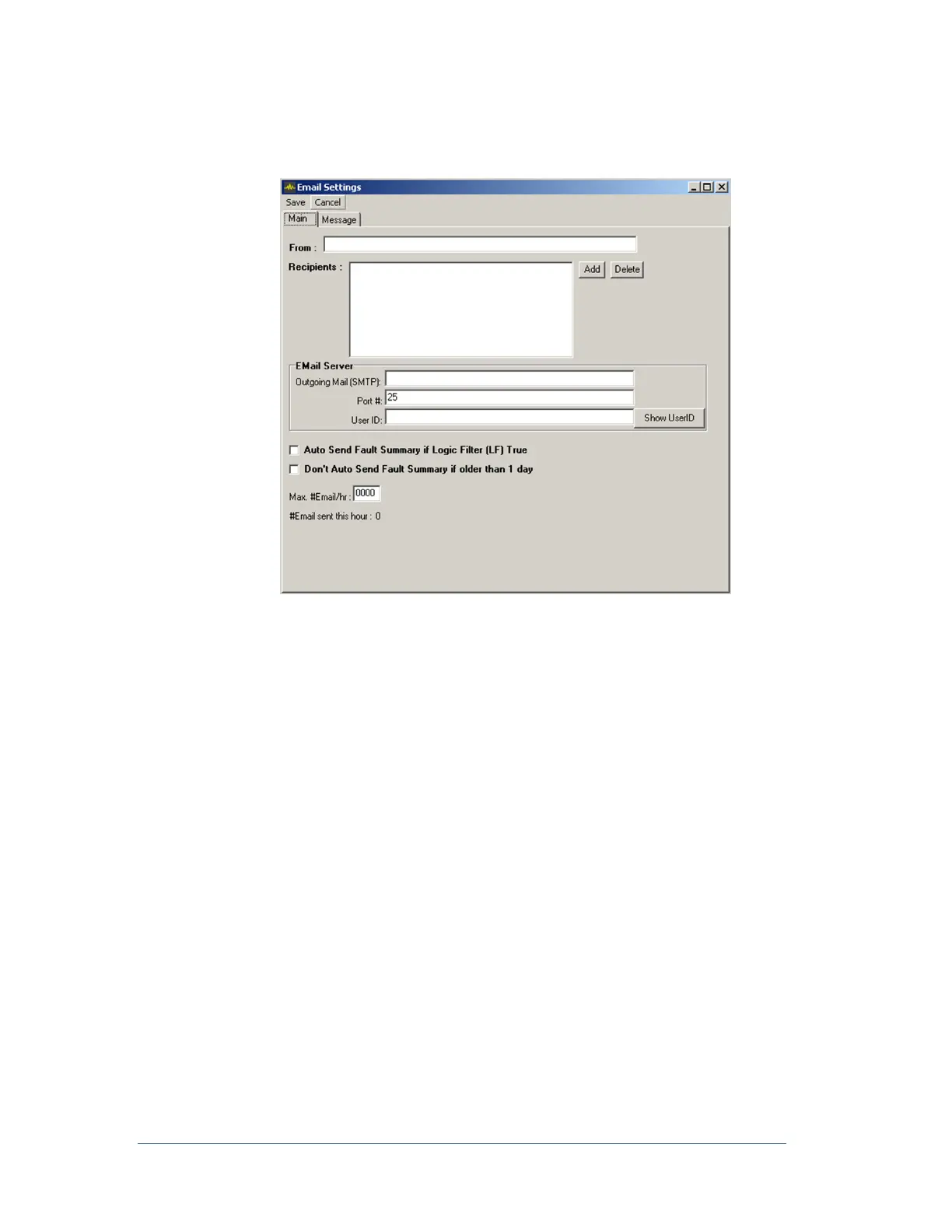
The Main tab of the Email Settings window appears.
Figure 31: Auto Email Setup Window
4. In the From field, enter a valid email address.
5. In the Recipients list, add or delete recipients’ email addresses. The e-mail message will be sent to
all of the recipients in this list. If no recipients are listed, click Add and specify a valid email
address.
6. Contact your network administrator to obtain values for the Outgoing Mail (SMTP), Port#, and
User ID fields.
7. Do you want the APP Recorder to automatically email a summary of every fault each time the
master station automatically retrieves a fault record or whenever a fault record is automatically
called in?
If yes, then select the Auto Send Fault Summary if Logic Filter (LF) True check box. On
the Automatic Tasks tab of the Recorder Configuration window, verify that the Logic box
contains the appropriate value. For more information on completing the Logic box, see
Error! Reference source not found..
If no, skip to the next step.



 To Next Page