Using the APP Recorder 6-46
6.13.3 Configuring a DNP3/Modbus Outstation
Configuring DNP-3 or Modbus Protocol
You can configure a DNP3 or Modbus outstation for the APP-601 Recorder. The APP-601 Recorder
provides the following information through DNP-3 and Modbus:
1. Analog Channel RMS
2. Analog Channel Frequency
3. Analog Channel Phase
4. Event Channel Status
5. Fault Location
NOTE: The analog channel frequency and phase are obtained by asking for an extended range
of the analog information. The information needed for DNP-3/Modbus master to translate
the data after received is located in the file RxxDnp3.txt in setup folder of the recorder.
This file is generated by the APP-601 Recorder automatically.
DNP-3/Modbus Prerequisites
You can configure a DNP3 or Modbus outstation only if the DNP-3/Modbus check box in the Point
Assignment Record/General Settings has been selected. Additionally, to generate data to output via DNP-
3/Modbus, the extended recording and continuous recording features must be enabled. You can enable
these on the General Settings tab: Recorder Setup tab in the Point Assignment Setup window.
Configuring DNP-3
1. In the APP Recorder window, from the Tools menu, click DNP3/Modbus Config..
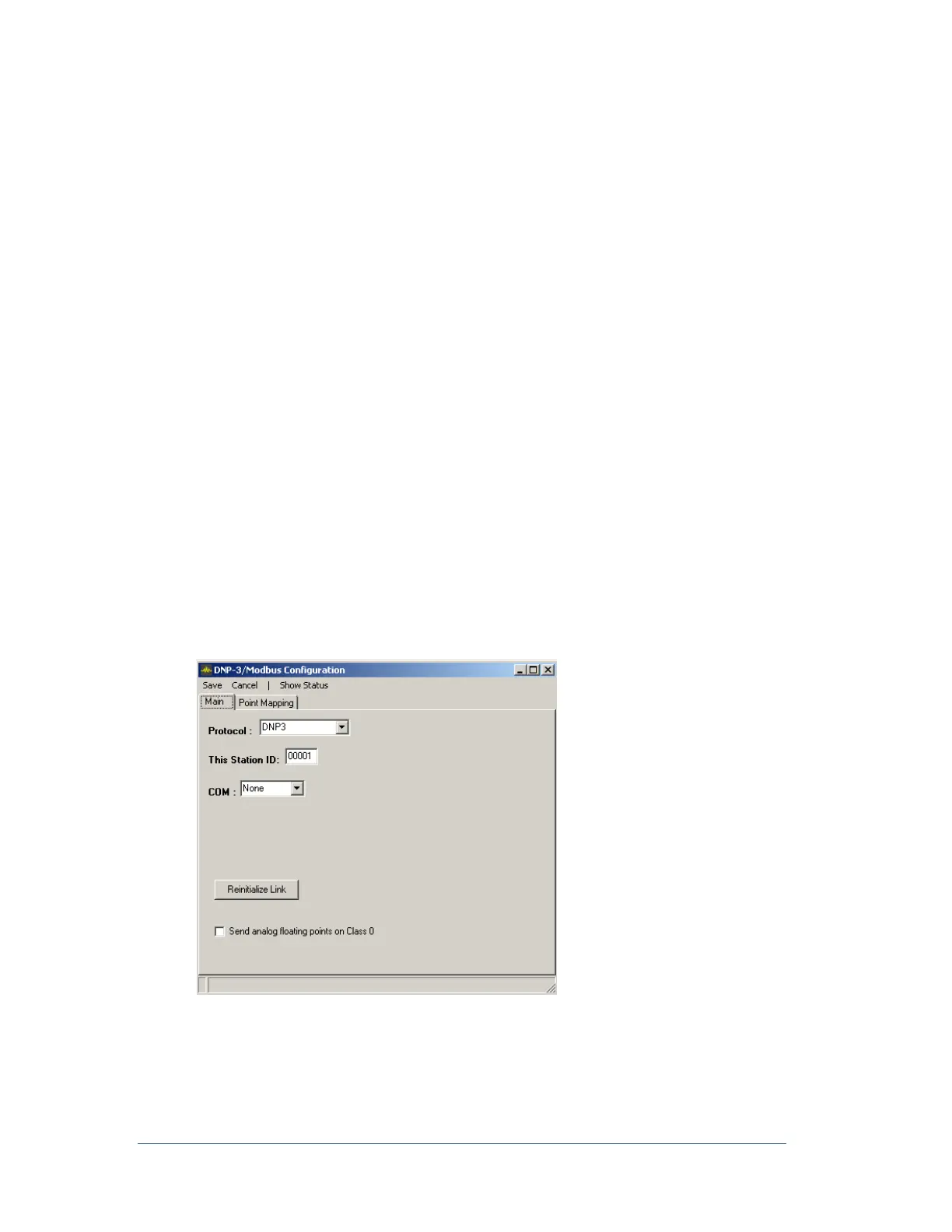
The following window appears.
Figure 50: DNP-3/Modbus Configuration Window (DNP-3)
2. In the Protocol field, select the protocol DNP-3.



 To Next Page