Using the APP Recorder 6-44
To Save RMS-Plus Phase Data
1. In the APP Recorder window, from the Continuous Recording menu, point to RMS Plus Phase
and then click Save RMS Plus Phase Data.
2. Complete the entry fields
3. Click the OK button.
6.13 Using Other Tools
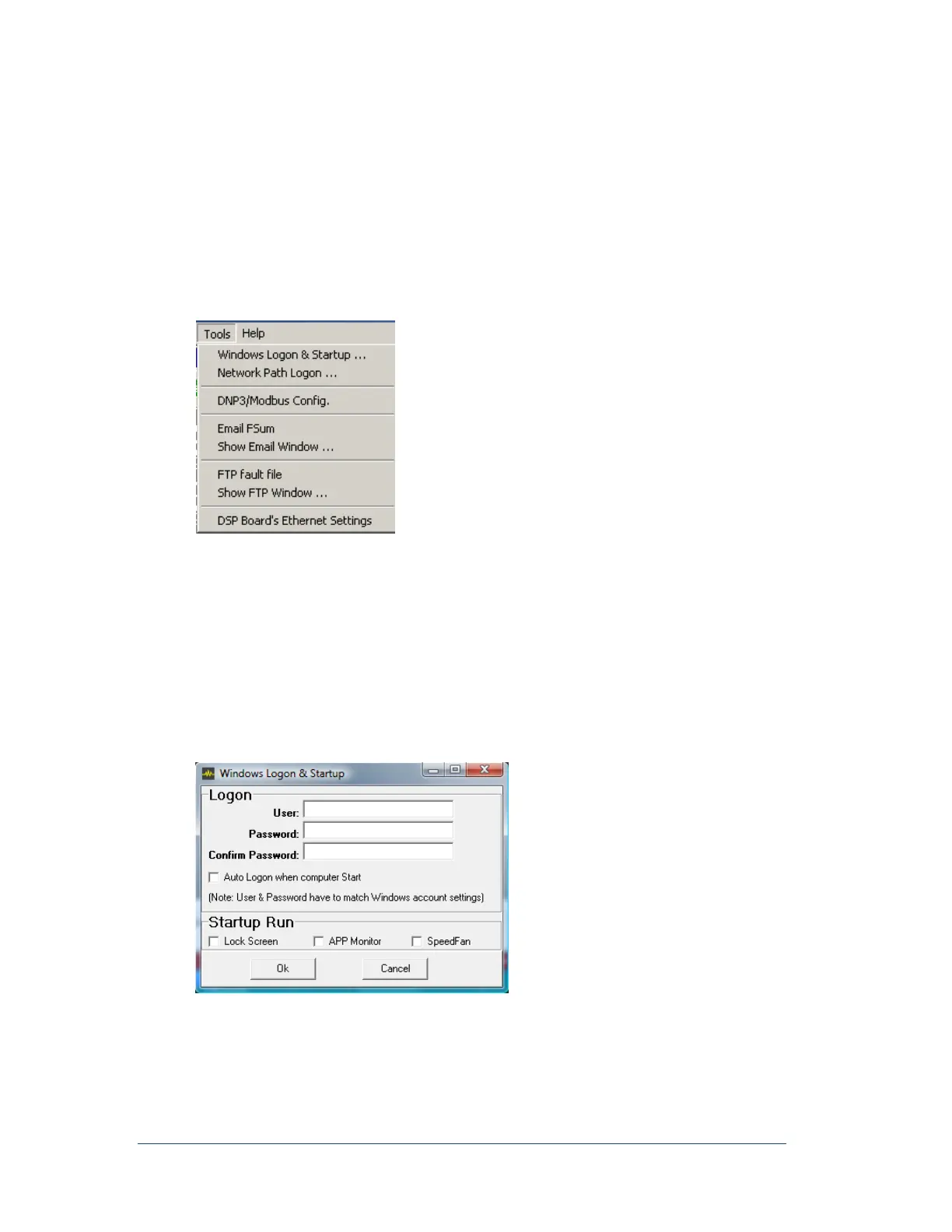
The Tools menu contains additional tools for the APP Recorder.
Figure 47: Tools Menu Window
6.13.1 Startup and Running the APP Monitor
APP Recorder can be set up to automatically start when the computer restarts and using APP Monitor to
automatically start if APP Recorder is shutdown. When APP Monitor is running, APP Recorder will restart
within 60 seconds of being closed. This is important to ensure no manual intervention is required to
maintain APP Recorder operation.
Configuring APP Recorder and APP Monitor
In the APP Recorder window, from the Tools menu, click Windows Logon & Startup
The following window appears.
Figure 48: Windows Logon & Startup



 To Next Page