Using the OScope 8-10
8.9.2 Calibrating and Un-Calibrating Offsets One Channel at a time
If the full scale value for an analog channel is changed, recheck the offset and determine if another offset
calibration is required.
It is recommended to recalibrate the DC Offset if the full scale value
changes. For a voltage channel, A DC offset of 0.01 to 0.04 should be
achievable. For a current Channel, a DC offset of 0.00 to 0.03 should
be achievable.
The offset calibration process creates a file named RxxExCal.ini in path location C:\APP Recorder\Setup.
The “xx” in the file name is the unique recorder ID number. This is an ASCII file and can be viewed by
doubling clicking it. An example file entry is, A1=0,0.999965. A1 is the analog channel number, 0 is the
offset calibration factor for the DC offset, and 0.999965 is the external calibration factor.
To Calibrate the DC Offset One Channel at a Time
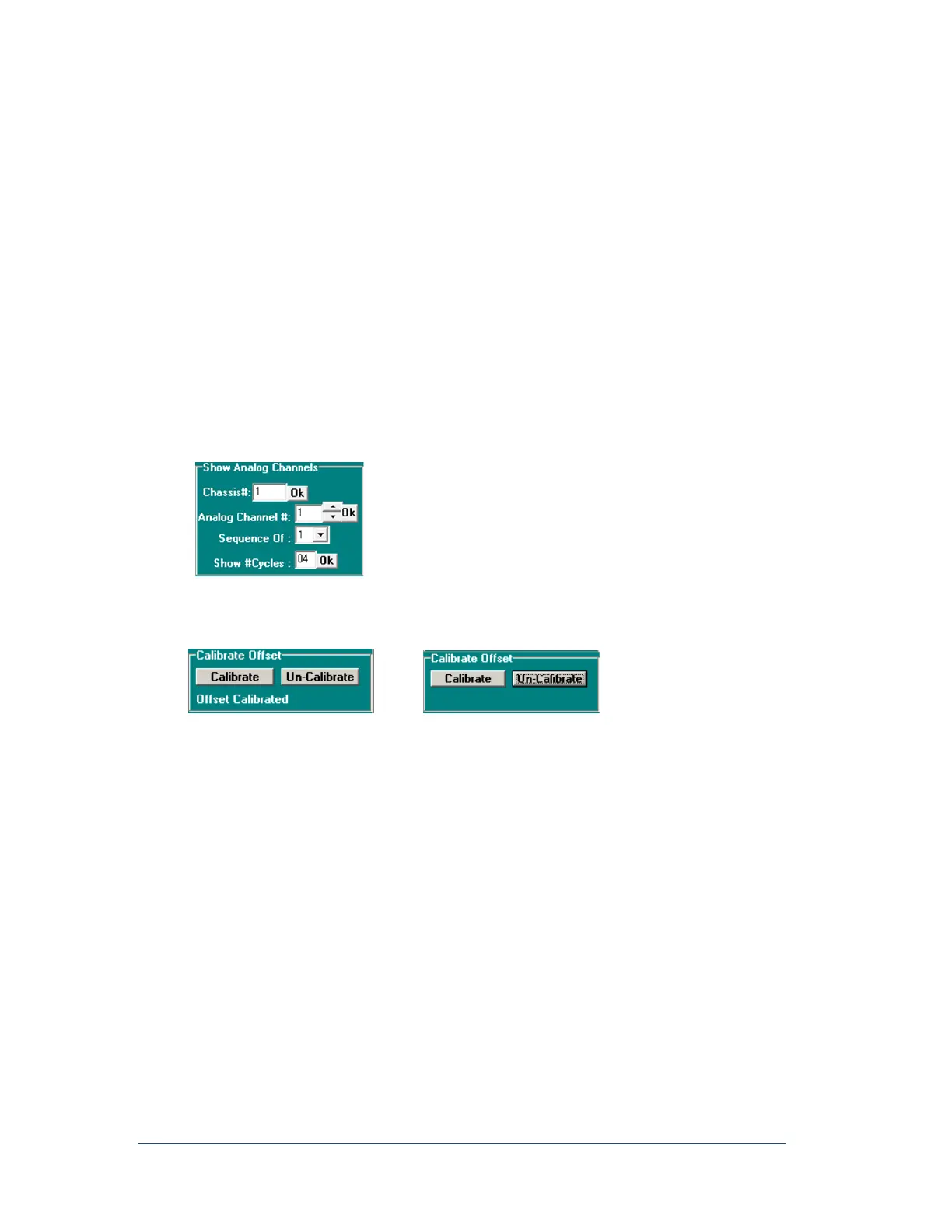
1. In the Show Analog Channels group in the Analog Channel# box, use the up and down arrows to
enter the analog channel number to be calibrated. Holding the up or down arrow will scroll quickly,
and then click the corresponding OK button.
Figure 63: Show Analog Channels Group
2. Under Calibrate Offset, click the Calibrate button.
The text, “Offset Calibrated” appears under the button when complete.
Figure 64: Calibrate/Un-Calibrate Offset
Note: After calibrating, click Run to restart the OScope function.
To Un-Calibrate the DC Offset One Channel at a Time
1. In the Show Analog Channels group, in the Analog Channel # box, enter the analog channel
number to be un-calibrated and then click the corresponding OK button.
2. Under Calibrate Offset, click the Un-Calibrate button.
The text, “Offset Calibrated” disappears under the button and no text remains.
8.10 Calibrating Slope (Performing an External Calibration)
The APP Recorder will have accurate un-calibrated analog channels as described in the specifications
section. Therefore, you may not see much improvement in channel accuracy by performing an external
calibration. The calibration process takes only a few seconds.
Note: Ensure that your calibration source or measuring meter is calibrated and has as a
precision accuracy.



 To Next Page