3.3 Menu navigation via push buttons (for settings and indications)
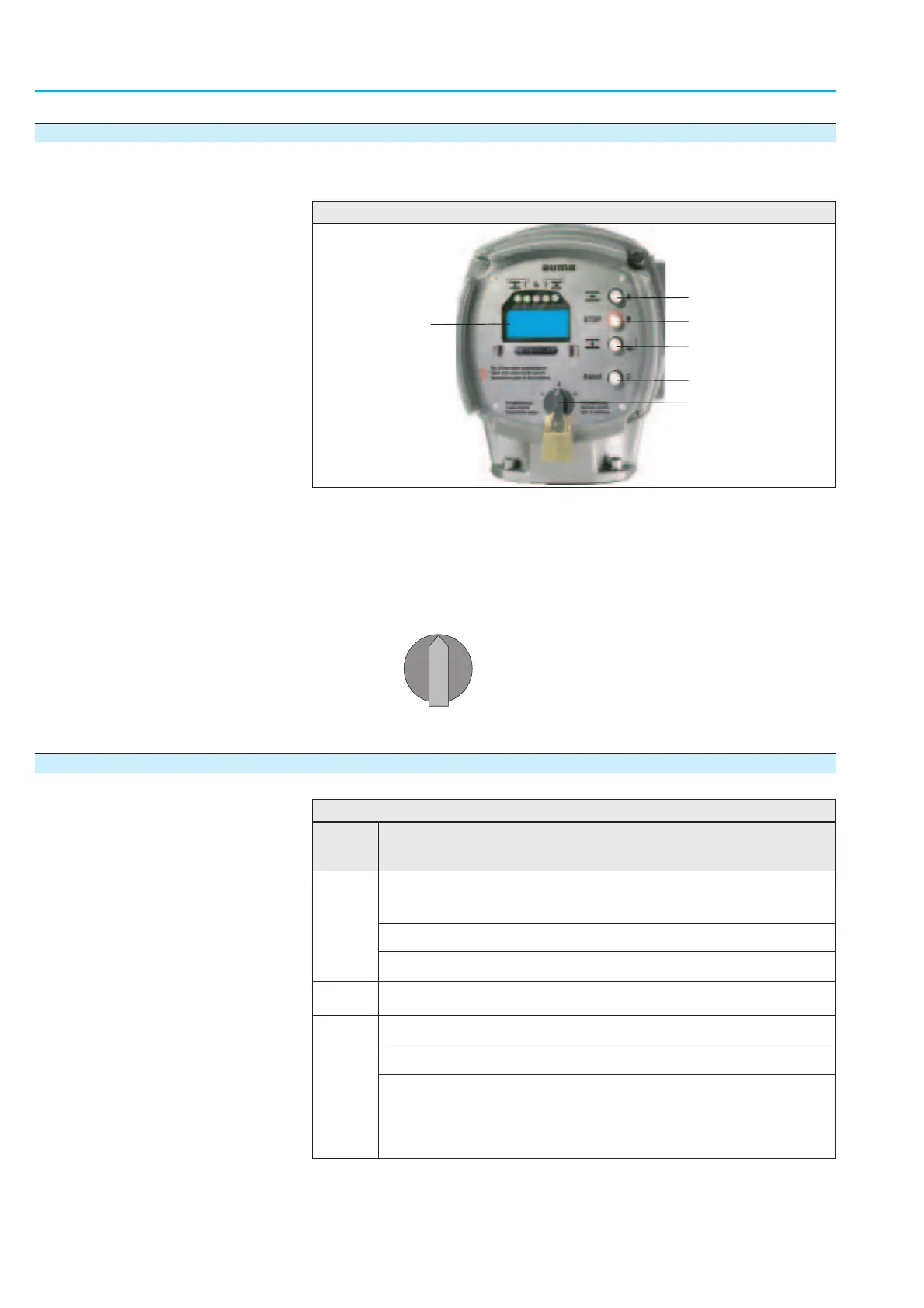
The push buttons of the local controls (figure 4) are used to view, edit, and
show various indications on the display.
Ò Set selector s
witch (5) to position 0 (OFF).
Now, settings and indications can be performed via the push buttons (1 – 4).
3.3.1 Short overview: functions of the push buttons
10
Actuator controls
AUMATIC AC 01.1/ACExC 01.1 Profibus DP Manual
1
6
1
2
3
4
5
p
q
8
C
Figure 4
1
Push button
p
4
Push button
C
2
Push button
q
5 Selector switch
3
Push button
8
6 Display
0
I
I
Push
buttons
Functions
pq
Scrolling within a group
(The triangles
in the display show the direction of scrolling.)
Change values
Enter figures from 0 to 9
8
Confirm the selection to go to a new menu/subgroup.
C
Cancel process
Return to previous display: press briefly
Change to another group (S, M, D)
- press for approx. 3 seconds until group M0 is displayed.
- hold down for more than 3 seconds until group
D0 is displayed
(thereby, group
M is skipped).
Table 1



 To Next Page