3.3.2 Structural design and navigation
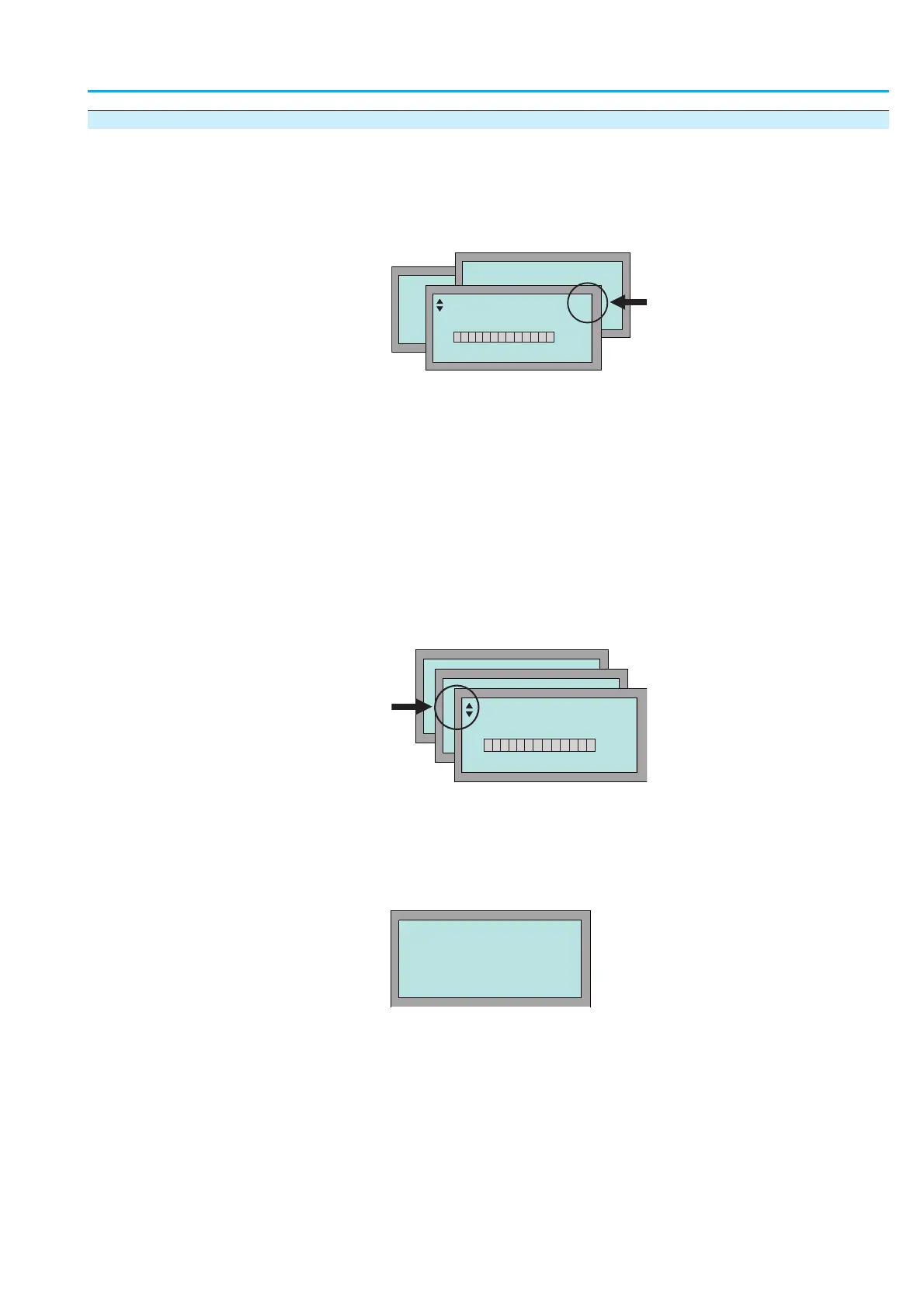
The indications on the display are divided into 3 groups:
.
Group S = status indications
.
Group M = menu (settings)
.
Group D = diagnostic indications
The active group is displayed on the top right corner of the display.
Chang
e groups Change from group
S to group M:
Ò Press
C push button and hold it down for approx. 3 seconds until group
M0 appears.
Change from group
S to group D:
Ò Press
C push button and hold it down until group D0 appears
(group
M is hereby skipped).
Change from any group
M or D back to group S:
Ò Br
iefly press
C.
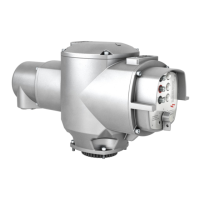
Scrolling Ò Press
qp:
The triangles
in the top left corner of the display indicate the possible
scrolling direction (within one group) of scrolling.
Enter the password In the men
u (group M), the settings are protected by a password.
To change the parameters, a password must first be entered.
The following default password is set in the factory: 0000.
After selecting
EDIT, the following is displayed:
1. Select figures 0 to 9: Press
qp.
2. Move to the next position: Press
8
.
3. Repeat steps 1 and 2 for all four digits.
4. To cancel a process: Press
C.
Information If no input is receiv
ed over a longer period of time (approx. 10 min), the con
-
trols automatically returns to the status indication
S0.
11
Actuator controls
Manual AUMATIC AC 01.1/ACExC 01.1 Profibus DP
ENTER PASSWORD
0***
:EDIT ¿:OK C:ESC
OFF S0
OPEN POSITION
E2 100%
M0
M0
OFF S0
OPEN POSITION
E2 100%



 To Next Page