5‐9
3-2. Adding a Design
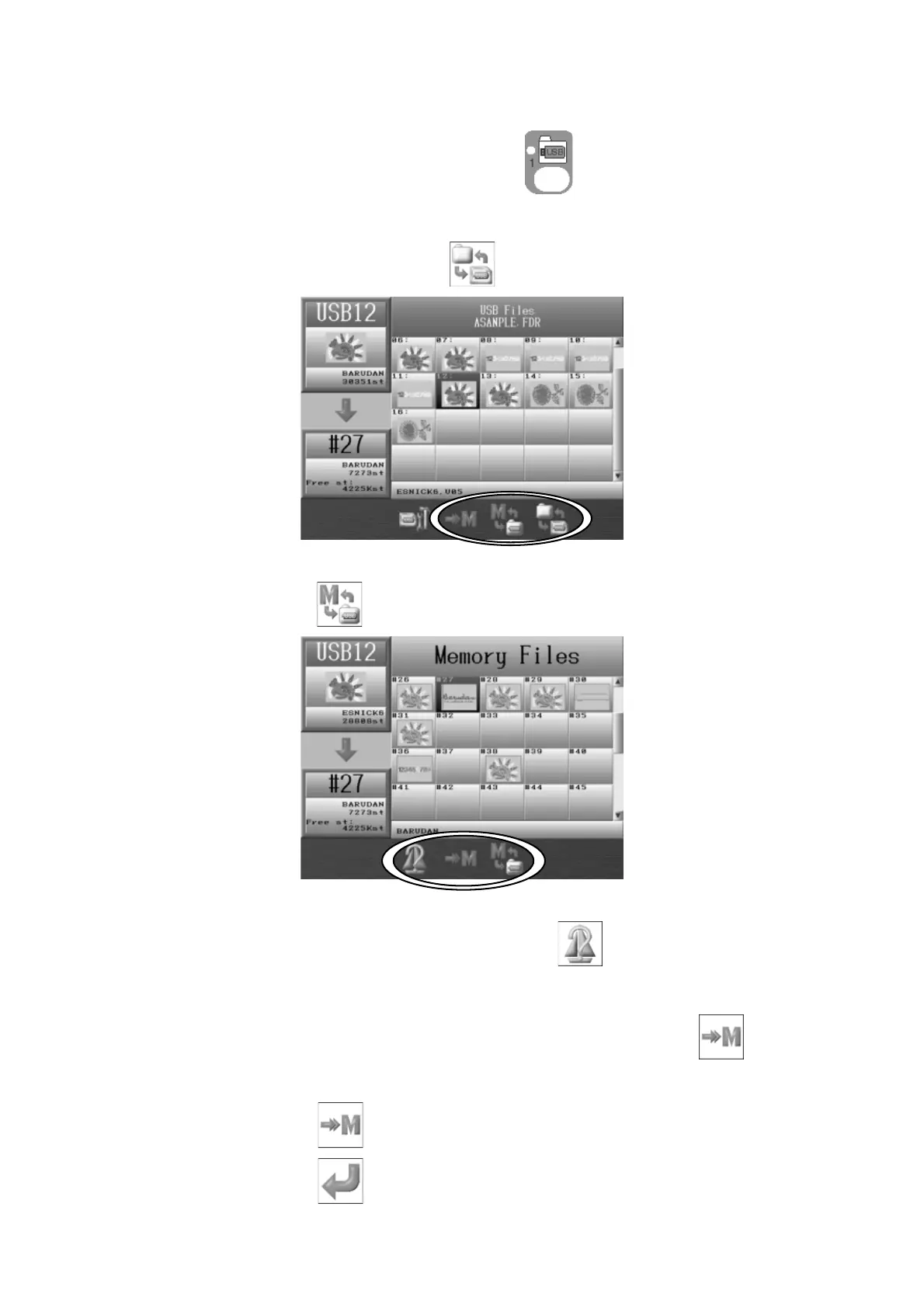
1. Press the Design Loading/Downloading Key .
2. Use the Jog keys and select the folder that has the design you want to load.
3. Press the Origin key or the F-key,
to display the list of designs in the folder.
4. Use the Jog keys and select the Design you want to load.
5. Press the E-key,
to display the design data list in Memory.
6. Use the Jog keys and select the design you want add to.
To show the design information, press the C-key,
.
*The design information shown is the same as what shows for Memory designs. Refer
to
Chapter 6 2. Design Information
for more details.
7. If you’ve selected a memory location with a design already in it, the
icon will be
shown above the D-key.
8. Press the D-key,
to confirm adding the new design to the design in memory.
9. Press the G-key,
to start loading.



 To Next Page