BERNINA Dual Feed
ATTENTION!
Only use «D» presser feet with cut-out at the center back.
If an incorrect presser foot is attached, the sewing computer
will not start with the dual feed engaged. An error message will
appear.
More «D» presser feet are listed in the enclosed accessories
catalogue.
With the BERNINA Dual Feed the top and bottom layer of fabric are fed
simultaneously. Striped and checkered patterns can be matched perfectly
by even feeding.
Presser Feet Selection
Reverse pattern foot No. 1D
Zipper foot No. 4D
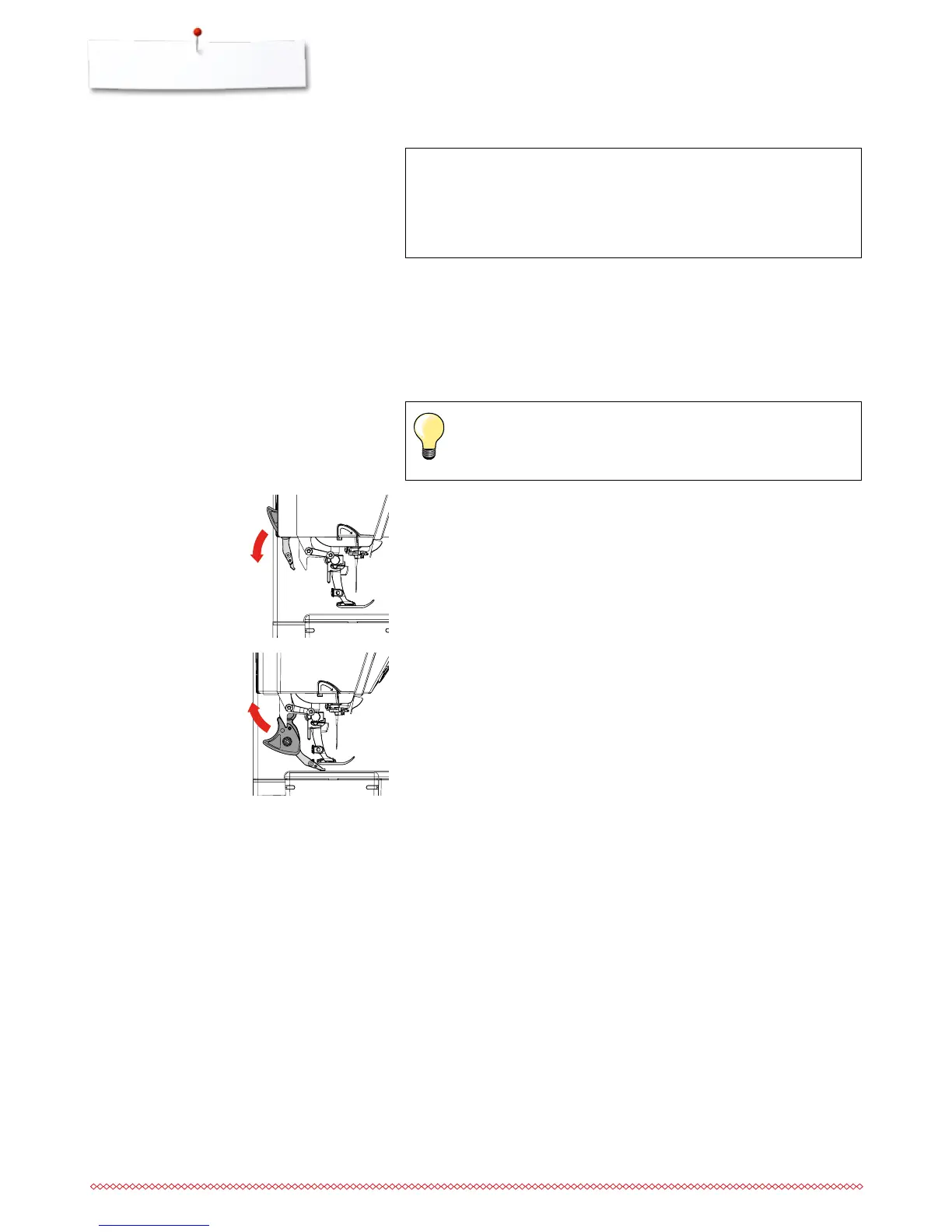
Switching on BERNINA Dual Feed
⦁
raise the presser foot
⦁
pull dual feed down until it engages
Switching off BERNINA Dual Feed
⦁
raise the presser foot
⦁
hold dual feed on holder with two fingers, pull it down
⦁
then push backward, slowly letting it slide upward



 To Next Page