Stitch Designer
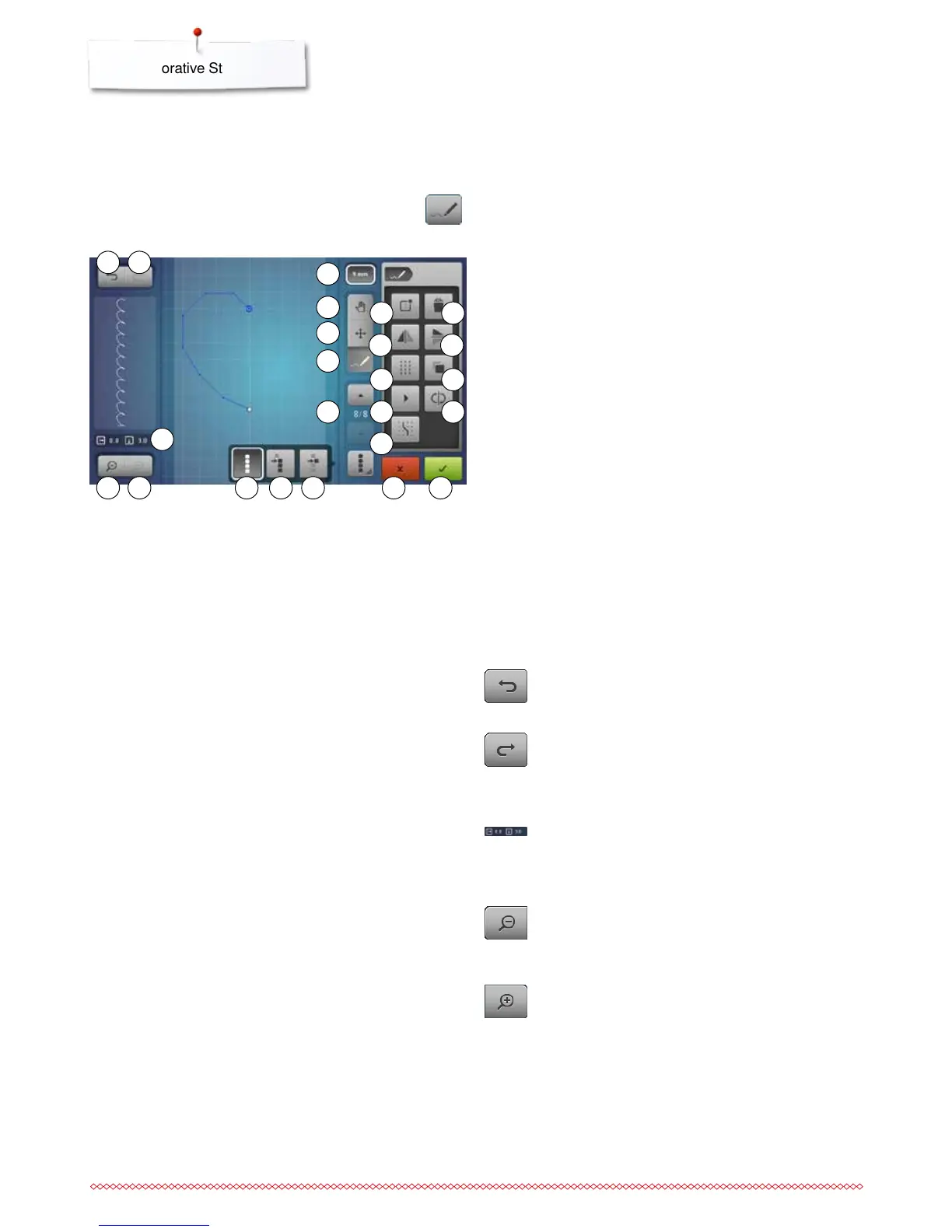
Stitch designer functions
⦁
touch the «Stich Designer»-icon
►
«Edit»-Display appears
1 Undo
2 Redo
3 Absolute point position
4 Zoom minus
5 Zoom plus
6 Selecting all points
7 Selection from a defined point
8 Single point is selected/activated
9 Pattern width limitation
10 Moving the view of the stitch design
11 Moving points/Direct point selection
12 Inserting/editing a stitch
13 Scrolling through the points
14 Creating new stitch design
15 Deleting
16 Mirror Image left/right
17 Mirror Image up/down
18 Triple stitch
19 Duplicating
20 Slow re-draw
21 Reversing the stitch sequence
22 Snap to grid
23 Closing stitch designer
24 Confirming the entry
The stitch designer allows you to create your own stitch designs
or to edit existing stitch patterns.
Undo
⦁
touch the icon once or multiple times
►
the entries are undone one by one
Redo
►
as soon as the function «Undo» is touched, the
icon «Redo» is activated
⦁
touch the icon once or multiple times
►
the entries are redone one by one
Absolute point position
The absolute point position is displayed:
x axis: related to the centerline
y axis: related to the last point
Zoom minus
⦁
touch the icon once or more times
►
the view of the stitch design is scaled-down in one
step increments
Zoom plus
⦁
touch the icon once or more times
►
the view of the stitch design is enlarged in one step
increments
6 87
3
4 5
10
11
12
9
13
14 15
16 17
18 19
2120
22
23 24
1 2



 To Next Page