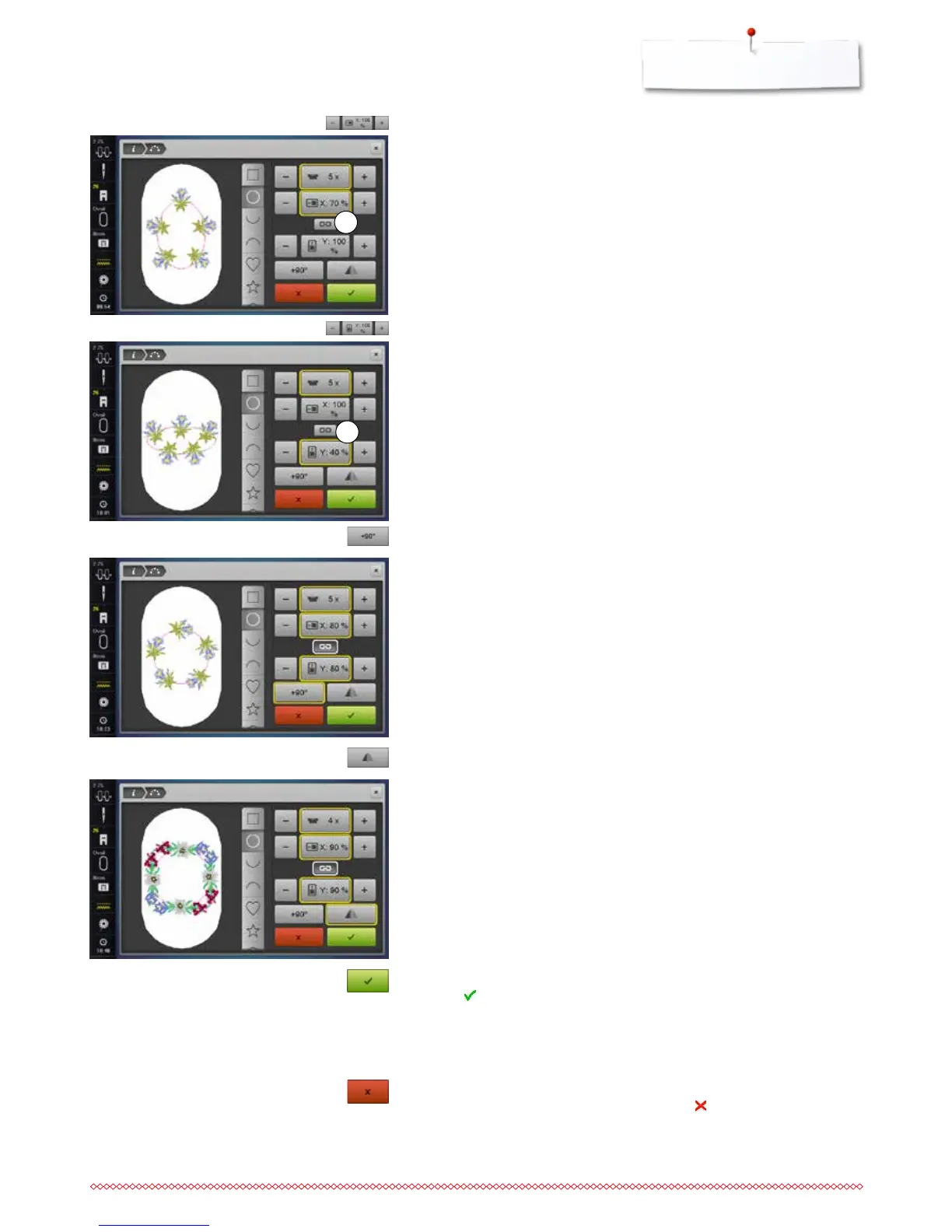
Icon 2 must be dectivated.
⦁
touch the «+»/«-»»-icon with the finger or the Touchscreen pen
►
the size of the formation is enlarged/scaled-down horizontally
⦁
touch the yellow-framed icon in the center
►
the basic setting is reset
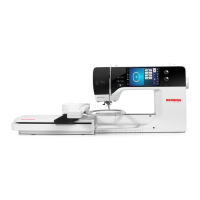
Icon 2 must be deactivated.
⦁
touch the «+»/«-»-icon with the finger or the Touchscreen pen
►
the size of the formation is enlarged/scaled-down vertically
⦁
touch the yellow-framed icon in the center
►
basic setting is reset
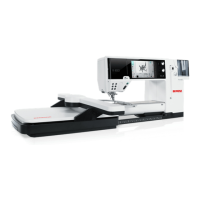
Rotating the motifs
⦁
touch the «+90°»-icon with the finger or the Touchscreen pen
►
the motifs are rotated clockwise in 90° increments
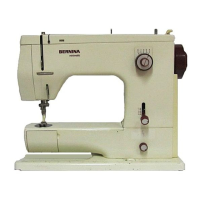
Mirroring motifs
⦁
touch the «Mirror Image left/right»-icon with the finger or the Touchscreen
pen
►
every second motif will be mirrored horizontally
⦁
touch the yellow-framed icon
►
basic setting is reset
Embroidering the motifs
⦁
touch to confirm the created motif
►
the «Edit»-Display appears
⦁
touch the «i»-icon
►
the function overview closes
⦁
change to the embroidery Display and embroider the motif
Closing the «Shape designer»-Display
When the «Shape designer»-Display is closed via , the created embroidery
motif won't be visible in the «Edit»-Display and cannot be embroidered.
2
2


 To Next Page