Motifs
Various embroidery motifs from the «Alphabets», «Motifs», «Stitch patterns»
and «My Designs» files can be selected.
Selecting alphabet
⦁
touch the «Alphabet»-icon
►
various alphabet types appear in the Display
⦁
touch the desired «Alphabet»-icon or use the «0-9»-icon to select the
desired alphabet
If all the lettering cannot be displayed in the hoop, rotate the lettering
by 90°. There is then more room for the lettering in the entire length
of the embroidery hoop.
If this does not help, decrease the lettering size or reduce the
number of letters.
Alphabets
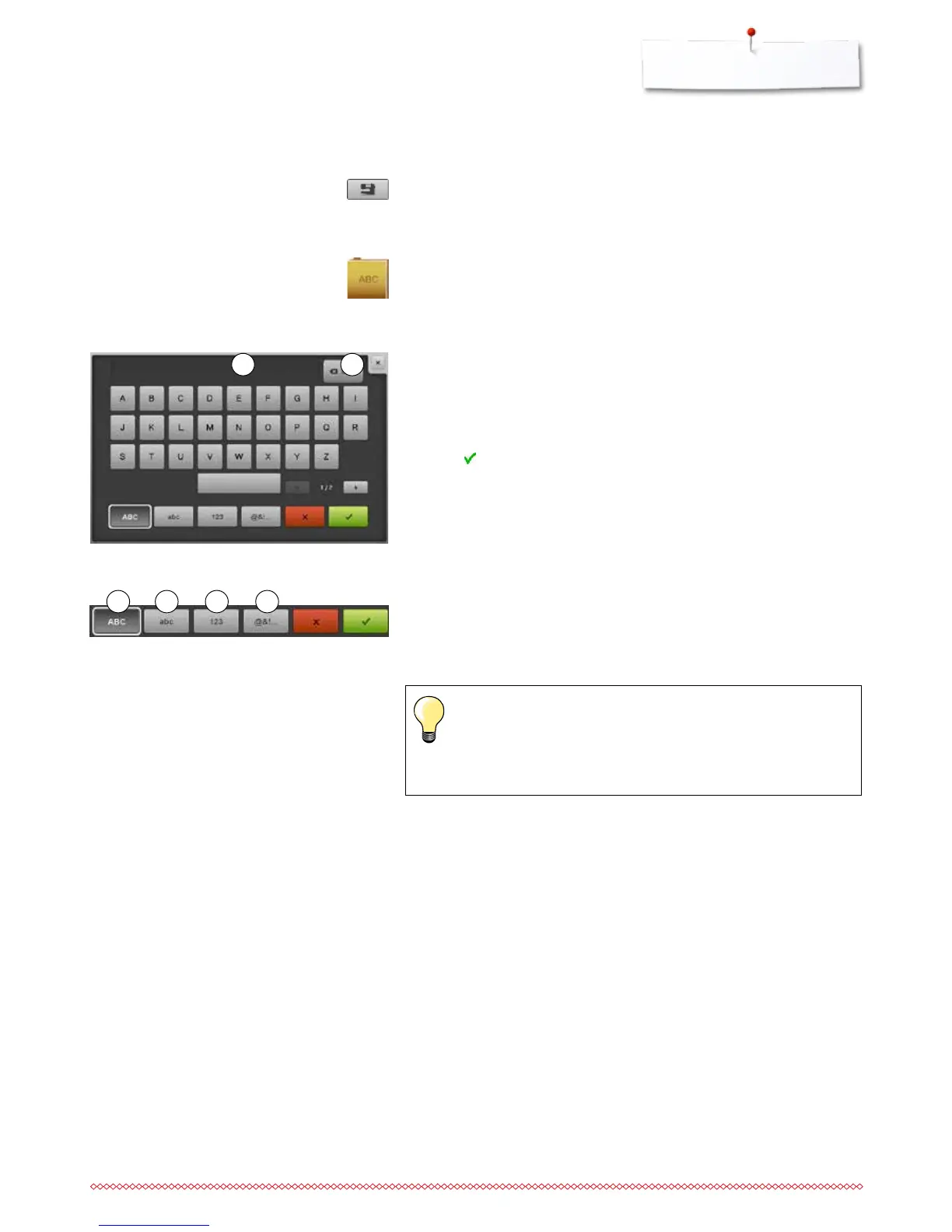
Entering/Correcting lettering
►
the Display with the keyboard opens
►
the «ABC»-icon (upper case) is active automatically
⦁
select the desired characters
The space bar is at the bottom of the letter keys.
►
the letters appear in the text bar 1
⦁
touch to confirm
Deleting lettering
⦁
touch text bar 1
►
all entered text is deleted
Corrections
⦁
touch the icon 2
►
the entered text is deleted from right to left
1
Selecting a motif
2
3 «ABC» upper case characters (standard)
4 «abc» lower case characters
5 «1,2,3» numbers and mathematical characters
6 «@&!...» special characters
3 4 5 6



 To Next Page