1
2
3
4
5
6
7
13
8
9
1415
10
10
1211
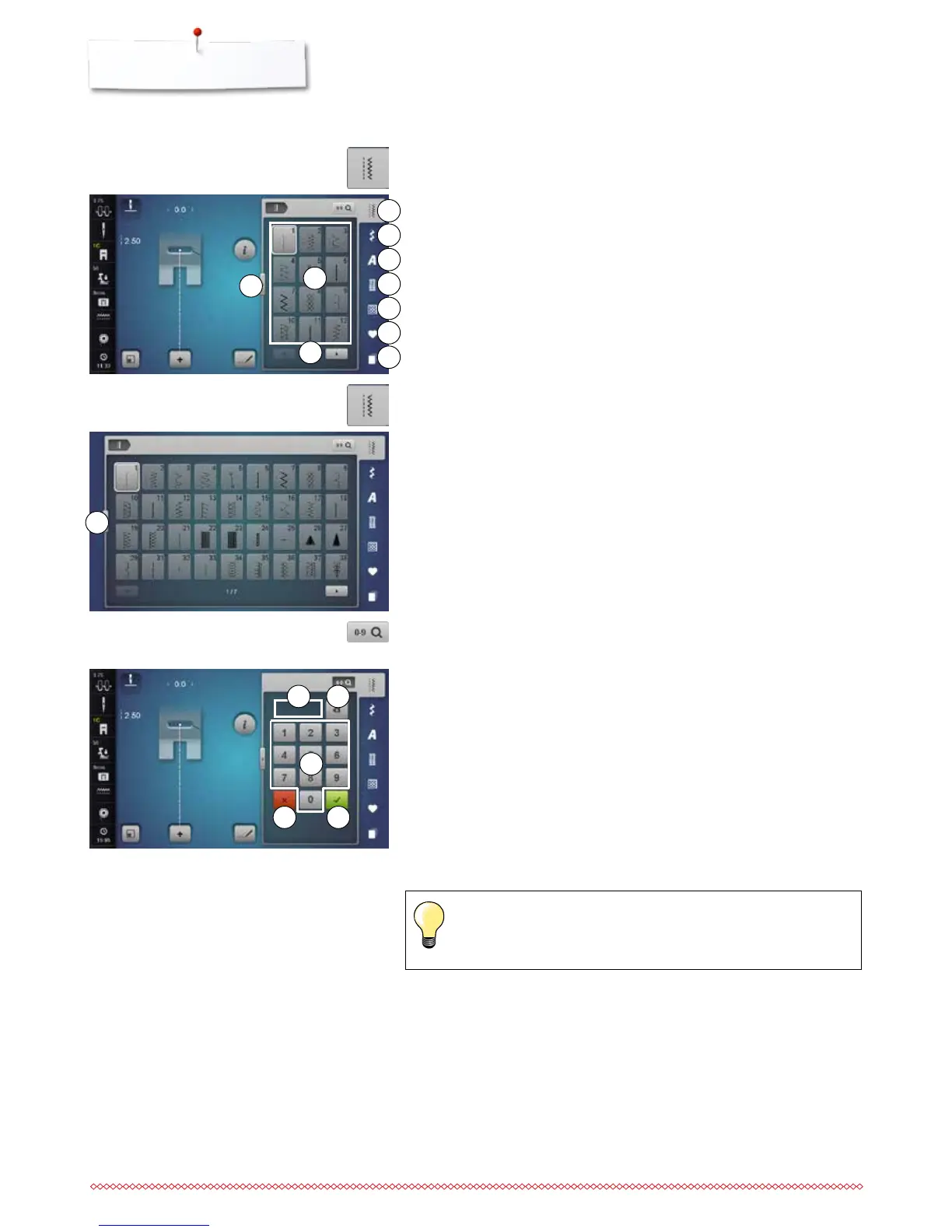
Selecting stitch pattern
1 Practical stitches
2 Decorative stitches
3 Alphabets
4 Buttonholes
5 Quilt stitches
6 Personal program/Memory
7 History
►
the available stitch patterns are visible in the Display area 8
⦁
select desired stitch pattern
⦁
further stitch patterns are visible by scrolling 9
Direct-Option 1
⦁
select the desired main category 1-5
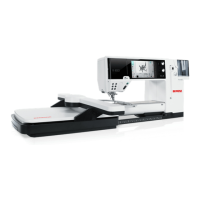
By stitch number
⦁
touch the «0-9»-icon
►
numbers for entering are visible in the Display area 13
⦁
enter stitch number
►
the entered stitch number appears in the window 11
⦁
touch icon 12
►
last digit is deleted
⦁
touch icon 11
►
complete number is deleted
⦁
touch icon 14 to confirm
Cancelling
⦁
touch the «0-9»-icon or
⦁
touch icon 15
►
the previous Display appears
An invalid stitch number will be indicated in icon 11 with 3 question
marks.
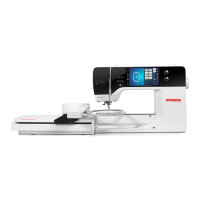
Direct-Option 2
⦁
select the desired main category 1-5
⦁
touch icon 10
►
the stitch menu expands
►
the number of the visible stitches is much bigger
►
all the other stitch patterns become visible by touching the scroll icons
►
the categories, e.g. of decorative stitches, are visible directly
⦁
touch the icon 10 again
►
the Display view is reset


 To Next Page