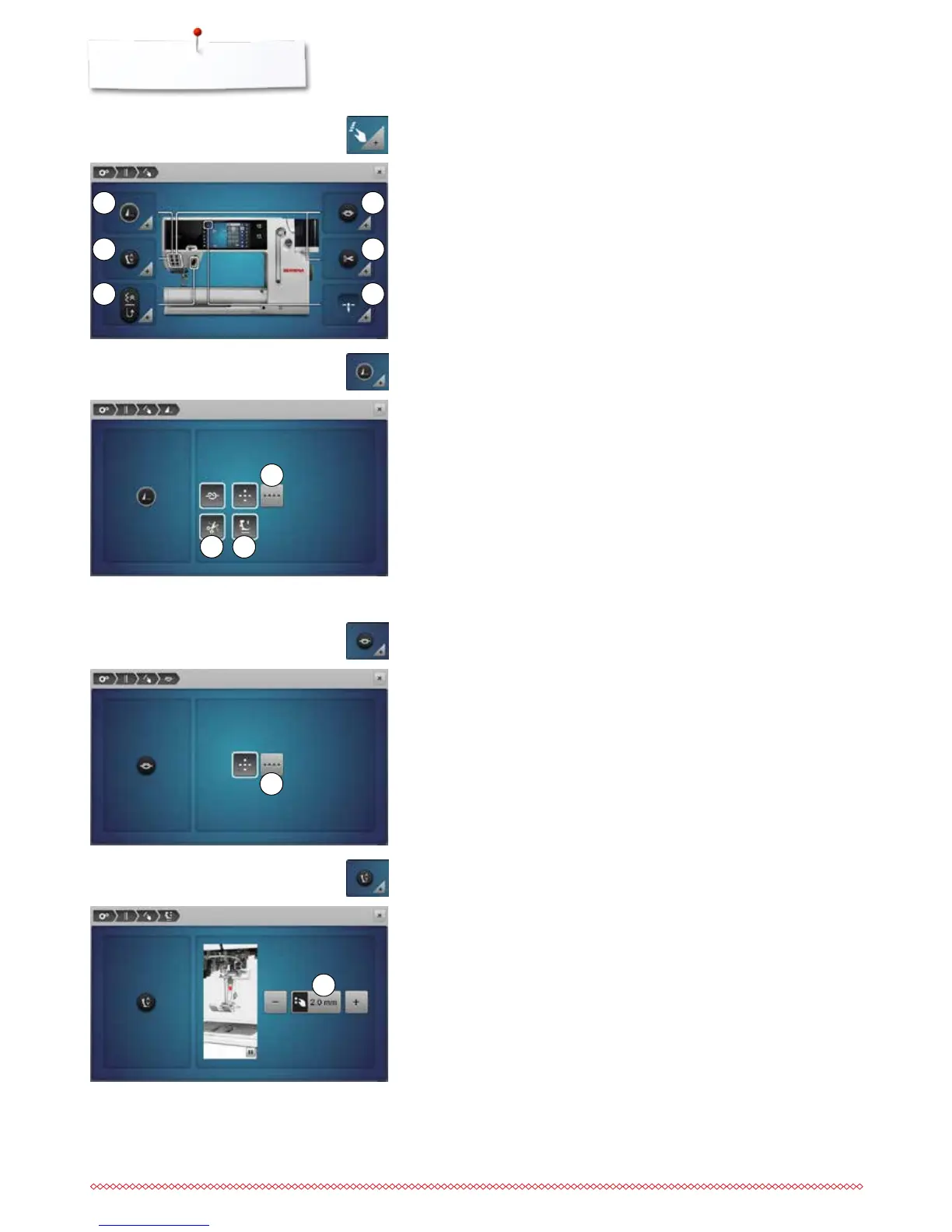
11
10
7
8
9
1
3
5
2
4
6
Programming «Function»-buttons/«Function»-icon
⦁
touch the «Function»-icon
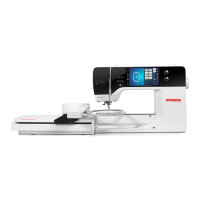
1 Automatic securing program
2 Programming «Securing»-button
3 Hover position of the presser foot
4 Automatic thread cutter and securing stitches
5 Programming «Quick reverse»-button
6 Presser foot position with needle stop down
⦁
select desired icon
The number and type of the securing stitches of the external «Pattern end/
Securing»-button can be programmed.
►
standard = four securing stitches sew in place
⦁
select function 7 to secure with small stitches sewn in a forward direction
⦁
via «+»/«-»-icons three to six securing stitches can be programmed
Automatic thread cutter
►
if function 8 is activated, the upper and lower thread are automatically cut
after sewing the securing stitches
Raising the presser foot
►
if function 9 is activated the presser foot is raised after securing
►
if function is not activated, the presser foot remains down
Automatic securing program
⦁
touch the «Securing program»-icon
The number and type of the securing stitches can be programmed using the
«Securing»-button.
►
standard = four securing stitches in the same place
⦁
select function 10 for small securing stitches sewn in a forward direction
⦁
via «+»/«-»-icons two to six securing stitches can be programmed
Programming «Securing»-button
⦁
touch the «Securing Button»-icon
⦁
turn the stitch width or stitch length knob or
⦁
touch the «+»/«-»-icon
⦁
the margin of raising can be adjusted from 0 mm to 7 mm
►
Standard = 2 mm
►
the set value = the distance between material and presser foot, is displayed
in the icon 11
Back to basic settings
⦁
touch the yellow-framed icon
►
basic setting is restored
Hover position of the presser foot
⦁
touch the «Hover position»-icon


 To Next Page