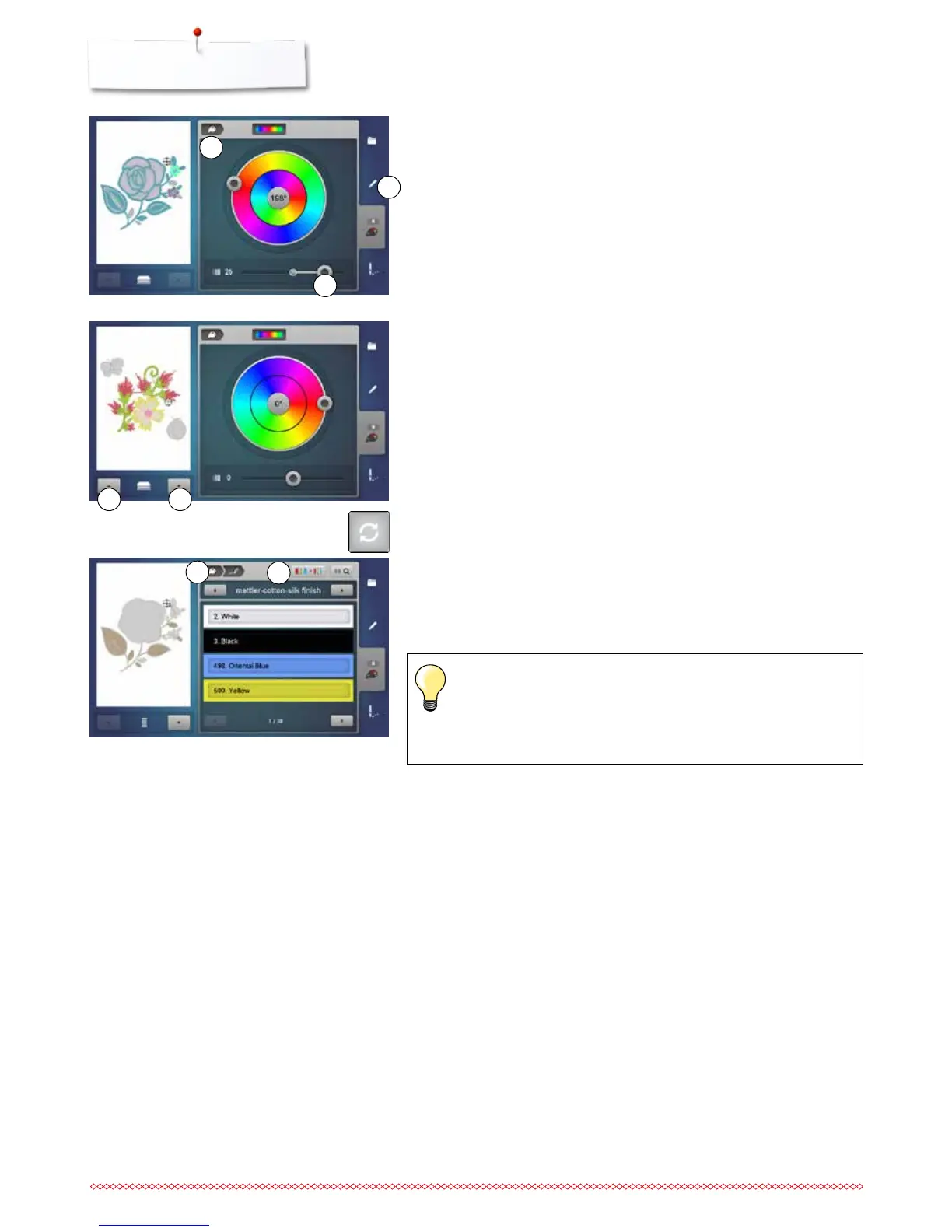
A single motif in a combination can be selected by touching the «up/down»-
icons 6 and the colors can be changed using the color wheel.
Adjusting the brightness of the colors
⦁
move the slider 3 to the left/right using the finger or the Touchscreen pen or
⦁
turn the stitch length knob
►
the brightness of the color gets brighter or darker
⦁
touch the «Back»-icon 4
►
the changed motif colors are matched with the selected thread brand
⦁
press the «Edit»-button 5
►
the motif with the new colors is visible in the «Edit»-Display
When the «Color wheel»-Display has been closed and opened again, the color
wheel will appear in basic setting.
3
4
5
Changing the thread brand
⦁
touch the «Thread color»-icon
⦁
scroll with the arrow icons left or right until the desired thread brand
appears
⦁
touch the «Thread brand»-icon 8
►
the thread brand in the Display changes and the new thread details appear
⦁
touch the «Back»-icon 7
►
the altered thread details are displayed
Different thread brands can be assigned to the motif.
⦁
scroll to the desired thread brand
⦁
do not touch the «Thread brand»-icon
⦁
scroll to the desired color
⦁
touch the icon
7
8
6 6



 To Next Page