3
3
2
2
4 5
1
6
1
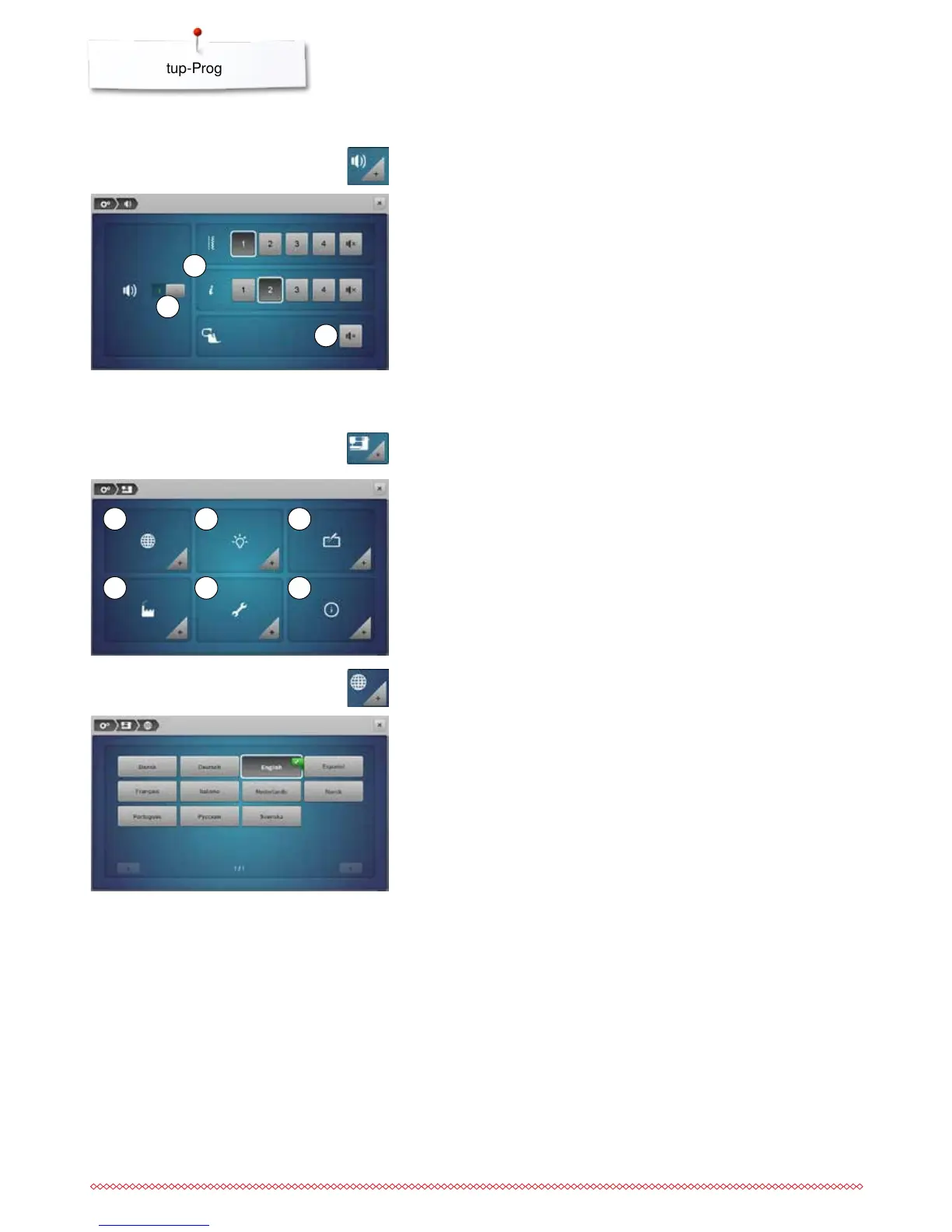
Altering the acoustic signals
Sewing computer settings
By touching 1 the signals are activated or deactivated.
Stitch patterns and function selection 2 can be confirmed acoustically.
⦁
select the desired sound for the stitch patterns/functions by touching the
sound icon 1-4
⦁
activate or deactivate the sound for quilting with BSR by touching the
«Loudspeaker»-icon 3
⦁
touch the «Loudspeaker»-icon
►
the sounds are deactivated for the respective category
1 Language selection
2 Display settings
3 Calibrating the Display
4 Basic settings
5 Cleaning/Update
6 Information
Selecting Stitch Pattern/Function/BSR
⦁
touch the «Acoustic signal»-icon
⦁
touch the «Sewing computer settings»-icon
⦁
select the desired language
Language selection
⦁
touch the «Language selection»-icon



 To Next Page