Feed dog position
Feed dog position down
⦁
touch the «Feed dog»-icon
►
the feed dog is lowered
Feed dog position up
⦁
touch the yellow framed «Feed dog»-icon
►
the feed dog is raised at the next stitch
Bobbin filling
Amount of remaining thread
The remaining thread on the bobbin is displayed in a colored bar as well as in
percentage.
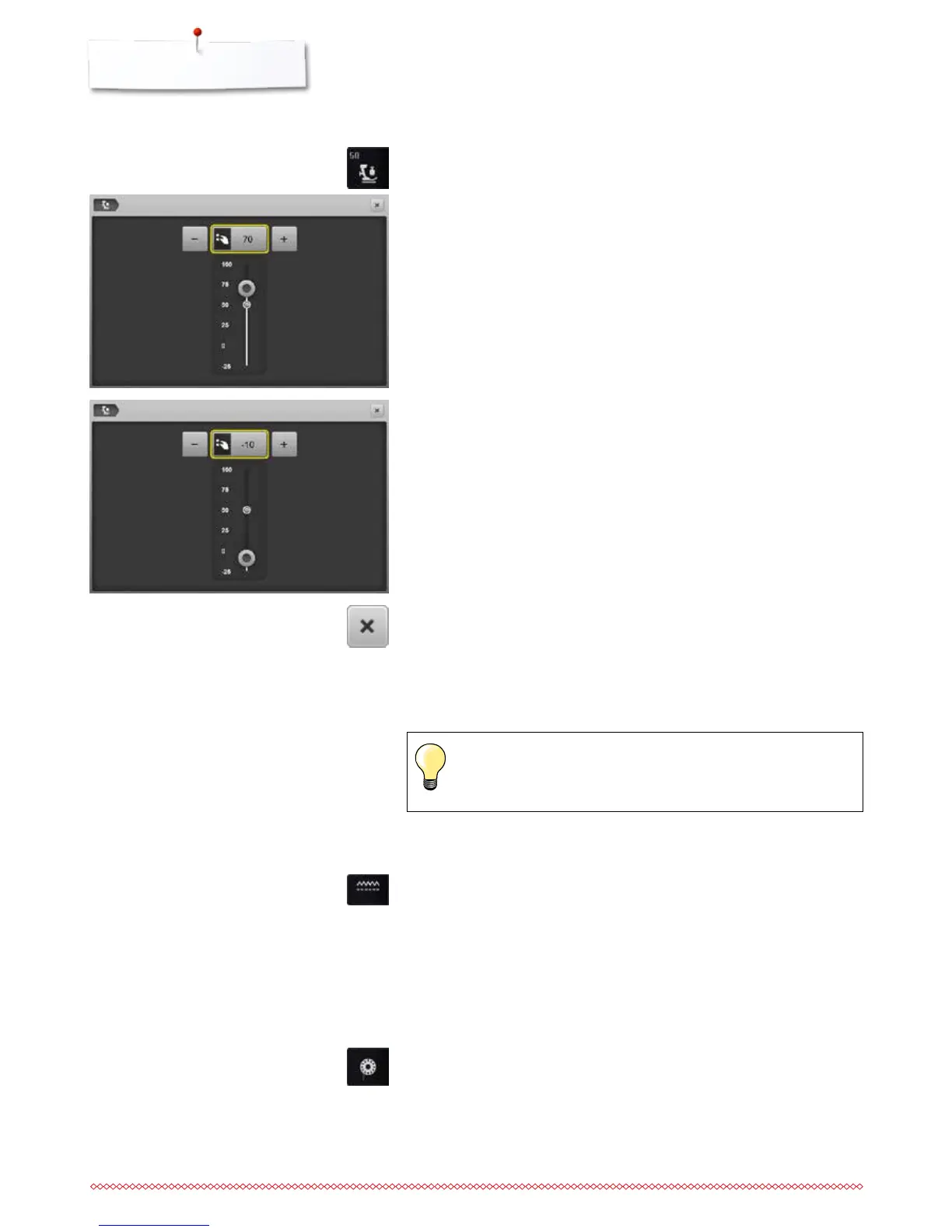
Altering presser foot pressure
⦁
touch the «Presser foot pressure»-icon
►
presser foot pressure scale is displayed
⦁
turn stitch width or stitch length knob to the left or to the right or
⦁
touch the «-»- or «+»-icon
►
presser foot pressure is increased or decreased
►
alteration of the presser foot pressure is displayed in the scale and in the
yellow-framed icon
►
basic setting remains visible (small white dot on the slider)
When sewing thick material, e.g. quilting
⦁
turn stitch width or stitch length knob to the left or
⦁
touch the «-»-icon
►
the presser foot pressure decreases to minus
►
the presser foot is slightly raised and the material can be moved more
easily
Saving presser foot pressure
⦁
touch the «Close»-icon or «Presser foot pressure»-icon
►
the settings are saved and the Display closes
Resetting the basic setting
⦁
touch the yellow-framed icon
►
basic setting is reset
Reset the presser foot pressure to basic setting after finishing the
task.



 To Next Page