2
1
Correcting a stitch pattern combination
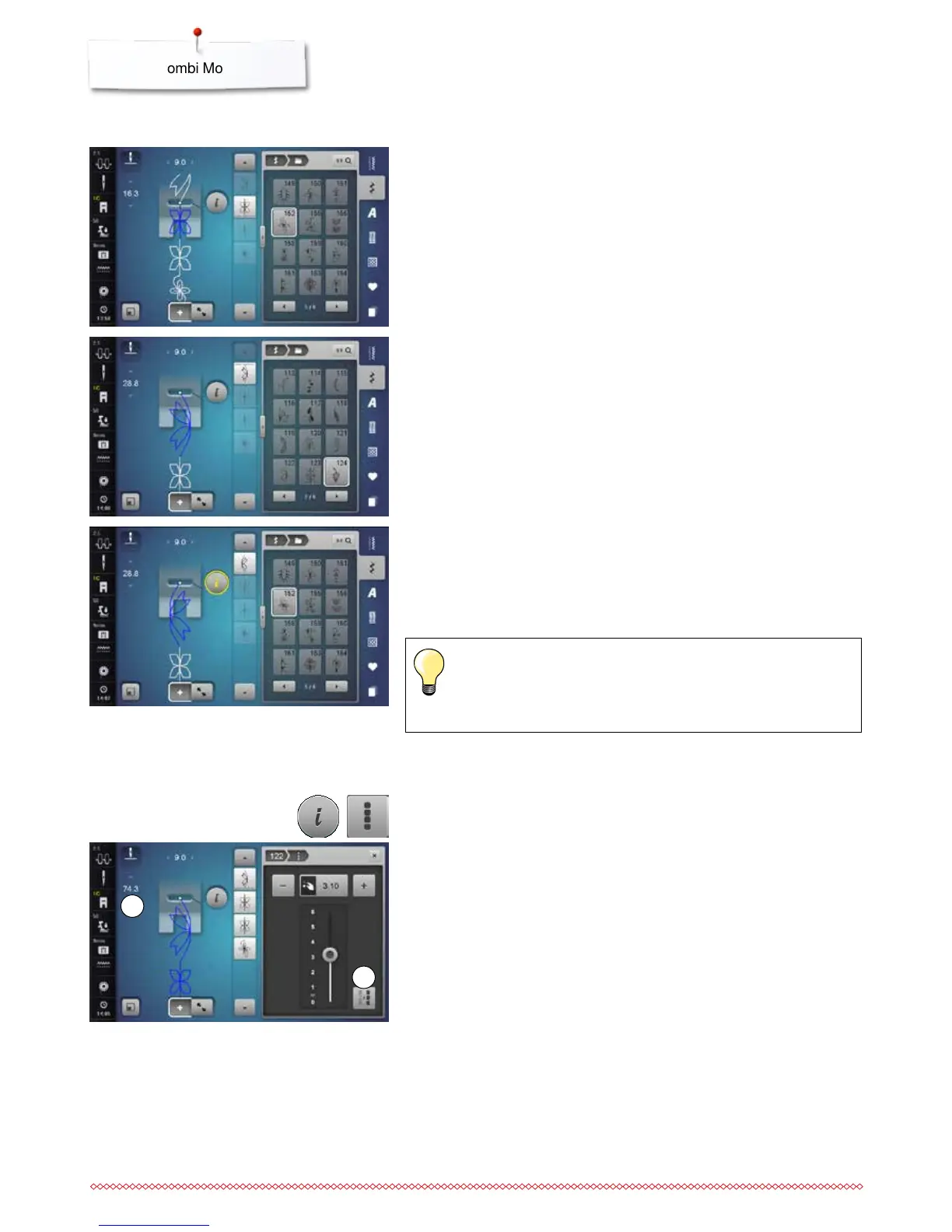
Inserting a stitch pattern
⦁
select the desired position in the combination or in the Editing Area
⦁
select a new stitch pattern
►
the new stitch pattern is inserted below the selected stitch pattern
To insert a stitch pattern at the beginning of a combination the cursor must be
positioned above the first stitch pattern.
⦁
touch the «scroll up»-arrow until the cursor (dotted line) is at the top of the
first stitch pattern
Altering stitch patterns
⦁
select the desired stitch pattern in the combination
⦁
touch the «i»-icon
⦁
select desired function, e.g. Mirror Image left/right
►
the stitch pattern is mirrored left/right
⦁
touch the «Close»- or «i»-icon
The alterations always affect the stitch above the cursor. Saved
stitch combinations can be altered or corrected in the same way. To
make corrections and alterations permanent, the combination must
be saved again afterwards.
Adjusting the length within the combination
The length of all stitch patterns within a combination can be adjusted in relation
to the longest stitch pattern.
⦁
touch the «i»-icon
⦁
touch the «Edit whole combination»-icon
⦁
touch the «Stitch length scale»-icon 1
►
the «Stitch length»-Display appears
⦁
touch the «Length adjustment in combination»-icon 2
►
the length of all the stitch patterns is adjusted to the longest stitch pattern
within the combination



 To Next Page