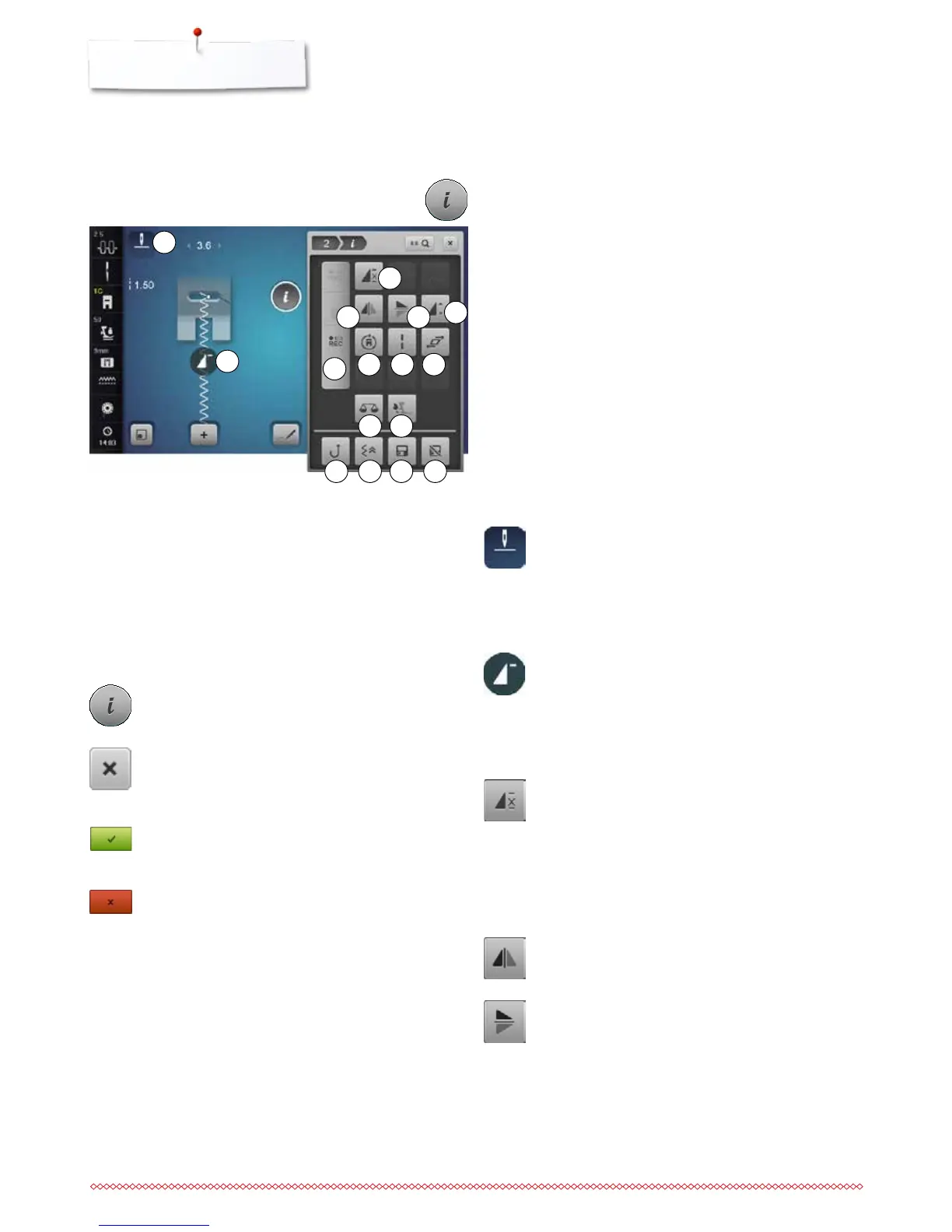
3
7
11
4
6
5
8 9 10
12
13
Functions
1 Needle stop down/up (permanent)
2 Pattern begin
3 Pattern repeat
4 Mirror Image left/right
5 Mirror Image down/up
6 Altering pattern length/Stitch density
7 Stitch Counter
8 Multi-Directional sewing
9 Long stitch
10 Distorting stitch patterns
11 Balance
12 Balance BERNINA Dual Transport
13 Permanent reverse sewing
14 Backstepping
15 Personal memory permanent
16 Reset
Functions - Display
Sewing Functions Overview
⦁
touch the «i»-icon
►
«Function»-Display appears
Needle stop down/up (permanent)
⦁
touch the icon
►
the needle symbol jumps down
►
the sewing computer stops with needle down
⦁
touch the icon again
►
the needle symbol jumps up
►
the sewing computer stops with needle up
Pattern begin
►
the function appears, when the sewing computer is
stopped while sewing a single pattern or a pattern
combination
⦁
touch the icon
►
the selected stitch pattern or program is set to
pattern begin
Pattern repeat
⦁
touch icon 1x
►
number 1 appears: the sewing computer stops at
the end of an individual stitch or a stitch
combination
⦁
touch icon 2-9x
►
numbers 2-9 appear: the sewing computer stops at
the end of an individual stitch pattern or a stitch
combination after the number of repeats selected
Mirror Image left/right
The sewing computer sews the stitch pattern mirrored,
left/right referring to the sewing direction.
Mirror Image up/down
The sewing computer sews the stitch pattern mirrored
up/down referring to the sewing direction.
2
1
Scrolling Functions
When not all functions are shown directly, please proceed as
follows:
⦁
touch the «Function»-Display using the finger or the
Touchscreen pen, keep it pressed and move it up
►
additional functions appear
14 15 16
General Functions
Information
⦁
touch the icon
►
another Display is opened
Close
⦁
touch the icon
►
the previous Display appears
►
any alterations are accepted
Confirm selection
⦁
touch the icon
►
alteration/selection is activated or confirmed
Escape Display
⦁
touch the icon
►
the Display is closed
►
the previous Display appears



 To Next Page