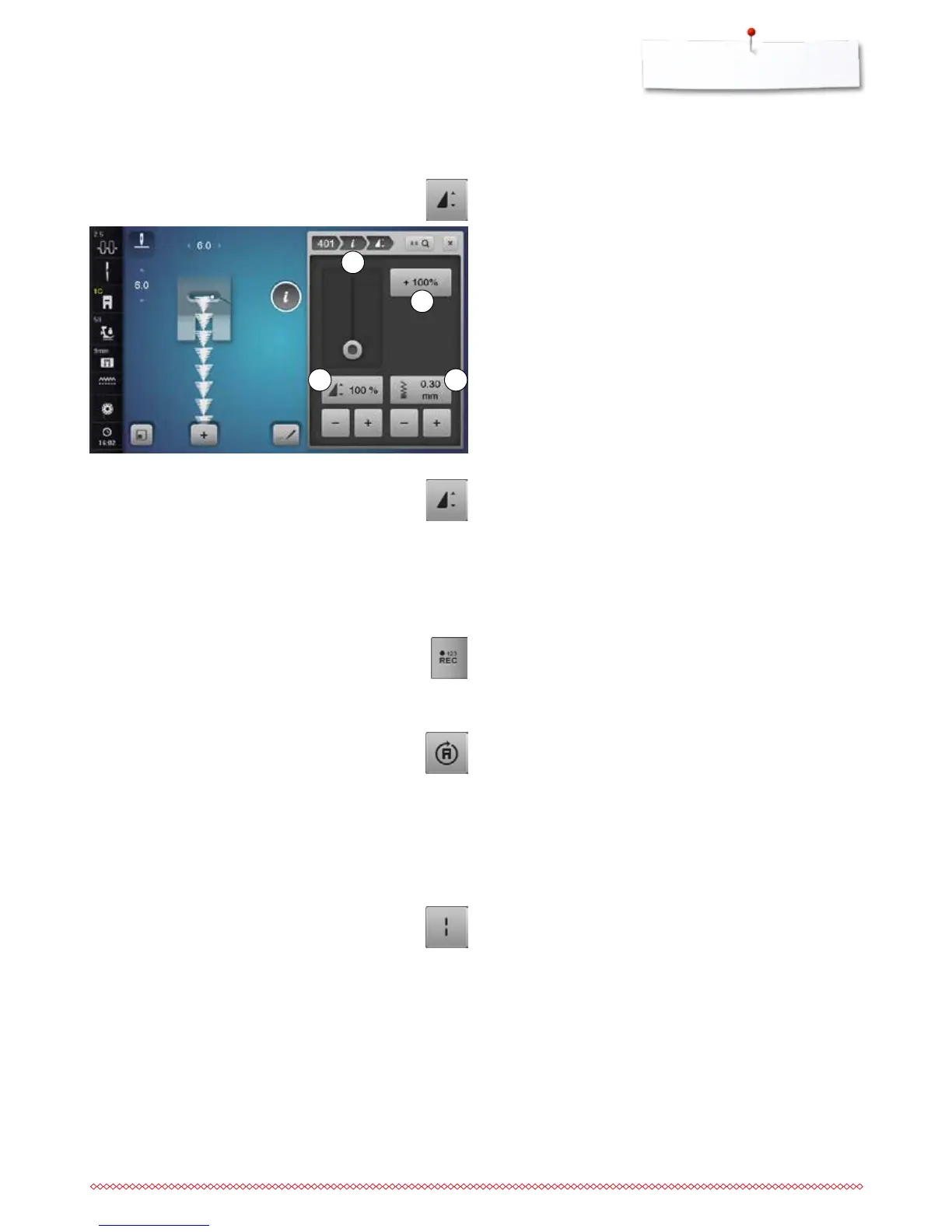
Altering stitch density 3
Certain decorative stitches (e.g. No. 401) allow an alteration of
the stitch density. The set stitch pattern length will not be
affected.
⦁
touch the «+»-icon
►
the stitch density is reduced in 0.05 mm-steps
►
the stitch distance is increased
⦁
touch the «-»-icon
►
the stitch density is increased in 0.05 mm-steps
►
the stitch distance is decreased
►
touch the «Back»-icon 1
►
the Function Overview appears again
1
2
34
Altering the pattern length 4
⦁
move slider in the Display using the Touchscreen pen or
the finger
►
pattern length (Standard = 100%) is infinitely variable
⦁
extend or shorten in 1%-steps using «+»/«-» or
⦁
touch the «+100%»-icon 2
►
pattern length is extended in 100%-steps
Maximum length is 1000%, shortest length 10%. Some stitch
patterns are limited and cannot be extended to 1000%.
Stitch Counter
⦁
when the desired length is obtained, press the «Quick
reverse»-button
►
the Display changes to «auto»
►
the selected stitch pattern is temporarily programmed
Multi-Directional sewing
⦁
use the stitch width knob to rotate the stitch pattern or
combination in 0.5°-steps, the stitch length knob for
1°-steps or the «Direct-selection»-buttons for 45°-steps
into the desired direction
►
the sewing direction is shown in the left part of the Display
►
the start is marked with a white dot and the end with a red
cross
►
the function only appears if the selected stitch can be sewn
in multiple directions
Long stitch
the sewing computer sews every second stitch (max. stitch
length 12 mm)
applicable for practical and decorative stitches
Exception: buttonholes, alphabets



 To Next Page