Functions
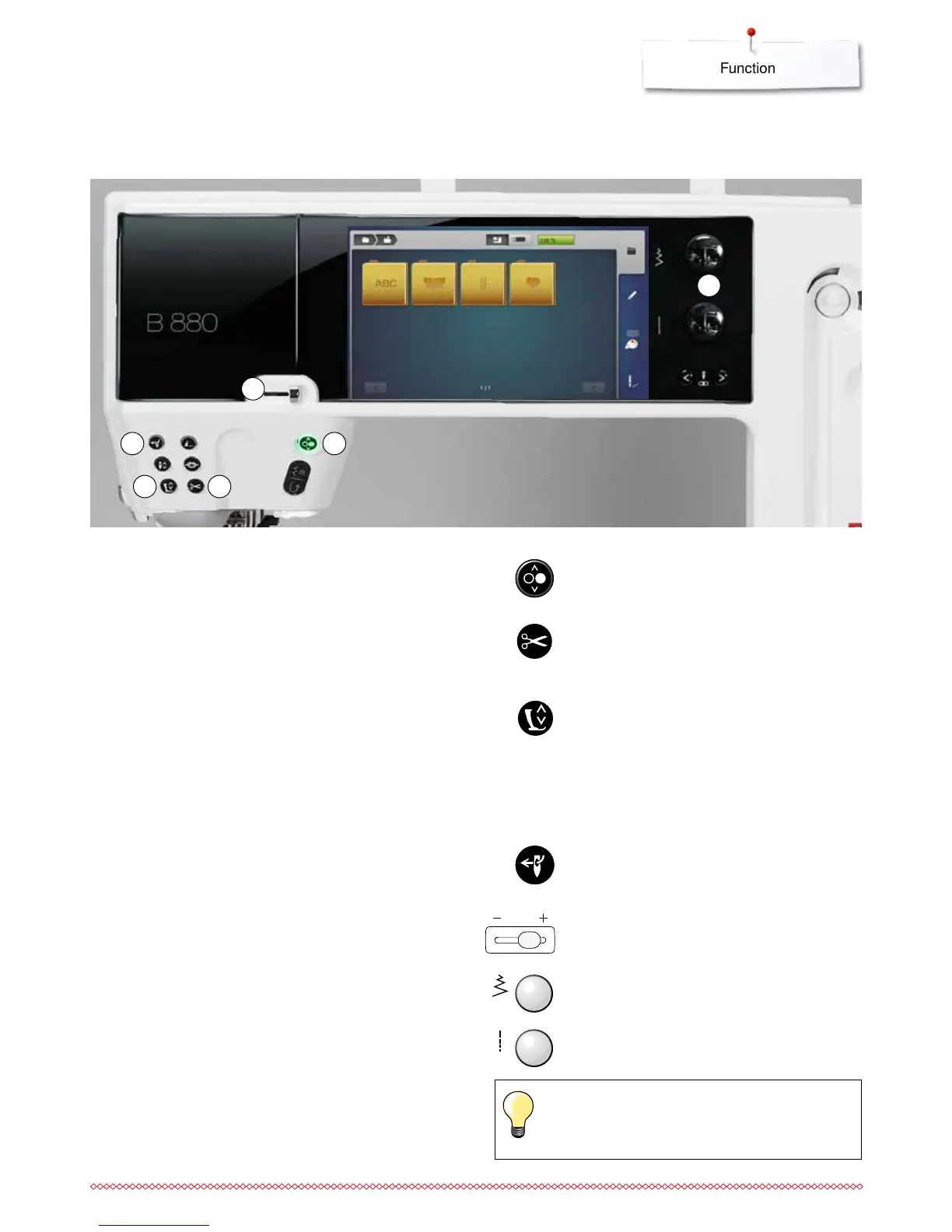
Overview «Function»-buttons embroidery computer
1 «Start/Stop/hover»-button
Press the button to start or stop the embroidery
computer.
2 «Automatic thread cutter»-button
⦁
press the button
►
the upper and the lower thread are cut
automatically
3 «Presser foot position»-button
⦁
press the button
►
the presser foot is lowered and raised a bit
again for easy positioning of the material
►
the presser foot is lowered on the fabric when
embroidering is started
⦁
press the button again
►
the embroidery foot is raised
4 «Automatic threading»-button
⦁
press the button = finishing the threading
process and threading the needle
5 Slide speed control
The embroidering speed is infinitely variable with
the slide.
6 Stitch width and stitch length knob
The knobs are used to control a variety of
functions, including altering motif size, rotating the
motif etc. A message appears to indicate which
knob should be used.
1
23
4
5
6
Only these listed icons are active in the embroidery
mode.



 To Next Page