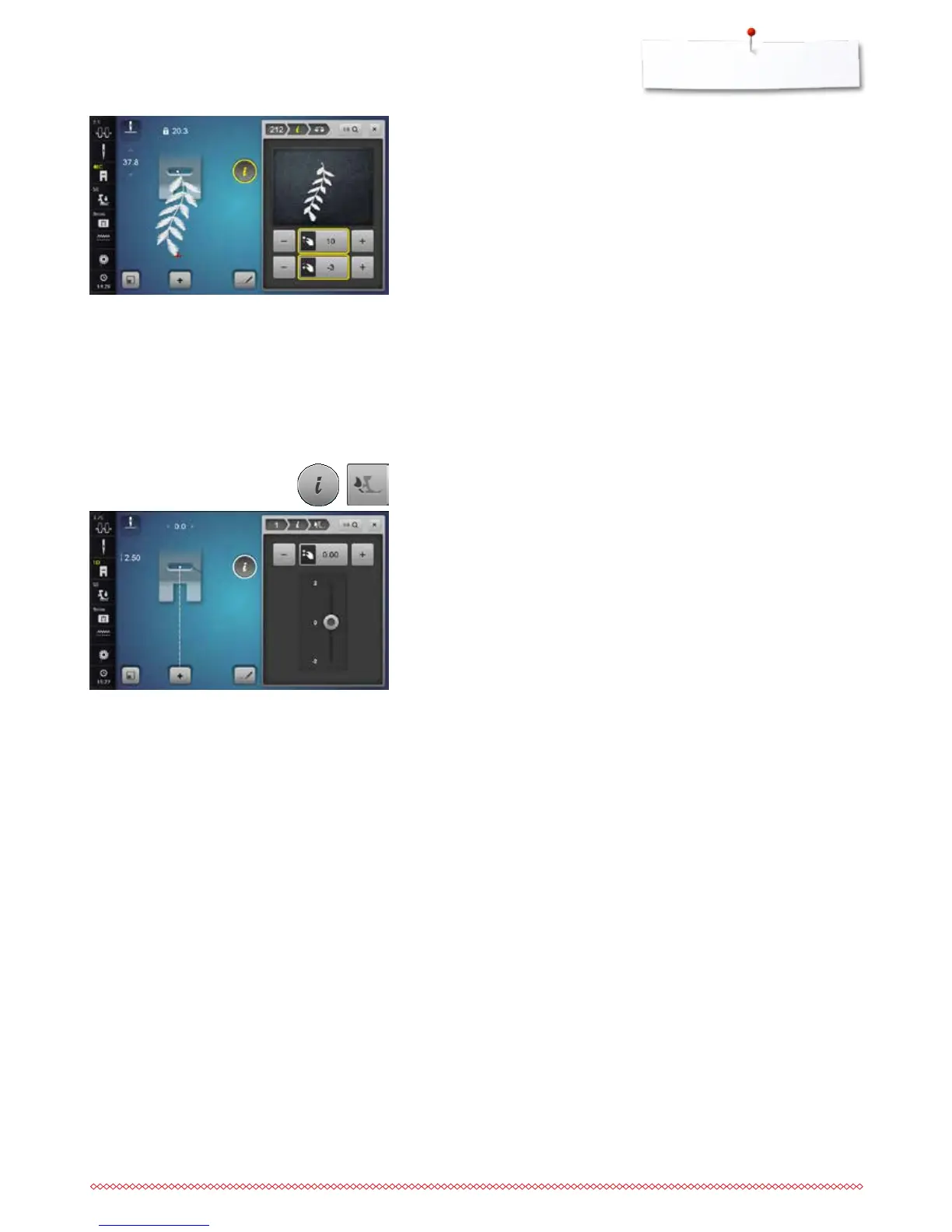
BERNINA Dual Transport
⦁
touch the «i»-icon
⦁
touch the «Balance Dual Transport»-icon
Balance BERNINA Dual Transport
The top fabric layer is fed too little (the bottom layer extends past the cut edge)
= it becomes longer in relation to the bottom fabric layer:
⦁
turn the stitch width knob clockwise or
⦁
touch the «+»-icon or
⦁
move the slider in the Display up using the finger or the Touchscreen pen
►
the feed of the top fabric layer is increased and the relocation is balanced
The top fabric layer is fed too strongly = the bottom layer is shorter than the cut
edge:
⦁
turn the stitch width knob counterclockwise or
⦁
touch the «-»-icon or
⦁
move the slider in the Display down using the finger or the Touchscreen
pen
►
the feed of the top fabric layer is decreased and the relocation is balanced
Back to basic setting
⦁
touch the yellow-framed icon
►
returns to basic setting
The stitch sewn on the fabric e.g. stitch pattern No. 212 is vertically and
horizontally distorted.
Vertical corrections
⦁
adjust the stitch pattern length via the stitch length knob or «+»/«-»-icons,
until the stitch in the right part of the Display is identical with the stitch on
the fabric
Horizontal corrections
⦁
adjust the stitch pattern width via the stitch width knob or «+»/«-»-icons,
until the stitch in the right part of the Display is identical with the stitch on
the fabric
Back to basic settings
⦁
touch the «i»-icon
⦁
touch the yellow-framed «Balance»-icon
⦁
touch the yellow-framed icon
►
basic setting is reset



 To Next Page