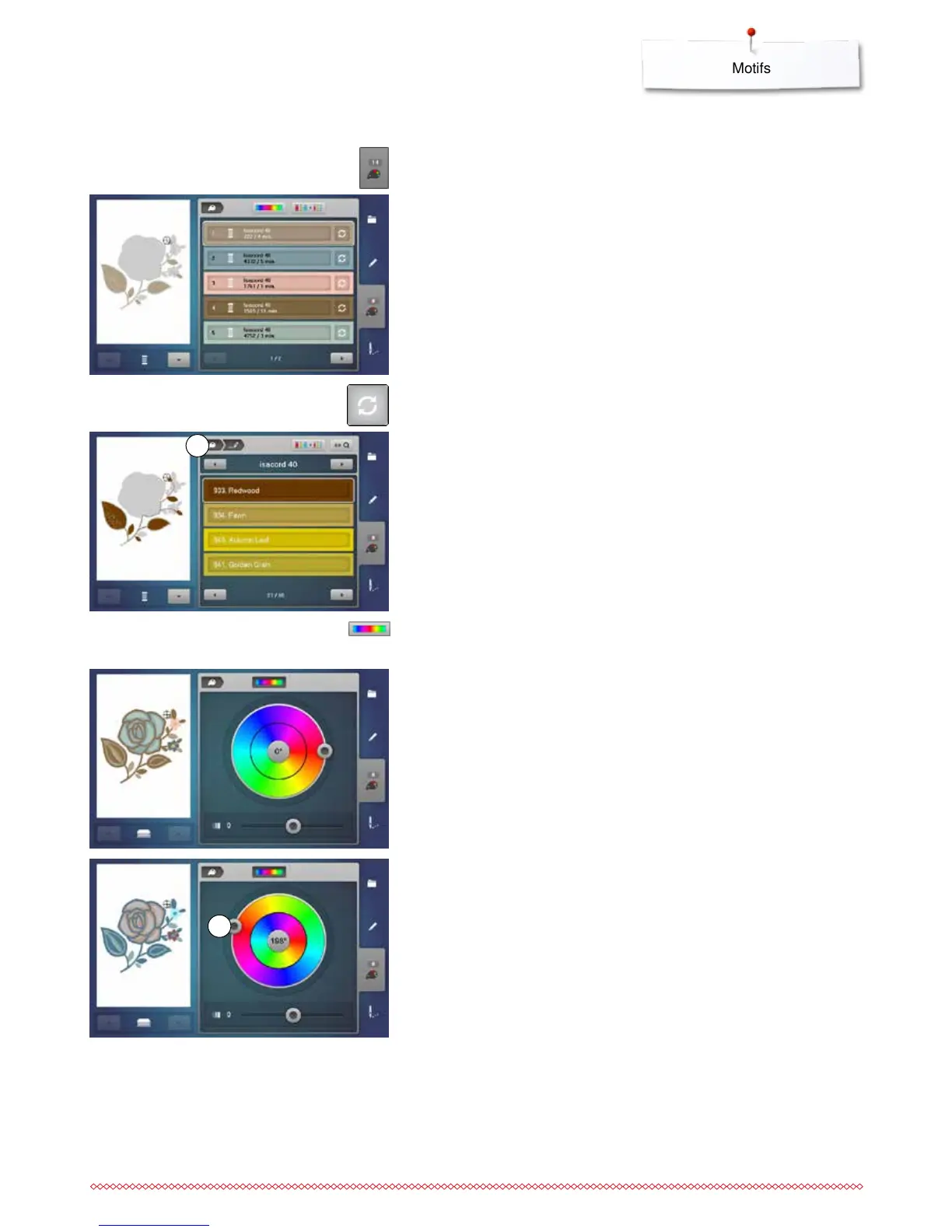
Reallocating motif colors
⦁
touch the «Color number»-icon in the Display
⦁
scroll with the arrow icons, if necessary, until the color to be changed
appears
⦁
select the color to be changed (e.g. 1)
Motif colors
⦁
touch the «Thread color»-icon
⦁
use the arrow icons beneath the thread colors to scroll until the desired
color appears
⦁
select the desired color or
⦁
touch the «0-9»-icon and
⦁
enter the color number via the keyboard
►
the new color is reallocated
►
the altered color is displayed
⦁
touch the «Back»-icon 1
►
the color overview of the selected embroidery motif appears
1
Changing the colors of the motif via the color wheel
⦁
touch the «Color wheel»-icon
►
the «Color wheel»-Display opens
⦁
turn the slider 2 clockwise or counterclockwise using the finger or the
Touchscreen pen or
⦁
turn the stitch width knob
►
the colors are changed
2



 To Next Page