!
112 ATOMLAB 500 DOSE CALIBRATOR
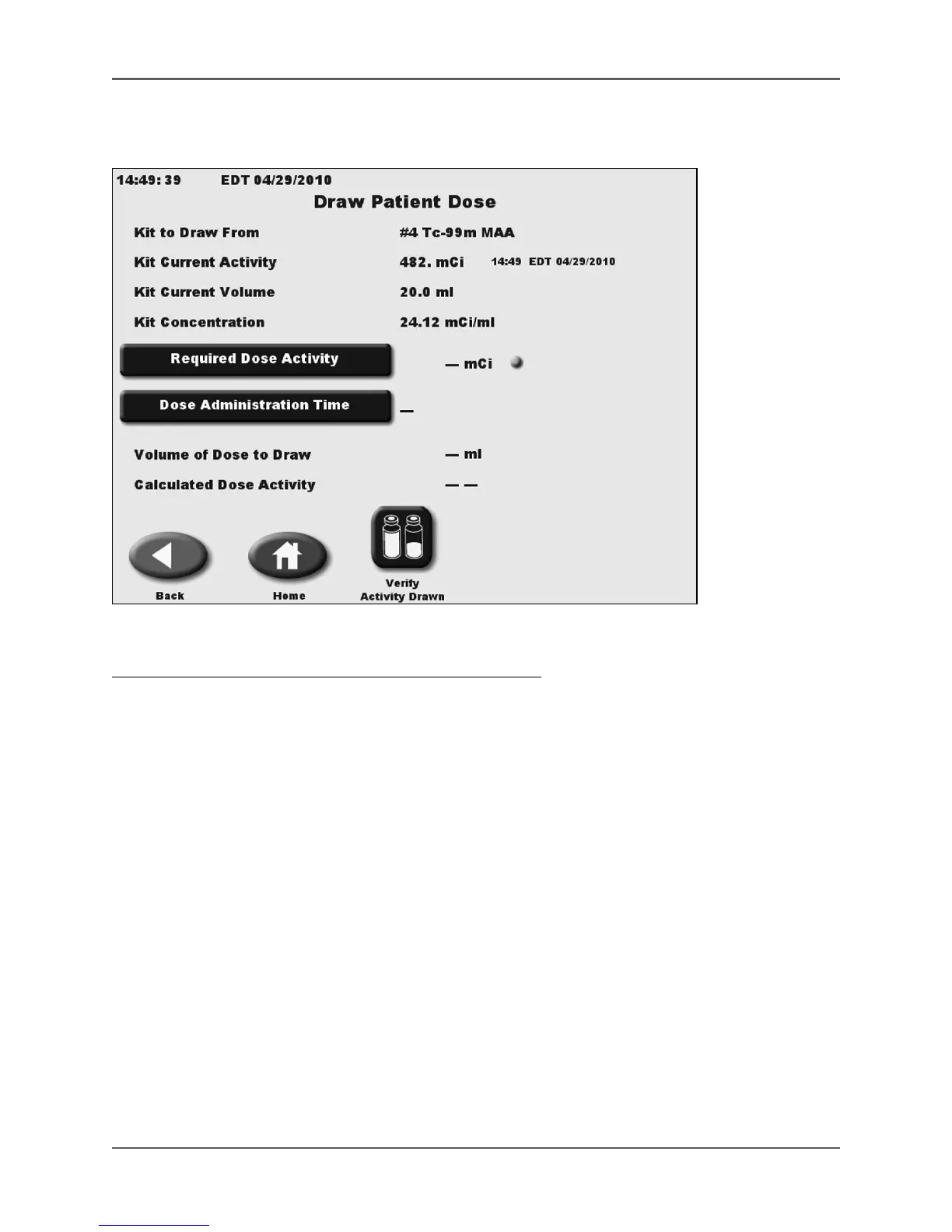
Draw Patient Dose
(See Figures 5.36 - 5.40.)
Figure 5.36. The Draw Patient Dose screen.
To Draw A Patient Dose From The Newly Created Sample:
1. From the Kit # Data screen, select <Draw Patient Dose>. The draw patient dose screen is
displayed showing all the sample data just created.
2. Select <Required Dose Activity> and use the keypad to enter the desired activity of the dose
to be administrated at a future time.
3. Select <Enter> to return to the draw patient dose screen. If necessary, touch to toggle
between <µCi> or <mCi> administered dose Activity Units.
4. Select <Dose Administration Time> to access the Dose Administration Time screen. This
screen displays the required dose activity, the current dose required to be drawn now to
administer the desired dose, and the volume to draw for your required dose.



 To Next Page