!
118 ATOMLAB 500 DOSE CALIBRATOR
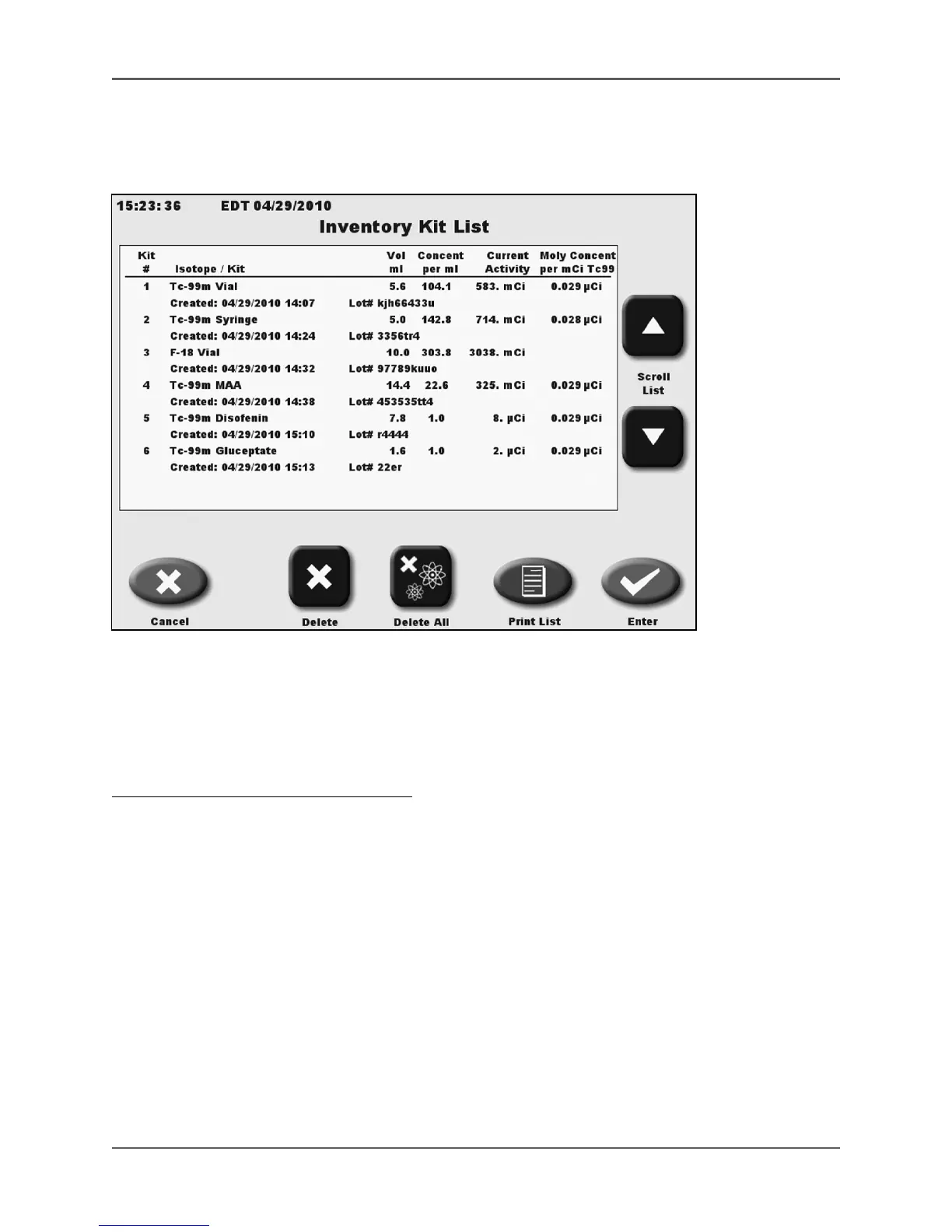
Inventory Kit List
(See Figure 5.42 – 5.43.)
Figure 5.42. The Inventory Kit List.
The Inventory Kit List screen displays listings in sample number order. All sample data is current
with the volumes, Moly readings and activity are adjusted when a dose is drawn. The activities are
constantly updated using half-life calculations. If the activity is close to zero for any sample, the
sample line will be in red.
To View Or Edit The Inventory Kit List:
1. From the Nuclear Pharmacy screen, touch <Inventory Kit List>. The Inventory Kit List is now
displayed.
2. If desired, touch <Print List> to print the Inventory Kit List. The complete list is printed.
3. Touch the desired sample to highlight. You can highlight multiple sample numbers. Touch
the sample again to remove any highlight.
4. Touch <Delete> to remove any highlighted sample from the list, or touch <Delete All> to
remove all samples from the list. Touch <OK> to confirm deletion, or <Cancel> to cancel the
deletion and return to the Inventory Kit List without deleting.
5. Touch <Cancel> to exit the Inventory Kit List and return to Nuclear Pharmacy screen without
updating the sample list.



 To Next Page