!
Biodex Medical Systems, Inc. © 2016 55
Add Isotope
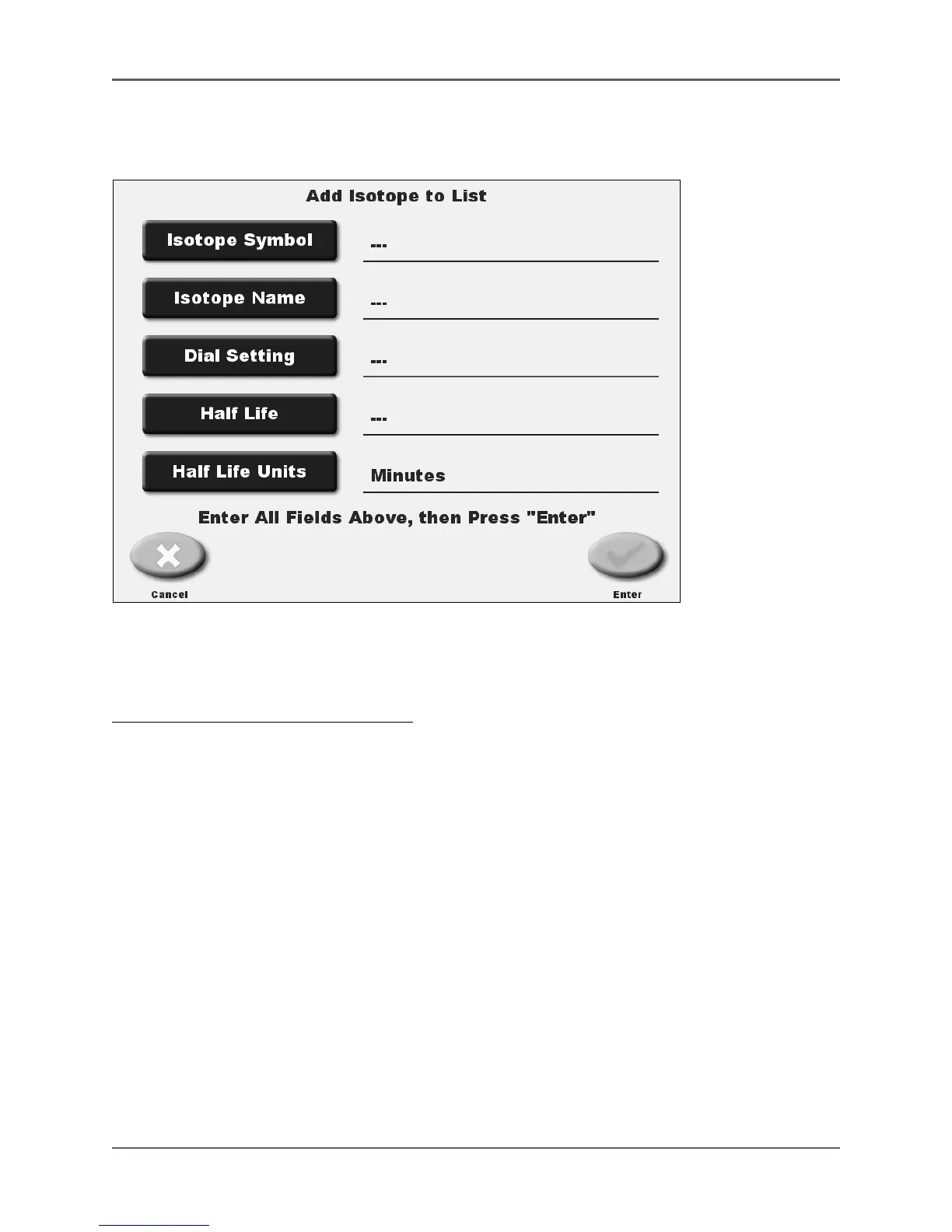
(See Figure 4.15.)
Figure 4.15. The Add Isotope To List screen.
Add Isotope allows the user to add isotopes to the “new isotopes” area of the Isotope List. The
individual aspects for the new isotope are input under the provided fields.
To Add An Isotope To The Isotope List:
1. From the Isotope List screen, touch <Add Isotope>. The Add Isotope to List screen is
displayed.
2. Touch to access the entry screen for each available field. Enter the value using the keypad
provided. For the name field, if the isotope name entered matches one that is currently on
the list, a message will appear noting such. In this case, you will need to enter a slightly
different name of the isotope (i.e., add a number to the end of the isotope name.)
NOTE: You must enter the information for all items: Isotope Symbol, Isotope Name, Dial
Settings, Half-Life, and Half-Life Units.
3. Touch <Half-life Units> to scroll though the choices provided: seconds, minutes, hours, days
or years.
4. Touch <Enter> to add the new isotope to the Isotope List, or <Cancel> to return to the
Isotope List screen without making changes. If adding an isotope, a “Do you want to save
isotope XXX” prompt is displayed. Touch <Yes> to save or <No> to abort without saving.
NOTE: If you make changes and press <Cancel>, a “Modifications have been made, are you sure you
want to lose the changes?” prompt is displayed. Press <No> to keep the changes, followed by <Enter>
on the Setup Routine Isotope screen. Press <Yes> if you do not want to make the
changes and the system returns to the Isotope List screen.



 To Next Page