!
Biodex Medical Systems, Inc. © 2016 65
Label Printing Preferences
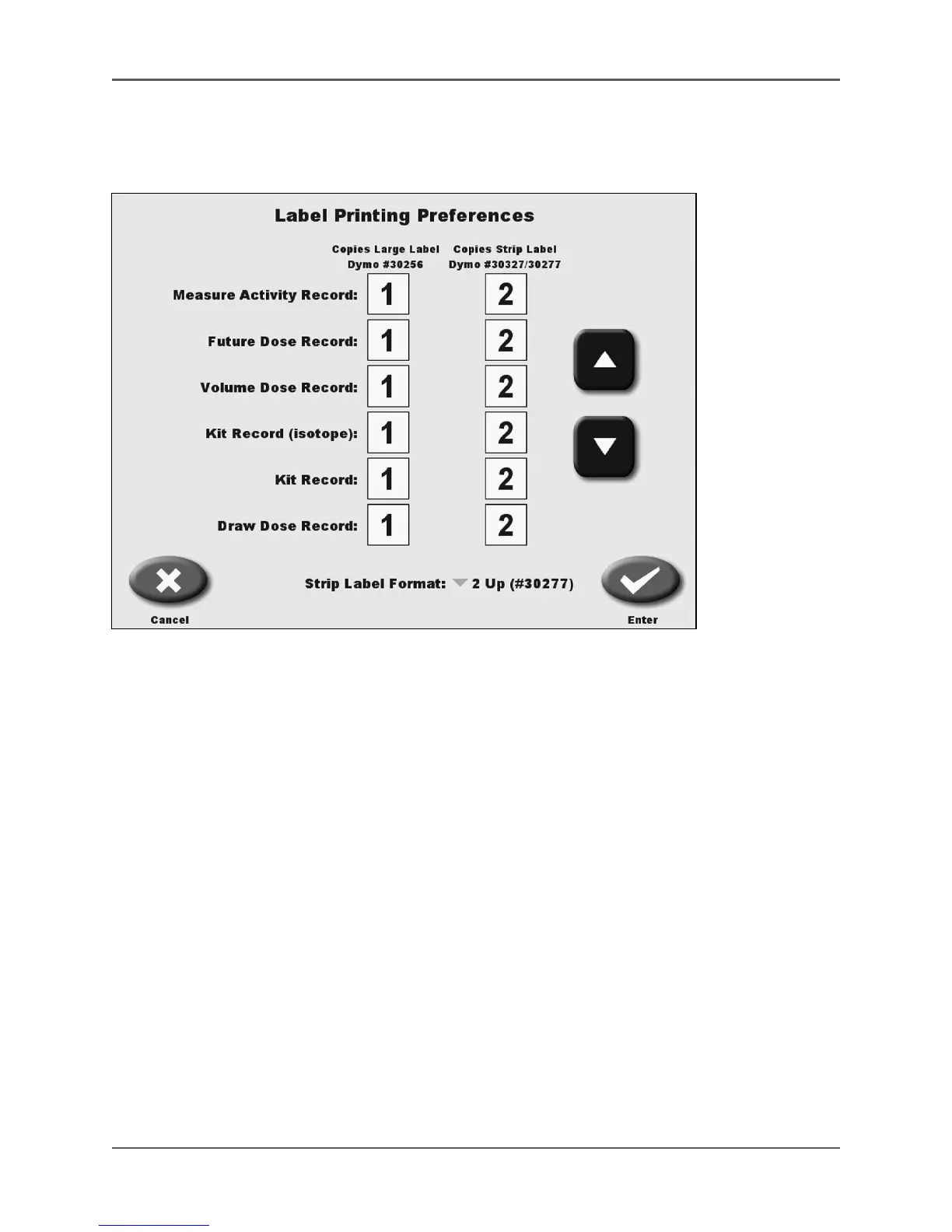
(See Figure 4.24.)
Figure 4.24. The Label Printing Preferences screen.
The Label Printing Preferences screen allows users to set the number of copies of the large label
and small labels that will be printed. The standard small strip label (2 up) has two labels on
each printout. These labels feature the radiation warning symbol and the word caution printed
in the left corner. The 2 up label can be replaced with a 1 up label (not supplied by Biodex).
The small strip label can be used to label syringes, syringe shields, etc. Both the large and small
label styles print different information depending on the function from which you are printing.
labels can be printed from the following records:
• Measure Activity Record
• Dose Calculation
• Future Dose Record
• Kit Record (Isotope)
• Kit Record
• Draw Dose Record
Sample labels are presented throughout this manual with the specific function instructions.
The number of labels can be set from zero, if you do not want one of the labels to print, to as
many as six copies. You only need to touch <Print Labels> once from the specific function
selected to generate all the labels.



 To Next Page