!
Biodex Medical Systems, Inc. © 2016 57
Change Dial Values
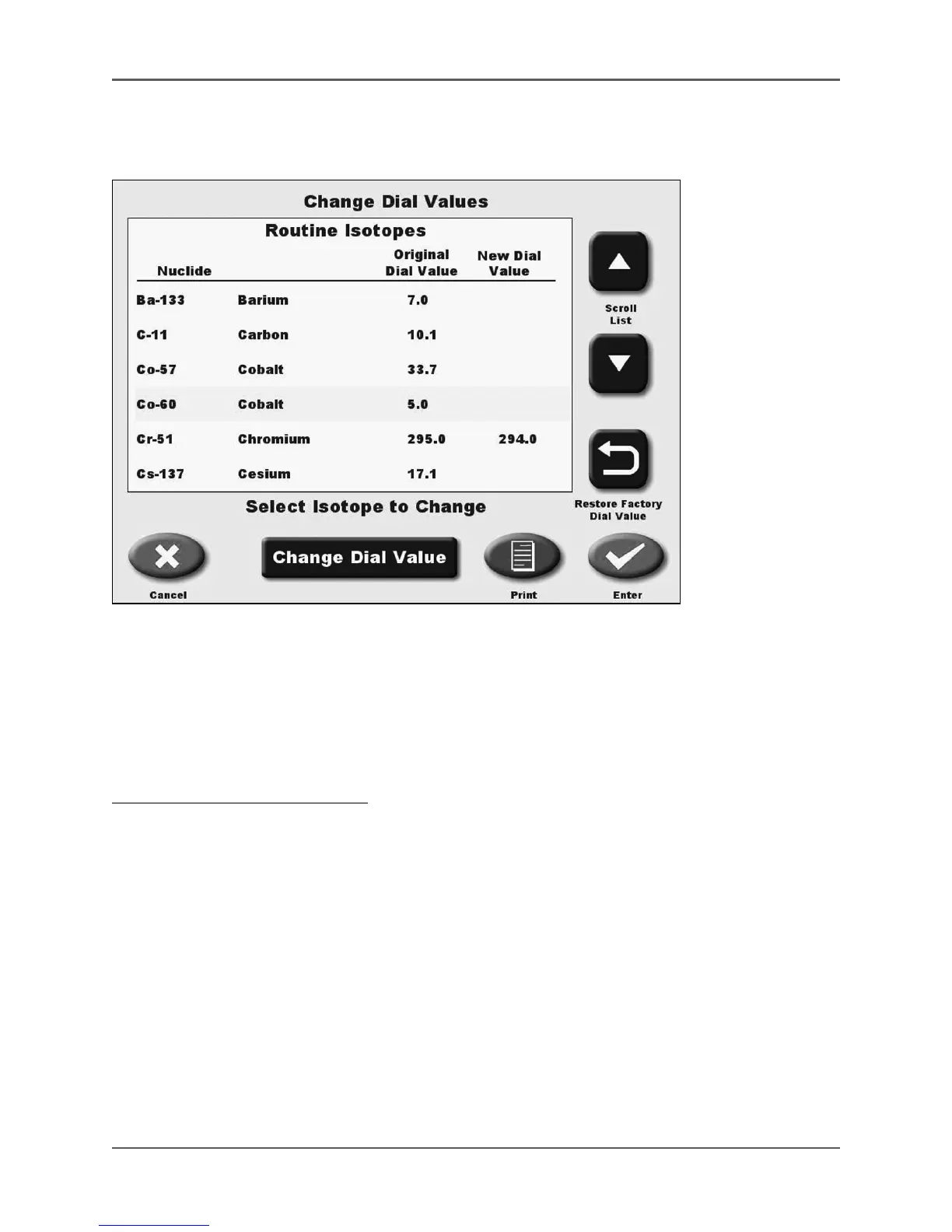
(See Figure 4.17.)
Figure 4.17. The Change Dial Values screen.
This option is used to change the dial value of any isotope on the Isotope Lists. The entire list
can be scrolled through, showing the original dial value for all isotopes and the new dial value for
any that have been changed.
New dial values are preceded by an * when viewed on the Dose Calibrator Measurement screen
after pressing <Select Isotope>.
To Change An Isotope Dial Value:
1. From the <Home> screen, select <Utilities>. The Utilities screen is now displayed.
2. Select <Dose Calibrator Configuration>. The Dose Calibrator Configuration screen is now
displayed.
3. Select <Isotope List>.
4. Enter your password and touch <Enter>. The Isotope List screen is now displayed.
5. Touch <Change Dial Values>. The Change Dial Values screen, with a listing of Routine
Isotopes, new isotopes and an Alphabetical list of isotopes will be displayed.
6. Use the <▲> or <▼> keys to scroll through the list until the desired isotope is displayed.
7. Touch the desired isotope to highlight your selection.
8. Touch <Change Dial Value> to display the dial setting entry screen and enter the new value.
9. Touch <Enter> to record the new dial value and return to the Change Dial Values screen
with the new dial value now highlighted.



 To Next Page