!
182 ATOMLAB 500 DOSE CALIBRATOR
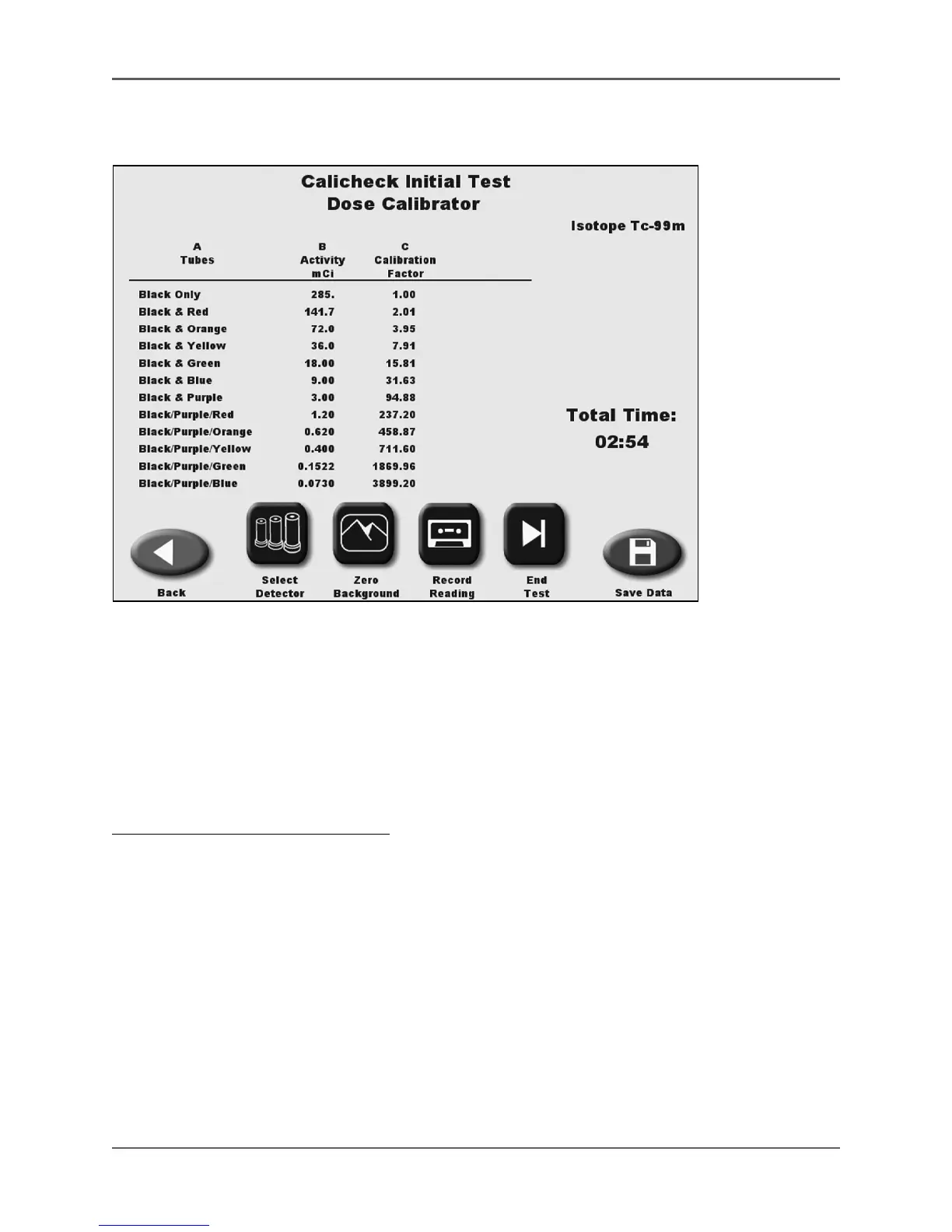
Calicheck Initial Test
(See Figures 6.52 - 6.53.) (Also Known As Calicheck Calibration Factor)
Figure 6.52. The Calicheck Initial Test screen.
The first time the Calicheck is used with Atomlab 500, calibrator factors for the Calicheck function
must be set and the Atomlab 500 must be calibrated for the specific Calicheck package using the
initial procedure described below. The Atomlab 500 will store the initial factors and print them in the
factor column of the results table.
The initial Calicheck Test needs to be performed only once unless the Calicheck is replaced or
damaged, in which case the initial factors will need to be redone.
To Perform An Initial Calicheck Test:
1. From the QA Dose Calibrator menu, touch <Calicheck Initial Test>. The Calicheck Initial Test
screen is displayed.
• Touch <Back> to return to the Linearity Testing screen.
• Touch <Select Detector> to select a different detector, if multiple detectors are connected.
• Touch <Zero Background> to zero the background reading if necessary.
3. Place the Tc-99m vial into the Calicheck Black Tube. Place the Black Tube into the detector.
The activity for the Black Tube is now displayed as a live reading.
4. Once the reading has stabilized, touch <Record Reading>. The reading for the Black Tube is
recorded and the line for the Black & Red Tube is now displayed as a live reading.
5. Touch <Record Reading> to record the reading for the Black & Red Tube.



 To Next Page