!
Biodex Medical Systems, Inc. © 2016 117
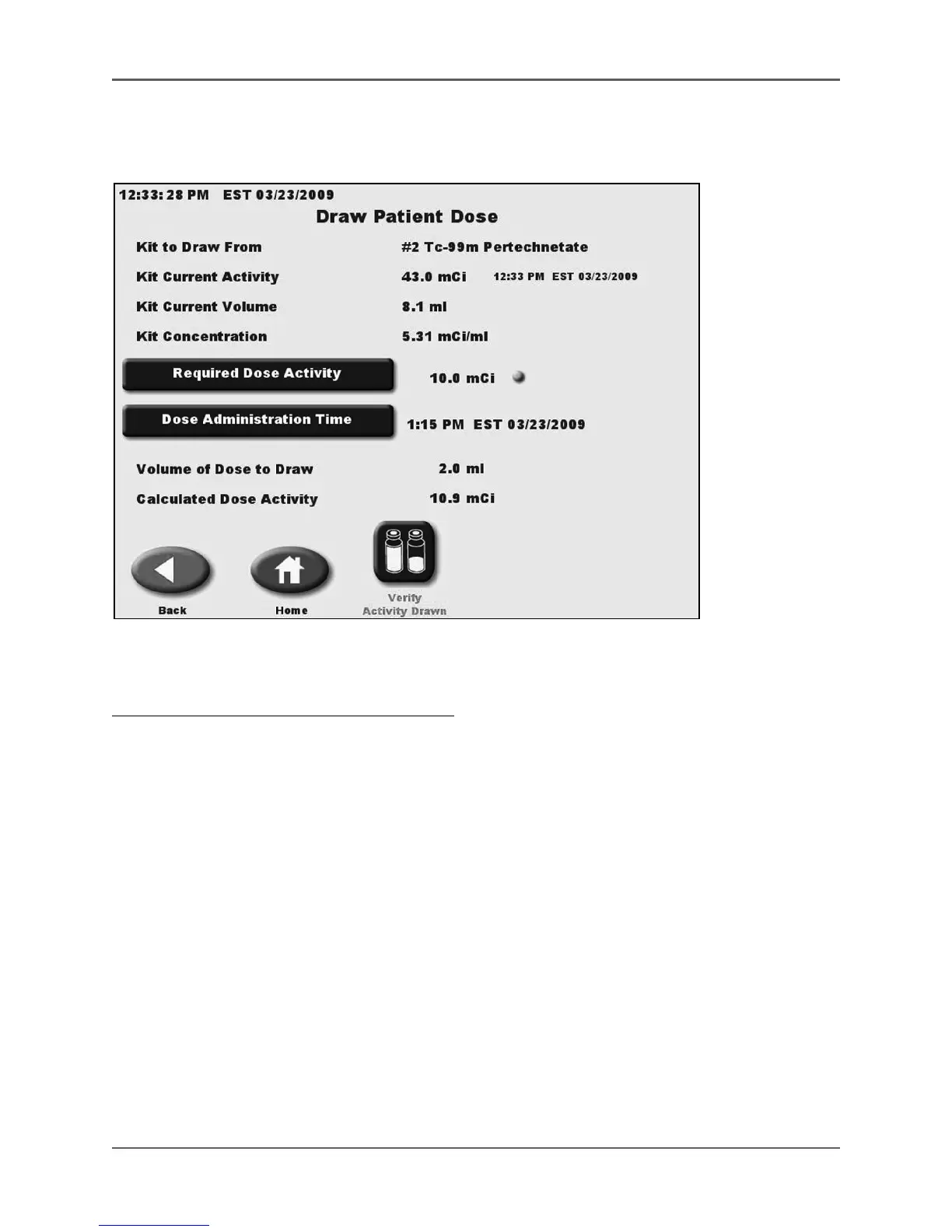
Draw Patient Dose From Inventory
(See Figure 5.41)
Figure 5.41. The Draw Dose From Sample screen.
To Draw A Patient Dose From An Existing Kit:
1. From the Nuclear Pharmacy screen, select <Draw Patient Dose>. The Inventory Kit List
screen is displayed with listings in Kit number order. All kit data is current with the
volumes, Moly readings and activity are adjusted when a dose is drawn. The activities are
constantly updated using half-life calculations. If the activity is close to zero for any kit, the kit
line will be shown in red to remind the user to delete it.
2. Highlight the sample from which to draw, then touch <Enter> to select the sample. The
draw patient dose screen is displayed.
3. Proceed as previously explained for draw patient dose when creating a kit.



 To Next Page