!
52 ATOMLAB 500 DOSE CALIBRATOR
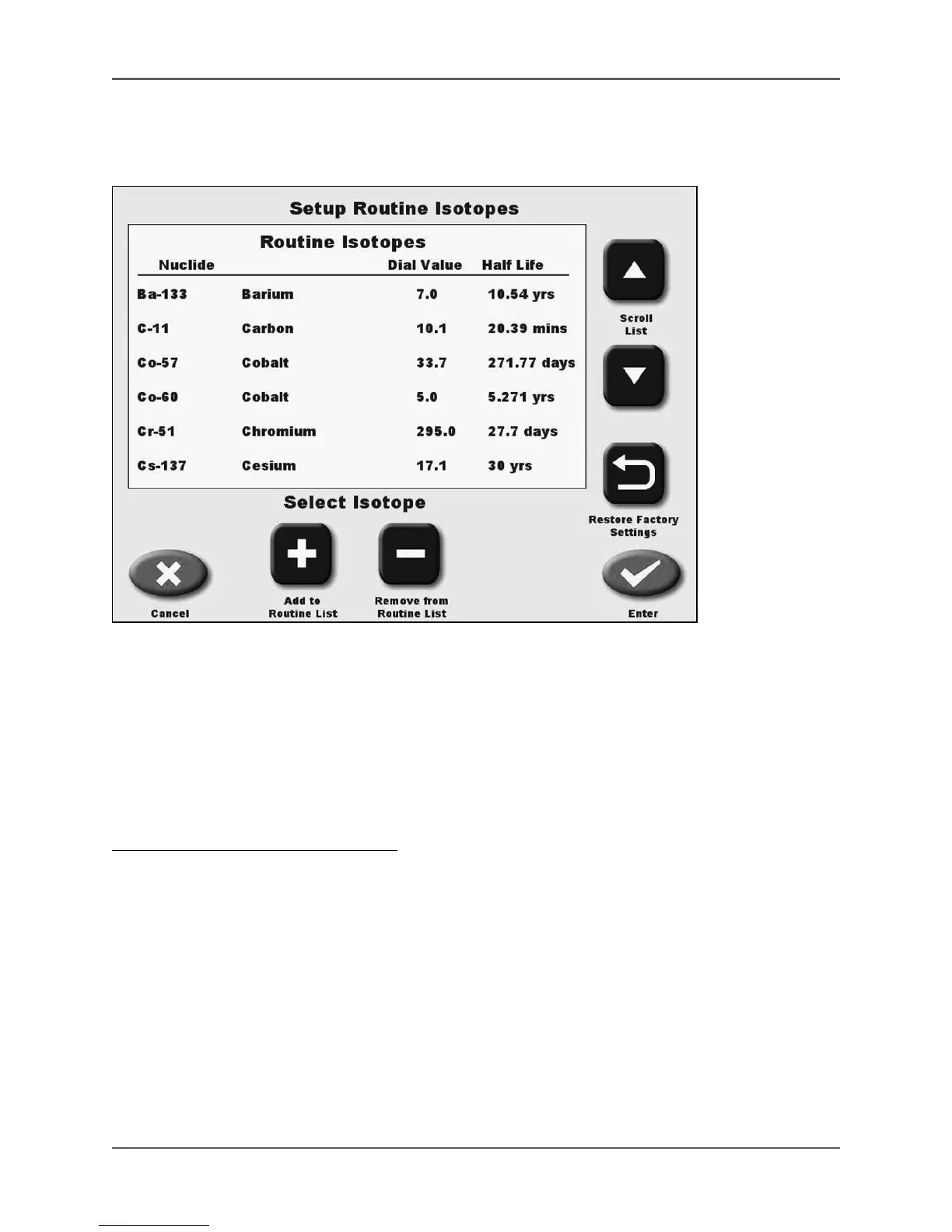
Setup Routine Isotopes
(See Figure 4.13.)
Figure 4.13. Setup Routine Isotopes screen.
Setup Routine Isotopes allows the user to add or delete isotopes to the Routine Isotope List. It
also allows for restoration of factory isotope settings. You can organize the routine list in the
order you wish.
NOTE: The Routine Isotope List can be setup for the isotopes you use in the department that are not
on the buttons displayed on the measuring screen. This makes it easy to change the
isotopes that you use without scrolling through the full Alphabetical List.
To Add Isotopes To The Routine List:
1. From the Isotope List screen, touch <Setup Routine Isotopes>. The Setup Routine Isotopes
screen is displayed.
2. Use the <▲> or <▼> keys to scroll through the full Alphabetical or Custom Isotope List until
the isotope to add is displayed.
3. Press the isotope name to highlight it. If you press the isotope name again the highlight
turns OFF. The highlighted isotope is the only isotope that will be changed.
4. Touch <Add To Routine List>.
5. Use the <▲> or <▼> keys to scroll through the Routine Isotope List until the ruling line is
positioned at the point on the list where you want the isotope to be added.
6. Touch <Insert> to place the isotope where desired.
7. Touch <Enter> to save the updated Routine Isotope List, or <Cancel> to return to the Setup
Routine Isotopes screen without making changes.



 To Next Page