!
150 ATOMLAB 500 DOSE CALIBRATOR
View Accuracy Data
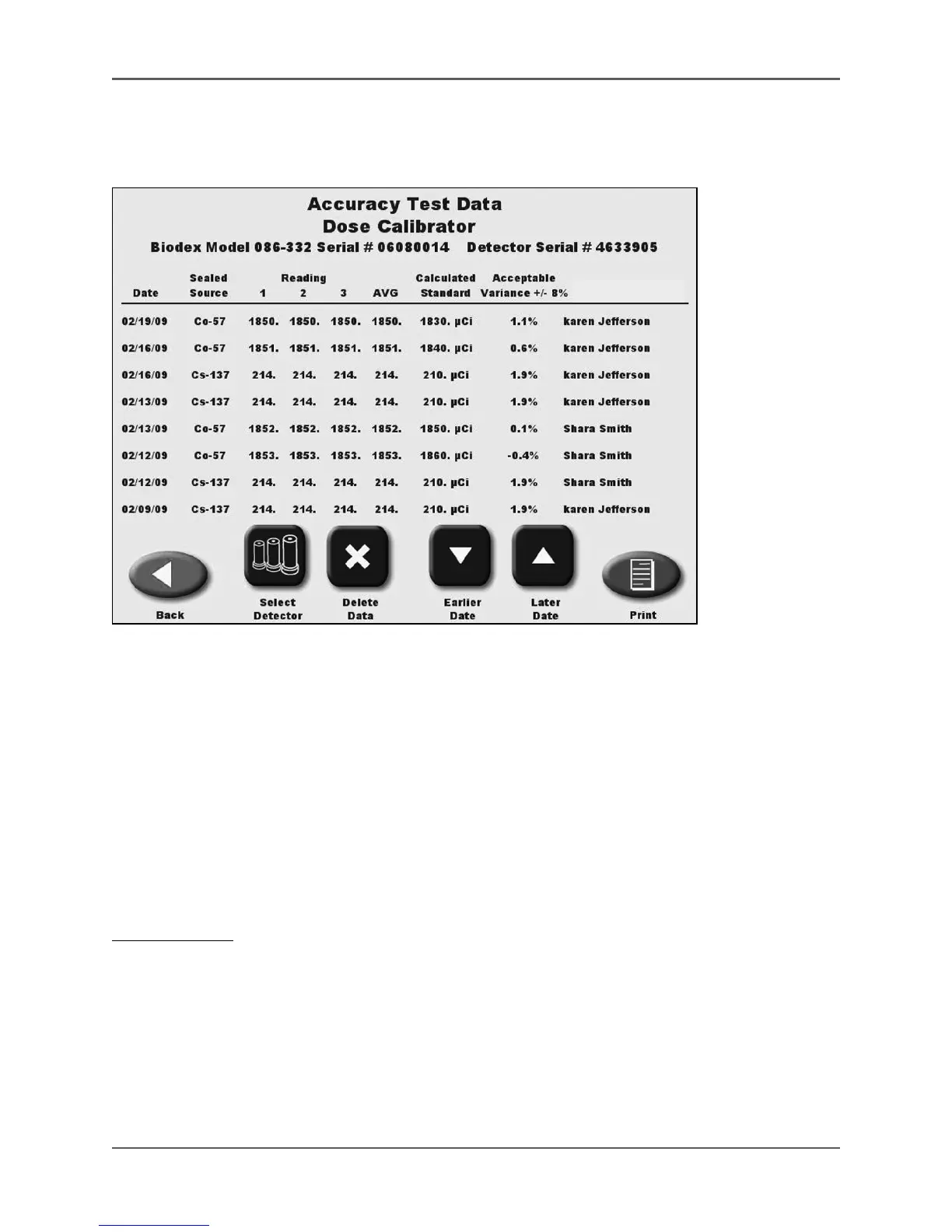
(See Figures 6.20 and 6.21.)
Figure 6.20. The Accuracy Test data screen.
The Accuracy Data screen displays the Accuracy Tests performed on the dose calibrator. The
data is stored for each detector connected to the system. The display shows all the isotopes for
which Accuracy Tests have been completed by the date performed. Any Accuracy Test outside the
acceptable variance is shown in red.
• Touch <Back> to return to the QA Dose Calibrator screen.
• Touch <Select Detector>to select a different detector, if multiple detectors are connected.
• Touch <Print> to print the Accuracy Test data.
• Use the <Earlier Date> and <Later Date> keys to scroll through the Accuracy Test data list
to test date desired.
To Delete Data:
1. Touch <Delete Data> and use the keypad to enter your password. Touch <Enter> to advance
to the Accuracy Test data screen.
2. Use <Earlier Date> or <Later Date> to scroll to the test to delete.
3. Touch <Delete Data>. The Delete Data Confirmation screen is displayed. Touch <OK> to
delete and return to the Accuracy Test data screen, or touch <Cancel> to return to the
Accuracy Test data screen.



 To Next Page