!
Biodex Medical Systems, Inc. © 2016 97
Enter Isotope Into Inventory
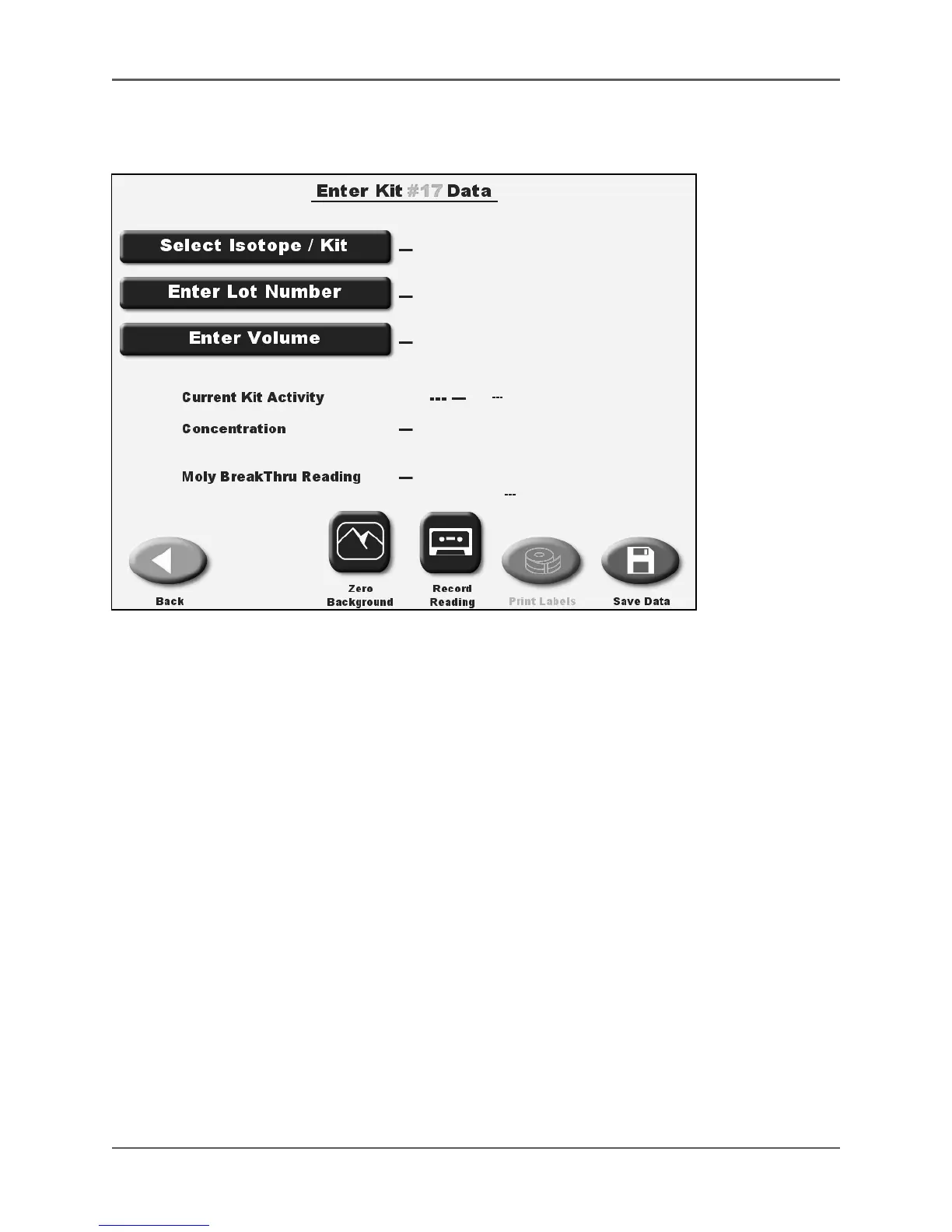
(See Figures 5.18 - 5.21.)
Figure 5.18. The Enter Kit Data screen.
Enter An Isotope Other Than Tc-99m Into Inventory
1. From the Nuclear Pharmacy screen, select <Enter Isotope into Inventory>. The Enter Kit #
Data screen is displayed for the currently selected dose calibrator detector. Touch <Select
Detector> if you have multiple detectors and need to change detectors.
NOTE: The kit number is automatically assigned to the lowest number available.
2. Touch <Select Isotope/Kit>. The Select Inventory Isotope And Kit screen is displayed. Touch
to highlight the isotope in the Isotope List and kit type. If necessary, use <▲> or <▼> to
scroll to the appropriate isotope/kit type.
3. Touch <Enter> to return to the Enter Kit # Data screen with the new isotope and/or kit selected.
4. If a kit has been selected, touch <Enter Lot Number>. Enter the Kit Lot # with the on-screen
key pad and touch <Enter> to record the lot # and return to the Enter Kit # Data screen.
This could also be the generator lot number.
5. Touch <Enter Volume>. Enter the volume with the on-screen key pad. Touch <Enter> to
record the volume and return to the Enter Kit # Data screen.
6. Look at the current sample activity reading, displayed in red. This is the current background
reading. If it is too high, touch <Zero Background> and then zero the background reading if
necessary. Touch <Back> to return to the Enter Kit # Data screen.



 To Next Page