!
122 ATOMLAB 500 DOSE CALIBRATOR
10. If the kit uses Single Step Procedure 1A or 1C, two calculations are performed: % Free
Radiopharmaceutical and % Bound Radiopharmaceutical. If the kit used Single Step
Procedure 1B, only % Bound Radiopharmaceutical is performed. If only strip sections 3 and 4
were recorded, only %Hydrolyzed Reduced is performed and displayed.
• Touch <Print Report> to print the results shown on the screen.
• Touch <Measure> to return to the Measure screen.
• Touch <Back> to return to the Tec-Control Paper Chromatography screen and perform
more tests.
• Touch <Home> to return to the Home screen.
NOTE: In order to perform Tec-Control, you must select a pharmaceutica kit, not a single
isotope. The system will not calculate for anything other than a kit.
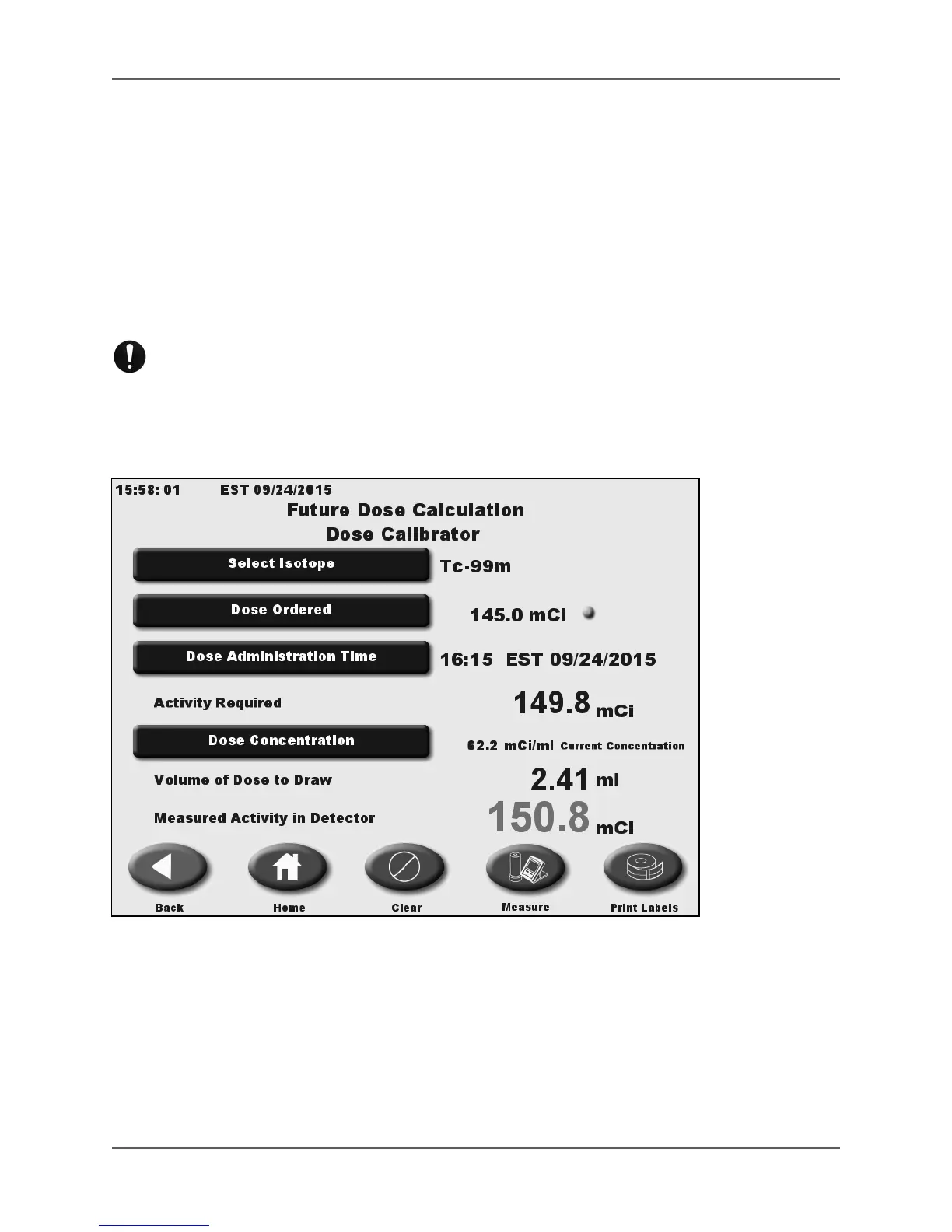
Future Dose Calculation
(See Figures 5.46 - 5.47.)
Figure 5.46. The Future Dose Calculation screen.
The Atomlab 500 allows quick and easy calculation of future doses by entering the dose
ordered and the administration time. If they have a dose concentration of the vial they will be
drawing from, the program also calculates the volume to draw. When they place the drawn dose
into the dose calibrator, it shows the measured activity in the detector. Labels can then be
printed if a label printer is connected.
NOTE: The <Clear> button at the bottom of the Future Dose Calculation screen clears all data on
this screen.



 To Next Page