!
Biodex Medical Systems, Inc. © 2016 47
To Disable Printing:
1. From the <Home> screen, touch <Utilities>. The Utilities screen is now displayed.
2. Touch <System Configuration>. The System Configuration screen is now displayed.
3. Touch <Printer Settings>. The Printer Settings screen is now displayed.
4. Touch to highlight <Disable Printing>.
5. Touch <OK> to select disable printing and return to the System Configuration screen, or
touch <Cancel> to return to the System Configuration screen without changing the current
printer setting.
Staff Members
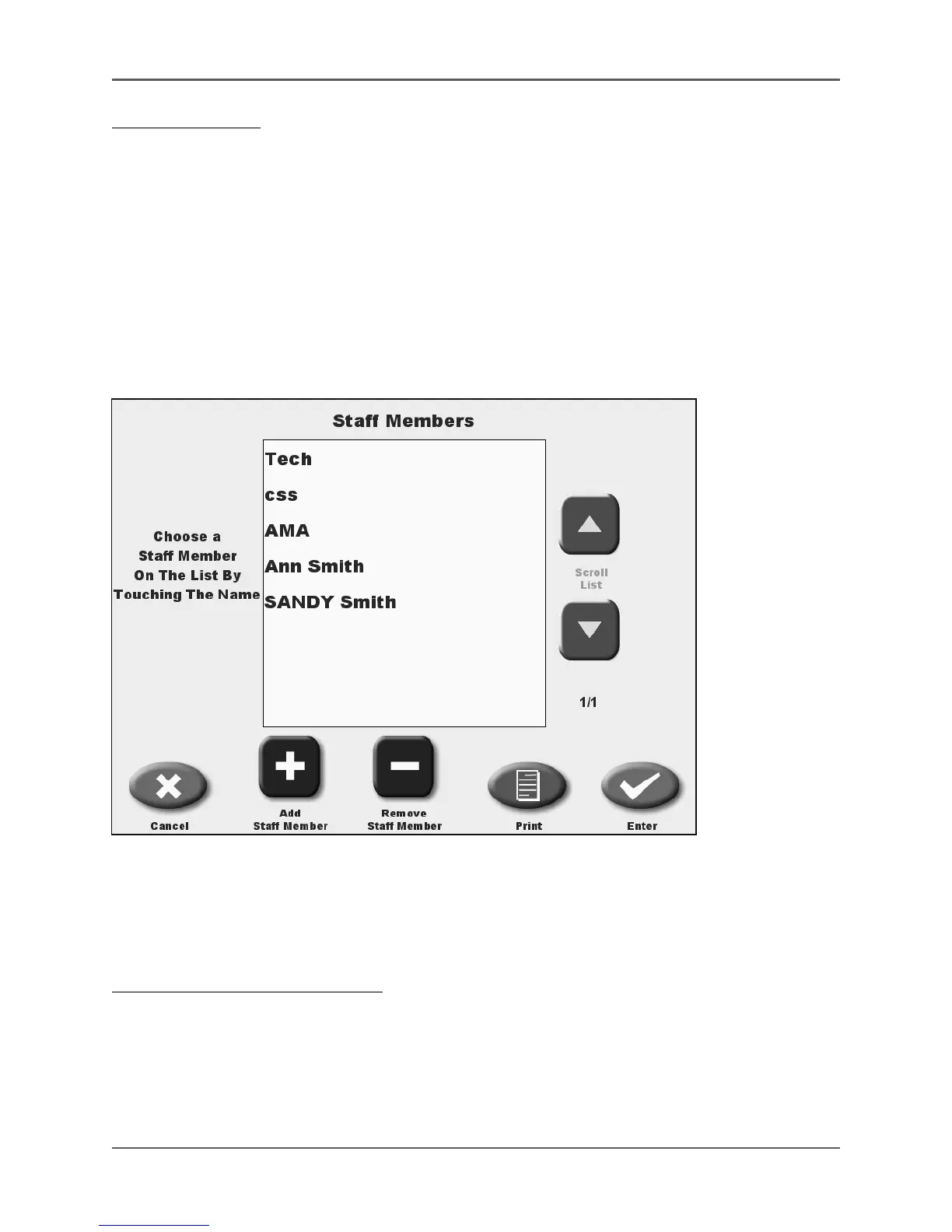
(See Figure 4.8.)
Figure 4.8. The Staff Members List screen.
The Staff Members List allows a specific staff member to be associated with any Atomlab 500
QA test. Staff are listed in the order entered. New staff may be added to the list and staff
members may also be removed. Staff can also be added to the Staff Members List as part of the
save procedure after performing any QA test.
To Access The Staff Members List:
1. From the <Home> screen, touch <Utilities>. The Utilities screen is now displayed.
2. Touch <System Configuration>. The System Configuration screen is now displayed.
3. Touch <Staff Members>. The Staff Members List is now displayed.



 To Next Page