!
Biodex Medical Systems, Inc. © 2016 59
To Set Acceptance Variance:
1. From the Dose Calibrator Configuration screen, touch <Set Acceptance Variance>.
2. Enter your password and touch <Enter>. The set Acceptance Variance screen is displayed.
3. Touch to highlight the test for which you wish to change the default variance. Then use the
<▲> or <▼> keys to increase or decrease the value. Variance is expressed as +/- % for
Constancy, Geometry, Linearity, Decay and Attenuator tests.
4. Touch <Enter> to confirm your changes and return to the dose calibration configuration
screen, or touch <Cancel> to return to the dose calibration configuration screen without
making changes.
NOTE: If you make changes and press <Cancel>, a “Modifications have been made, are you sure you
want to lose the changes?” prompt is displayed. Press <No> to keep the changes, followed by <Enter>
on the Set Acceptance Variance screen. Press <Yes> if you do not want to make the changes and the
system returns to the Dose Calibrator Configuration screen.
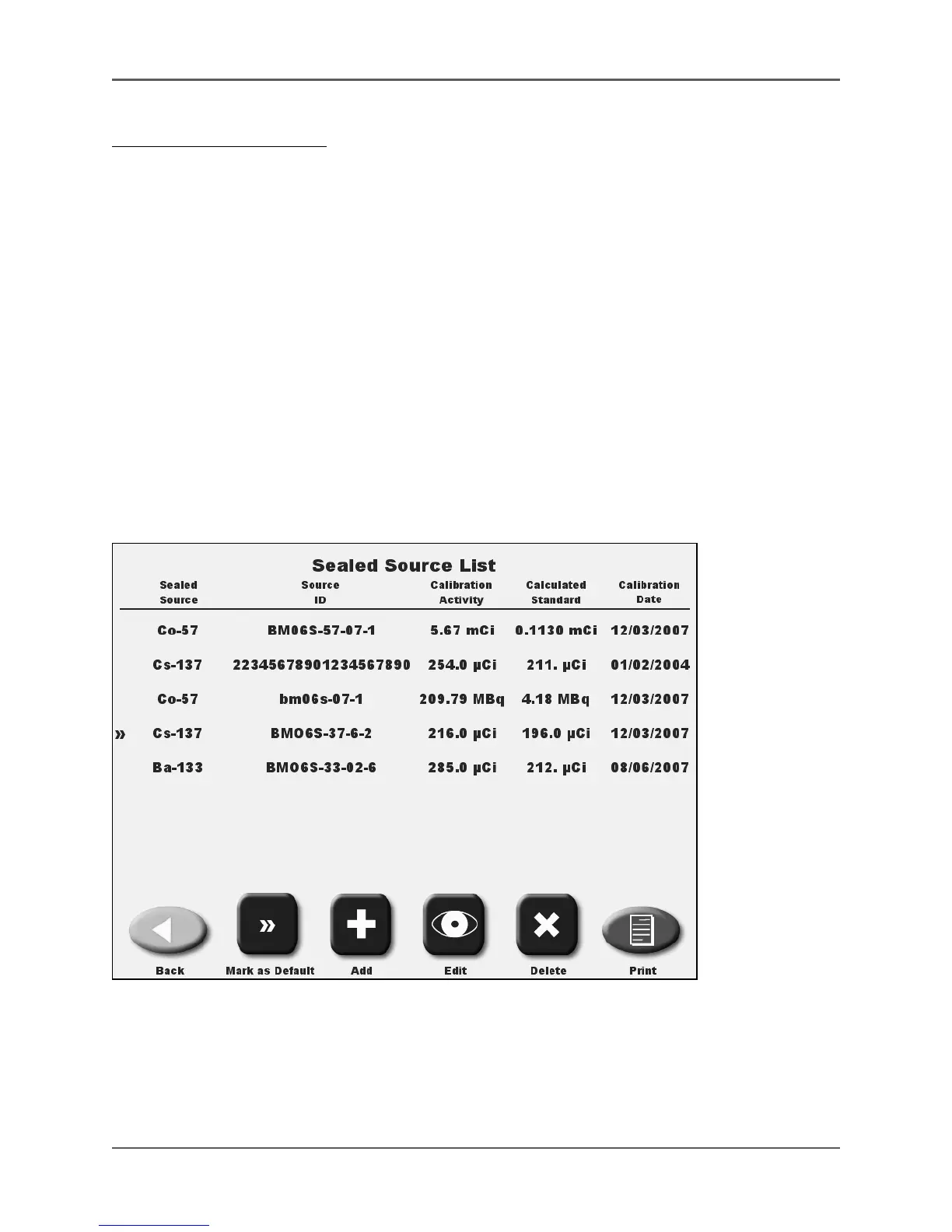
Sealed Sources Setup
(See Figures 4.19 - 4.21.)
Figure 4.19. The Sealed Source List. Note that Cs-137 is marked as the default (>>) in this example.



 To Next Page