!
66 ATOMLAB 500 DOSE CALIBRATOR
To Set Label Printing Preferences:
1. At the Dose Calibrator Configuration screen, touch <Label Printing Preferences> and enter
your password. The Label Printing Preferences screen is now displayed.
2. Touch to highlight any record field and use the <▲> and <▼> arrows to increase or decrease
the number of copies to print for the highlighted record. Holding the button increases the
scroll speed.
3. Touch <Enter> to record all settings and return to the Dose Calibrator Configuration screen.
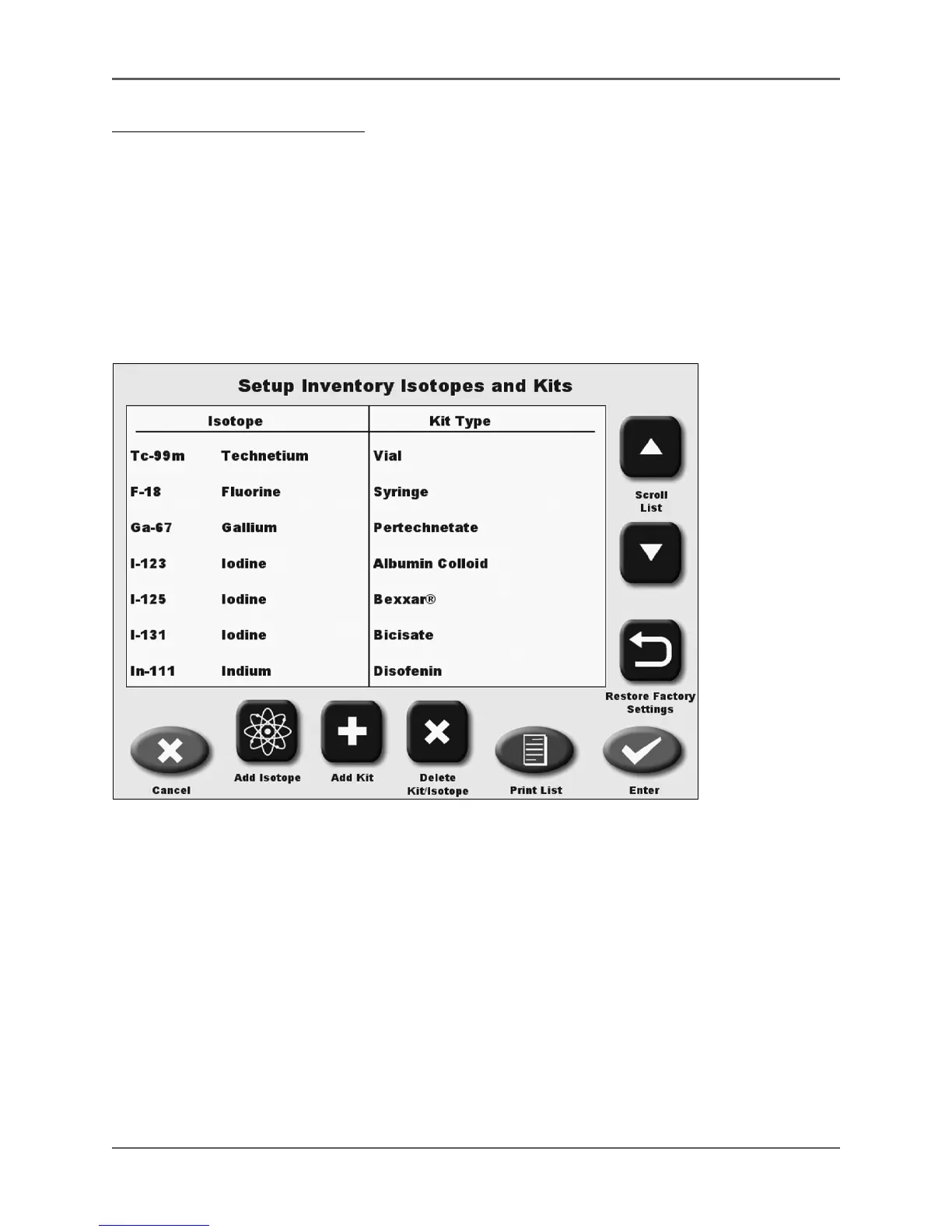
Setup Isotope And Kit List
(See Figure 4.25. - 4.27.)
Figure 4.25. The Setup Inventory Isotopes and Kits screen.
The Setup Isotope and Kit List screen is used to maintain the isotopes and kit types used for
inventory, and for Tec-Control Paper Chromatography testing.
NOTE: Tec-Control Paper Chromatography requires a selection of the type of calculation used
for counting the sections of the Tec-Control strips. See Appendix K for formulas. You must select a
Tec-Control formula when entering a new kit into the list. If there is not a Tec-Control
formula, select N/A.
It is important to input the correct formula selection for the type of kit and strips to be used.
Certain kits use one strip, others use two strips. Each strip is cut and the two sections are
counted separately. Different formulas are used depending on the kit selected.



 To Next Page