EasyManua.ls Logo

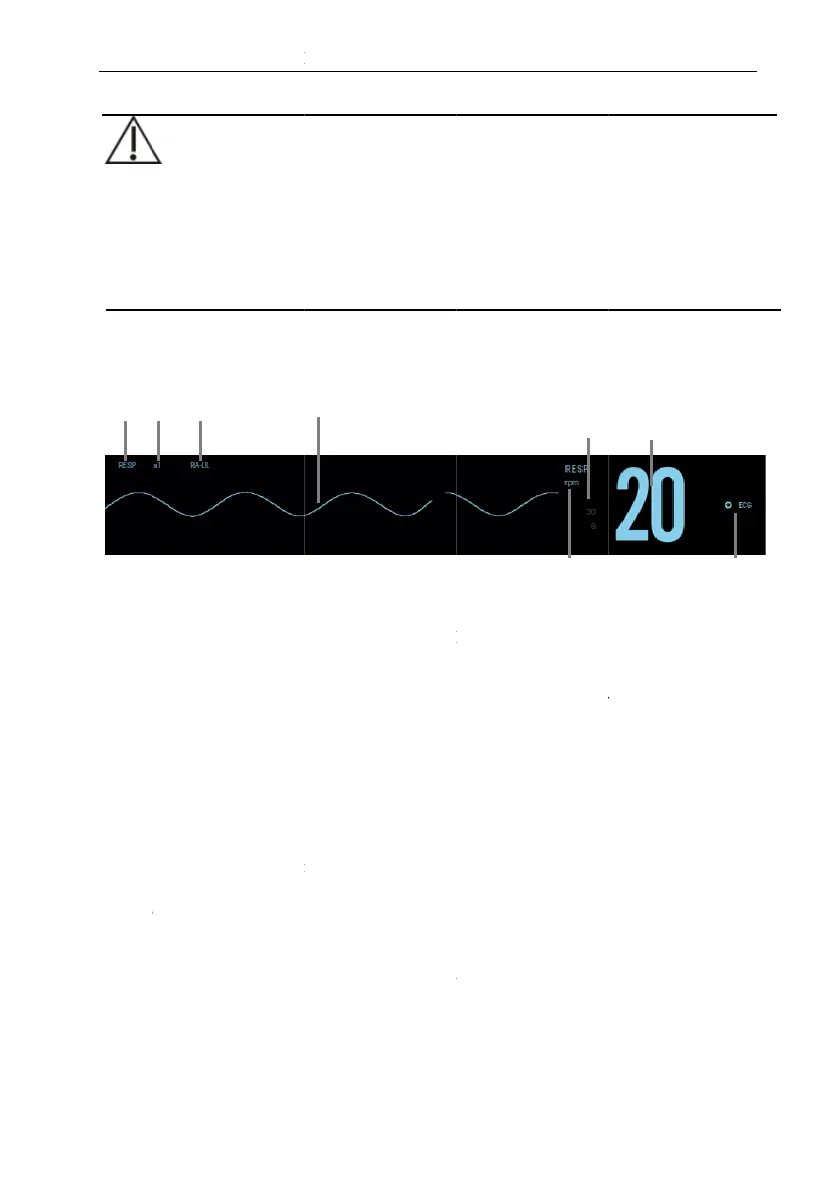
Biolight Meditech P1 - RESP Display

Default Icon
303 pages
Print Icon
To Next Page IconTo Next Page
To Previous Page IconTo Previous Page
Loading...
O
a
R
t
h
9.3.
R
(1) Par
(3) RE
S
(5) RR
(6) R
R
dis
p
(7) RR
9.4. P
9.4.1.
F
o
1
2
3
4
1
P
CAUTION:
O
nly use parts and
a
a
nd cautions.
R
espiration monitor
i
h
is will cause false a
R
ESP Display
amete
r
label
S
P lea
d
unit
R
Alarm limits: If t
h
p
layed here.
value
reparing for RE
S
Preparin
g
the Pa
t
o
llow this procedure t
o
. Shave hair from
2
. Gently rub skin
s
. Thoroughly clea
n
4
. Dry the skin co
m
2 3
P
1 Patient Monitor
U
9-2
a
ccessories specified
i
ng is not for use o
n
larms.
(2)
R
(4)
R
h
e respiration rate is
(8)
S
P Monitoring
t
ient skin
o
prepare the patient:
skin at chosen sites.
s
urface at sites to re
m
n
se the site with a mi
l
m
pletely before apply
i
4
U
ser’s Manual
in this manual, an
d
n
the patients who
R
ESP waveform gai
n
R
esp wavefor
m
turned off, the ala
r
RR source
m
ove dead skin cells.
ld
soap and water sol
u
i
ng the electrodes.
5
6
d
obey all warnings
are very active, as
n
r
m off icon will be
u
tion.
7
8

Table of Contents