EasyManua.ls Logo

Biolight Meditech P1 - Chapter 11 Temperature(Temp; Introduction; TEMP Display

Default Icon
303 pages
Print Icon
To Next Page IconTo Next Page
To Previous Page IconTo Previous Page
Loading...
Cha
11.1.
I
T
h
the pri
n
Therm
i
T
h
tempe
r
sites
T
e
M
11.2.
D
T
o
1
2
11.3.
T
Th
e
Your
d
(1) Par
(2) TE
M
P
pter 11 Tem
p
I
ntroduction
h
e thermistor is appli
e
n
ciple that electrical
i
stors measure the re
s
h
e monitor supports
r
ature on two differe
n
T.
e
mperature monitori
n
M
easuring mode is dir
e
D
isplaying the T
E
o
display the Temp
pa
. EnterScreen
L
SelectScr
e
SelectMai
n
Layout.
2
. Select you want
and then from t
h
T
EMP Display
e
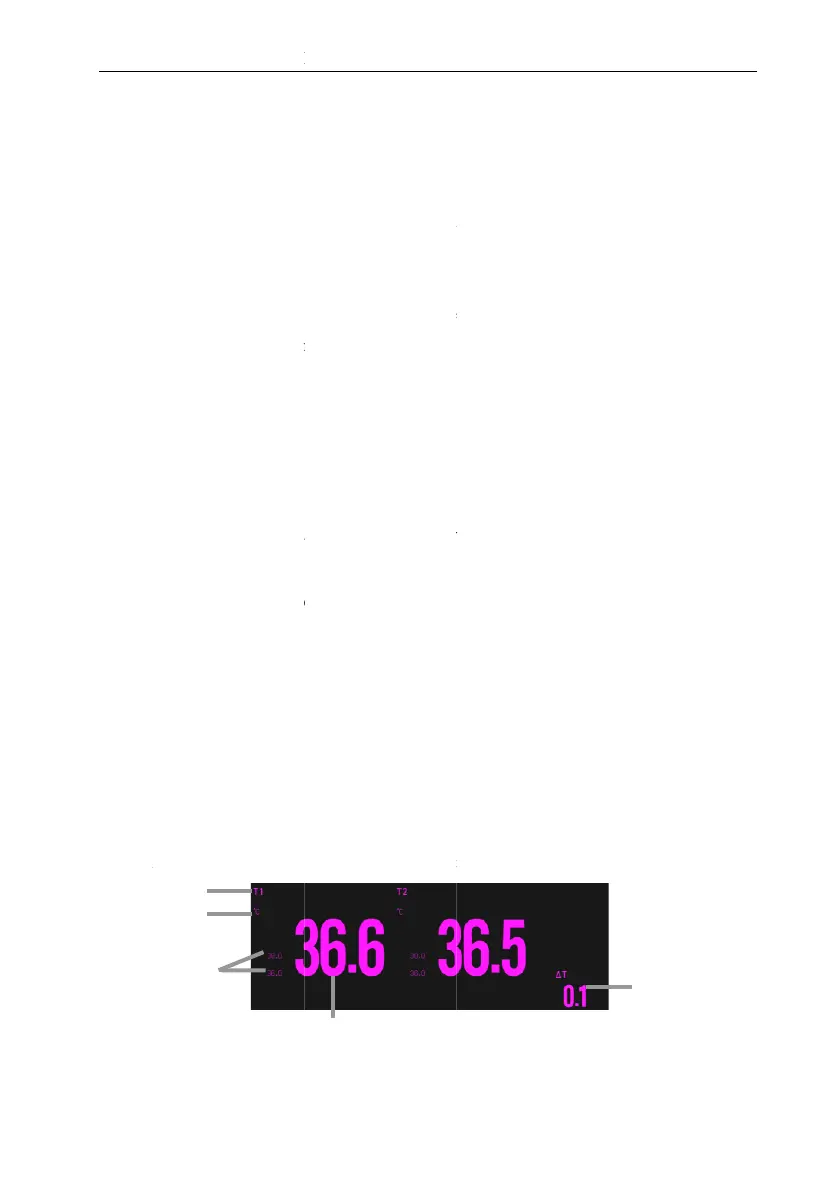
following figure s
h
d
isplay may be config
u
amete
r
label
M
P unit
2
1
3
P
1 Patient Monitor
U
11-1
p
eratureT
E
e
d on continuous te
m
resistance of the the
r
s
istance change and u
s
temperature measur
e
n
t sites, can calcula
t
n
g is intended for adu
l
e
ct mode.
E
MP Parameter
A
a
ramete
r
s area, follo
w
L
ayoutinterfacein
e
en Setupquick k
e
n
Menuquick key
to display the para
m
h
e popup list select
T
h
ows the TEMP
p
ar
a
u
red to look differen
t
4
U
ser’s Manual
E
MP
m
perature measureme
n
r
mistor changes as t
e
s
e it to calculate the t
e
e
ment of two channe
l
t
e the difference bet
w
l
t, pediatric and neon
a
A
rea
w
this procedure:
either of the followi
n
e
ySelectScreen
L
fromDisplaycolu
m
m
eter area of the tem
p
T
EMP.
a
meter area for tem
p
t
.
n
t, which is based on
e
mperature changes.
e
mperature.
l
s. When measuring
w
een two measured
a
tal patients.
n
g ways:
L
ayoutsubmenu.
m
n to selectScreen
p
erature parameters,
p
erature monitoring.
5

Table of Contents