EasyManua.ls Logo

Biolight Meditech P1 - Page 161

Default Icon
303 pages
Print Icon
To Next Page IconTo Next Page
To Previous Page IconTo Previous Page
Loading...
c
d
13.5.7
Y
o
1
2
3
13.5.8
Pl
e
1
2
3
4
Y
o
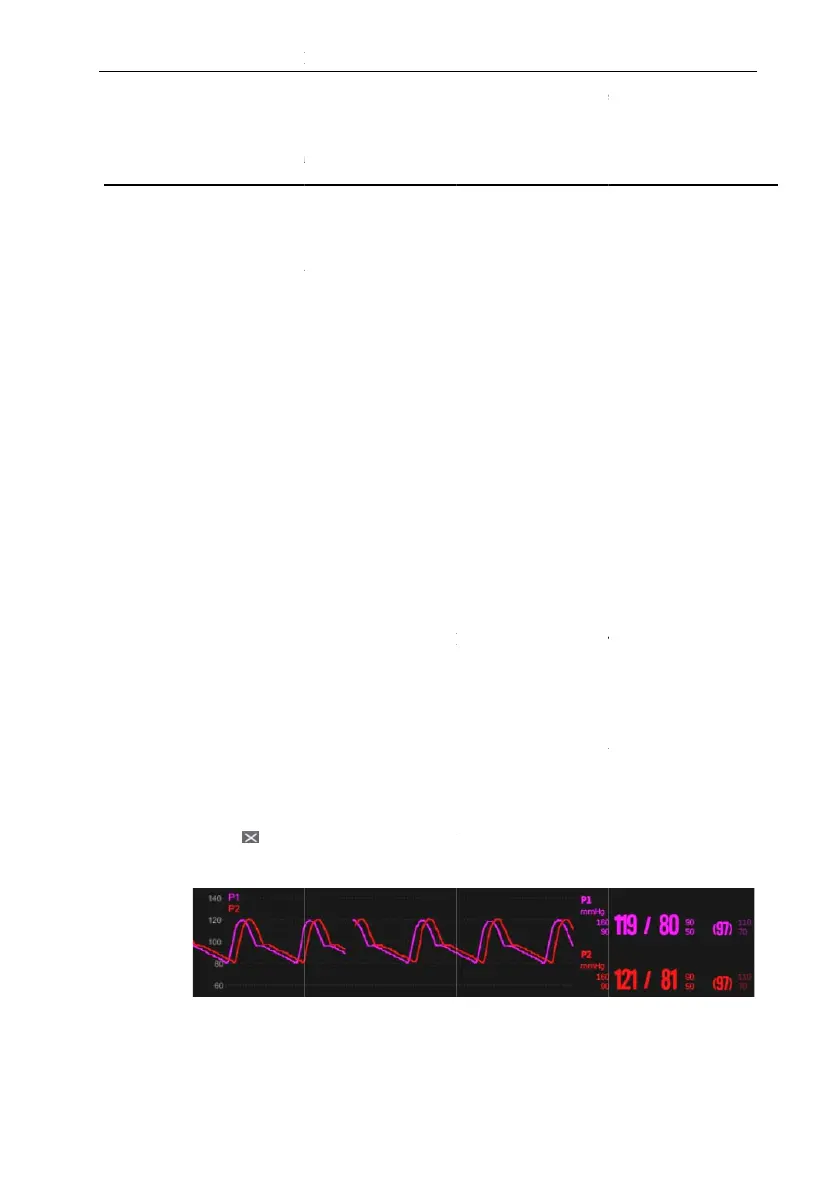
overla
p
follow
i
P
) The patient ha
s
disease)
d
) PPV measure
m
. Chan
g
in
g
the pr
e
o
u can change the uni
t
. Select the IBP
p
pressure menu.
2
. SelectSetup
. Set IBP Unit
. Overlappin
g
IB
P
e
ase following steps
b
. Enter the Sc
r
Select
S
submenu.
Select
M
the Dis
p
2
. Select IBP
O
waveform to be
. Repeat the ope
r
areas if needed.
4
. Select to ex
i
on the main inte
r
o
u can open the I
B
p
pe
d
on the main s
c
i
ng settings:
P
1 Patient Monitor
U
13-8
s
acute right ventric
u
m
ents are only valida
t
e
ssure unit:
t
of pressure by follo
w
p
arameter area or w
a
submenu.
if needed.
P
Waveforms
b
elow, set up the IBP
r
een Layout
p
age,
f
S
creen Setup qu
i
M
ain Menu quick
k
p
lay column.
O
verlap in the wa
v
overlappe
d
on the sa
m
r
ation of step 2 at o
t
i
t Setup page. The ov
r
face.
B
P Overlap menu
c
reen. In the IB
P
U
ser’s Manual
u
lar dysfunction (i.
e
t
ed for adult patien
t
w
ing these steps:
a
veform area to ente
waveform overlay di
f
ollowing metho
d
i
ck key select
key select Sc
r
v
eform parameter are
a
m
e line on the left si
d
t
he
r
locations with
w
v
erlappe
d
IBP wavefo
by selecting the IBP
w
P
Overlap menu,
e
., pulmonary heart
t
s
r the corresponding
splay:
Screen Layout
r
een Layout from
a
and select the IBP
d
e.
w
aveform parameter
rm can be displayed
w
aveform area to be
you can make the

Table of Contents