info@biopac.com
support@biopac.com
www.biopac.com
BIOPAC Hardware | GASCAL – GASREG | Page 1 - 1 Updated: 3.20.2013
GASCAL CALIBRATION GAS AND GASREG REGULATOR
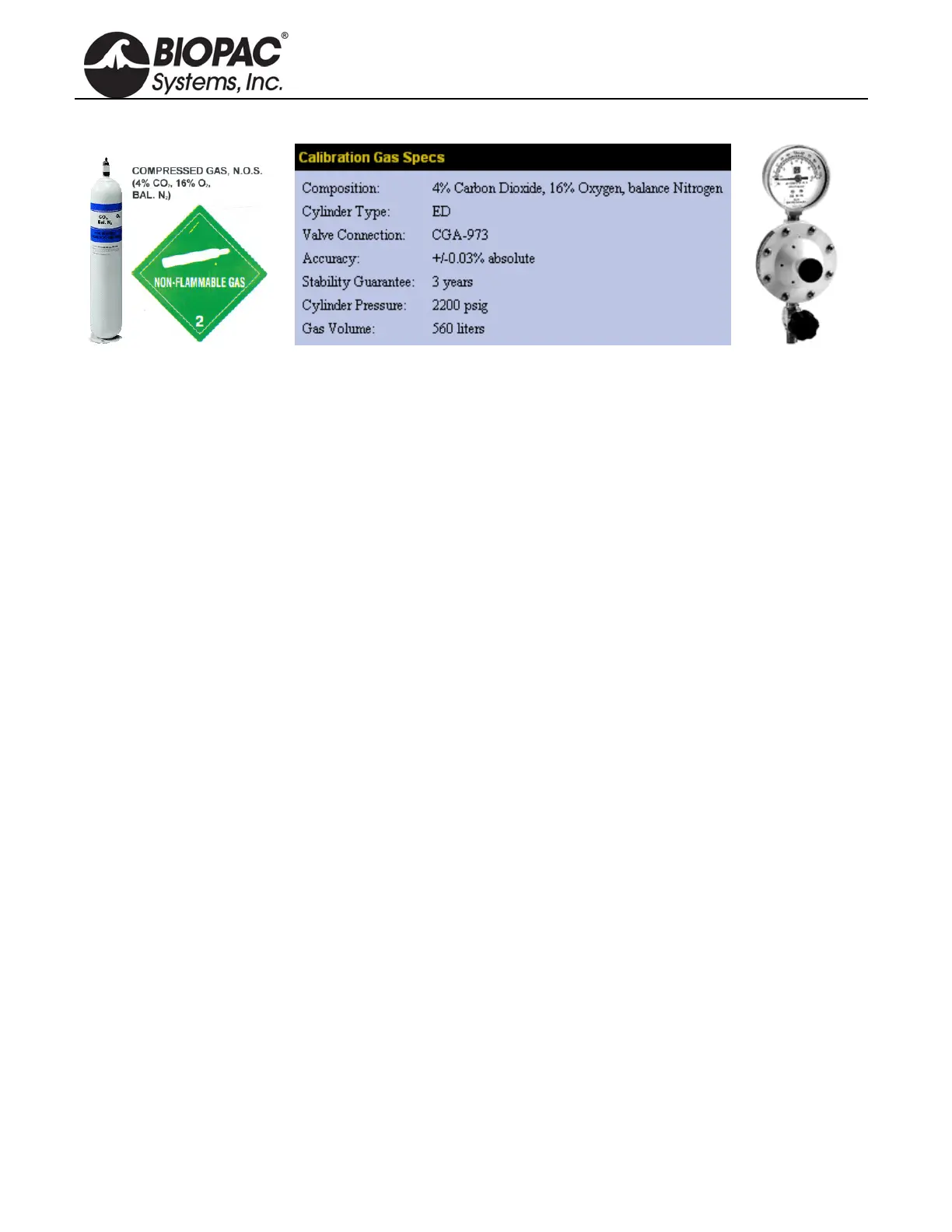
Use the single stage, non-corrosive, general-purpose GASREG regulator with the GASCAL Calibration Gas
Cylinder. Single-stage pressure regulators reduce the cylinder pressure to the delivery or outlet pressure in one
step, and are generally good for short duration applications.
This regulator is used to inject calibration gases into the GASSYS2 or AFT15 chambers to create the secondary
calibration points for a proper gas calibration of O2 and CO2 sensors.
The initial case (for the primary calibration points) is the chamber flooded with ambient air (20.95%
Oxygen, 0.04% Carbon Dioxide and balance Nitrogen).
The secondary case (for the secondary calibration points) is using the GASCAL with GASREG to inject a
calibrated gas mixture into the chamber.
The chamber will be flooded with this mixture from GASCAL. GASCAL is a tank containing 4% carbon
dioxide, 16% oxygen and balance (80%) nitrogen.
Use 3.2 mm ID tubing to run from GASREG output to the chamber and seal the 3.2 mm ID tube to the input port
of the chamber, during calibration.
Wait for the chamber to be flooded, typically about 1-2 minutes.
Put regulator at 10 psi and open up the flow valve.
After flooding, then largely close the flow valve, but keep some small flow during the calibration of secondary
point, to maintain positive pressure in the chamber.
The chamber needs to be flooded prior to attempting to calibrate for secondary points.
After secondary calibration, shut down the tank by closing the main valve.
GASCAL Cylinder Recycling Program available.
Call 1-800-457-0809 to receive instructions for returning a cylinder; delivery paid by sender and
recycling covered by manufacturer.


 To Next Page