info@biopac.com
support@biopac.com
www.biopac.com
BIOPAC Hardware | SS-KIT | Page 2 - 3 Updated: 3.28.2013
SS-KIT-OUT TRANSDUCER CONNECTOR INTERFACE KIT - OUTPUT
SS-KIT-OUT GUIDE
The SS-KIT-OUT allows custom cables to be made that connect to pins on the Analog Out port. Typical uses are:
1. Synchronizing 3rd party equipment to the MP3X’s start of acquisition.
2. Listening to pulses (“clicks”) or tones with headphones which can be used for reaction time studies.
3. Controlling audio or visual stimulus device (Audio tone, LED or Strobe flash, etc.).
4. Listening to input signals such as EMG via headphones or an audio amp./speaker.
Typical Analog Out connections include:
Analog Out Function MP36/MP35 and MP30
Listening to pulses (“Clicks”) via headphones or audio amp./speakers Headphone “+”: pin 1
Headphones “-“: pin 3
Headphones for listening to analog signals (EMG, etc) Headphone “+”: pin 1
Headphones “-“: pin 3
Driving output LED’s
To limit LED current, put resistor in series with pin 2.
“+”: pin 2
“-“: pin 3
Synchronizing to 3
rd
party equipment Out “+”: pin 5
Out “-“: pin 3
The “Analog Out” port on the back panel of the MP36/MP35 or MP30 (MP3X) can output pulses (digital) or
analog voltage levels, or it can pipe out analog signals from one of the input channels. The port is controlled
through one of the Output Control Panels in the Biopac Student Lab (BSL) PRO software, which is described in
the BSL PRO manual.
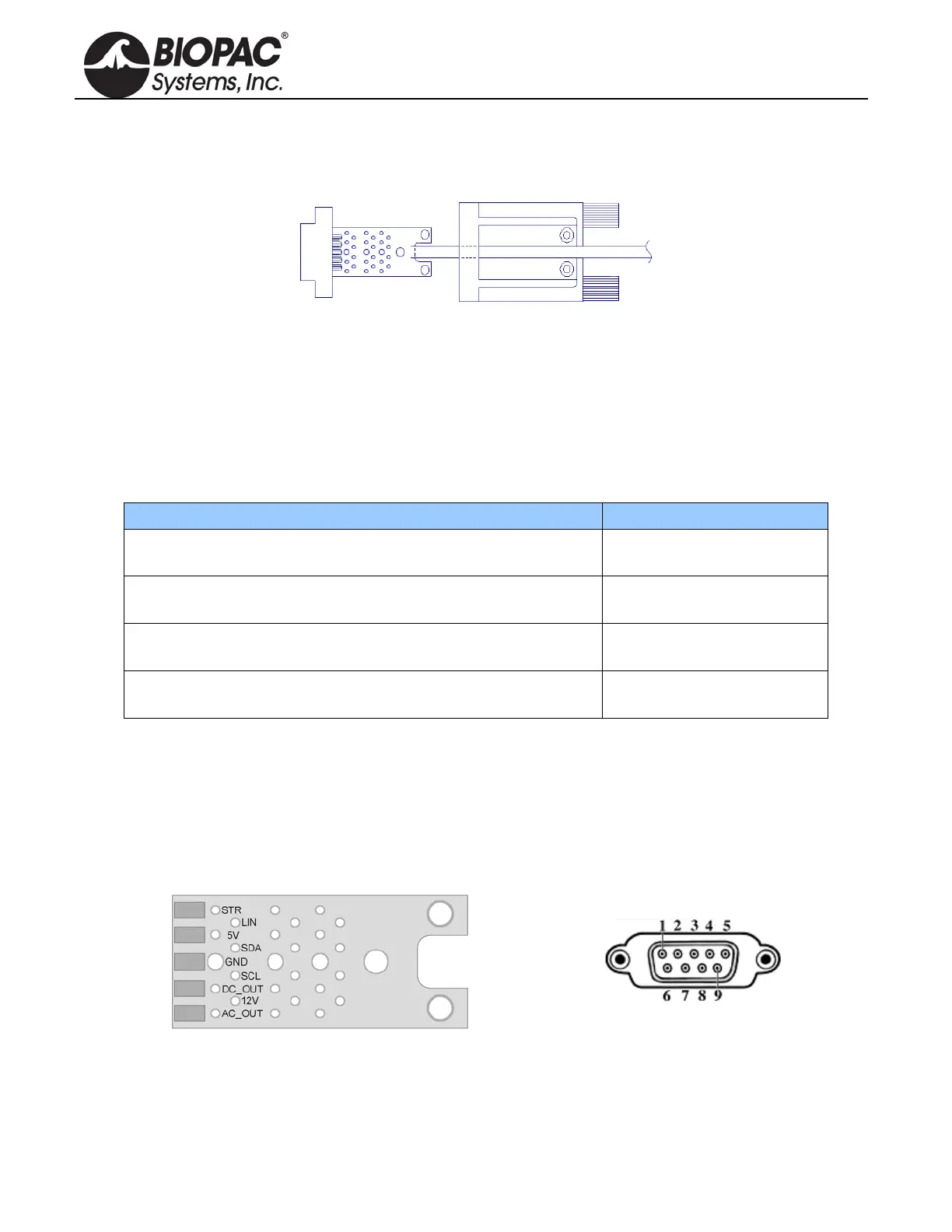
The following diagrams and table show the pin-outs of the “Analog Out” port on the back of the MP3X and the
Printed Circuit Board (PCB) layout of the SS-KIT-OUT. Each pin is accessible on the PCB and can be located by
the label shown in the table.
9 PIN MALE DSUB
Back Panel—MP36/MP35 or MP30
SS-KIT-OUT PCB ANALOG OUT PORT


 To Next Page