Using ATEM Television StudioProSwitchers
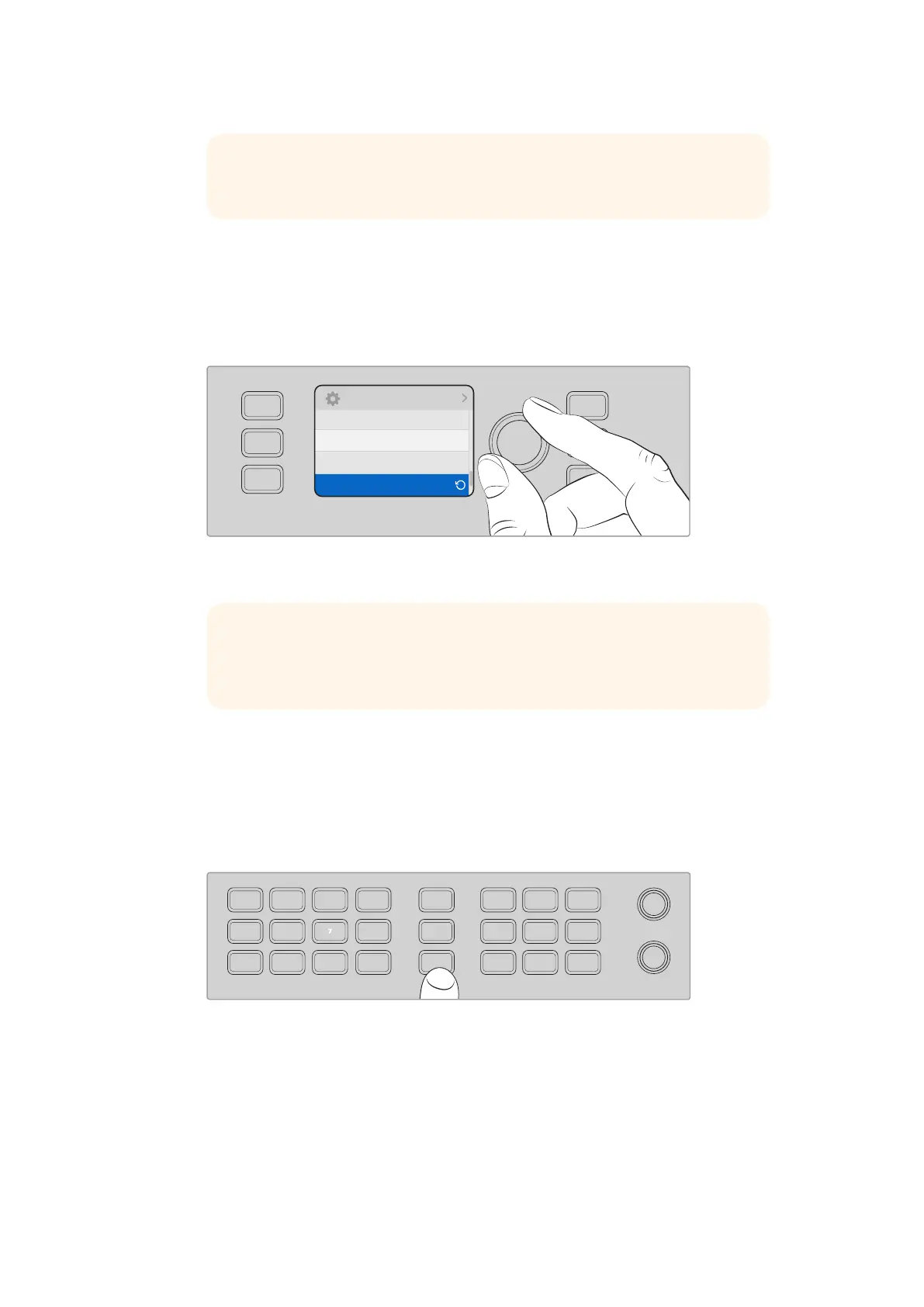
8 Use the menu button to return to the settings menu. Underneath baud rate in the
“VISCA” section you’ll see the number of remote heads currently connected. Select
this item and press “set” to update this list and detect any connected heads. These
will automatically assigned to camera buttons 1 through 7, depending on the number of
remote heads detected.
Use the “set” button with VISCA connections selected to detect any
remote heads connected to ATEM Television Studio Pro HD.
9 If you want to choose the tilt direction of your trackball, you can also scroll to the “PTZ”
setting in the settings menu and use the set button to toggle between ‘inverted’ and
‘normal’ modes.
PTZ Control
Press the “PTZ” soft button to select the remote head you would like to control with the trackball.
Press the “PTZ” soft button to enable PTZ control via the trackball.
With “PTZ” selected, the camera buttons assigned to each remote head will illuminate. Simply
select the button corresponding to the camera you would like to use and move the trackball to
adjust pan and tilt.
Trackball PTZ controls are very intuitive. Simply roll the trackball in the direction you would like
to move the camera. Roll left or right to pan, and up and down to tilt. The controls are sensitive
TIP Check the documentation for your PTZ remote head for the correct
RS-422 baud rate
Settings
VISCA
Tilt Normal
Baud Rate 38400
Connected: 4
RESET
RGB
RESET
ALL
RESET
ALL
AUX
MENU
SET
TIP If the number of connected devices that appear doesn’t match the physical
number you have connected, check that all your camera heads are powered
and their RS-422 ports are plugged in correctly.
321
7
65
DIRECT
TALK 7
4
8
DIRECT
TALK 8
DIRECT
TALK 6
DIRECT
TALK 5
DIP
9
BORD
10 11
MACRO
12
AFV
ON
KEY 1
CUT
1
AFV
ON
KEY 1
FILL
2
AFV
ON
DSK 1
CUT
3
AFV
ON
DSK 1
FILL
4
AFV
ON
DSK 2
CUT
5
AFV
ON
DSK 2
FILL
6
AFV
ON
DVE
CUT
7
AFV
ON
DVE
FILL
8
MIX
DIP
DVE
PUSH
LOGO
INVERT
DVE
SQZ
DVE
PIP 1
1 2 3
4 5 6
7 8 9
ENTER 0 CLEAR
DVE
PIP 3
DVE
PIP 2
DVE
PIP 4
AUTO
IRIS
db
GAIN
GAIN
AUTO
FOCUS
SHUTGAMMA
CALL
RESET
RGB
RESET
ALL
RESET
ALL
AUX
MENU
SET
W/BALLIFT
PRIM
COLOR
OFFSET
COLOR
PTZ
MP 1
1
MP 1K
2
MP 2
3
MP 2K
4
BG 1
5
BG 2
6
BLACK
7
BARS
8
MP 1
1
MP 1K
2
MP 2
3
MP 2K
4
BG 1
5
BG 2
6
BLACK
7
BARS
8
DSK 1
AUTO
DSK 2
AUTO
FTB
DSK 1
CUT
DSK 2
CUT
SHIFT
SHIFT CUT AUTO
KEY 1
CUT
BKGD
KEY 1
TIE
BKGD
KEY 1
TIE
102










 To Next Page