Using External ATEM Hardware Panels
Fade to Black
The FTB button will fade the program output to black at the rate specified in the FTB rate
window. Once the program output has been faded to black, the FTB button will flash red until it
is pressed again, fading the program output up from black at the same rate. A fade to black
cannot be previewed. You can also set your audio mixer to automatically fade the audio with
your fade to black by selecting the master fader’s AFV button.
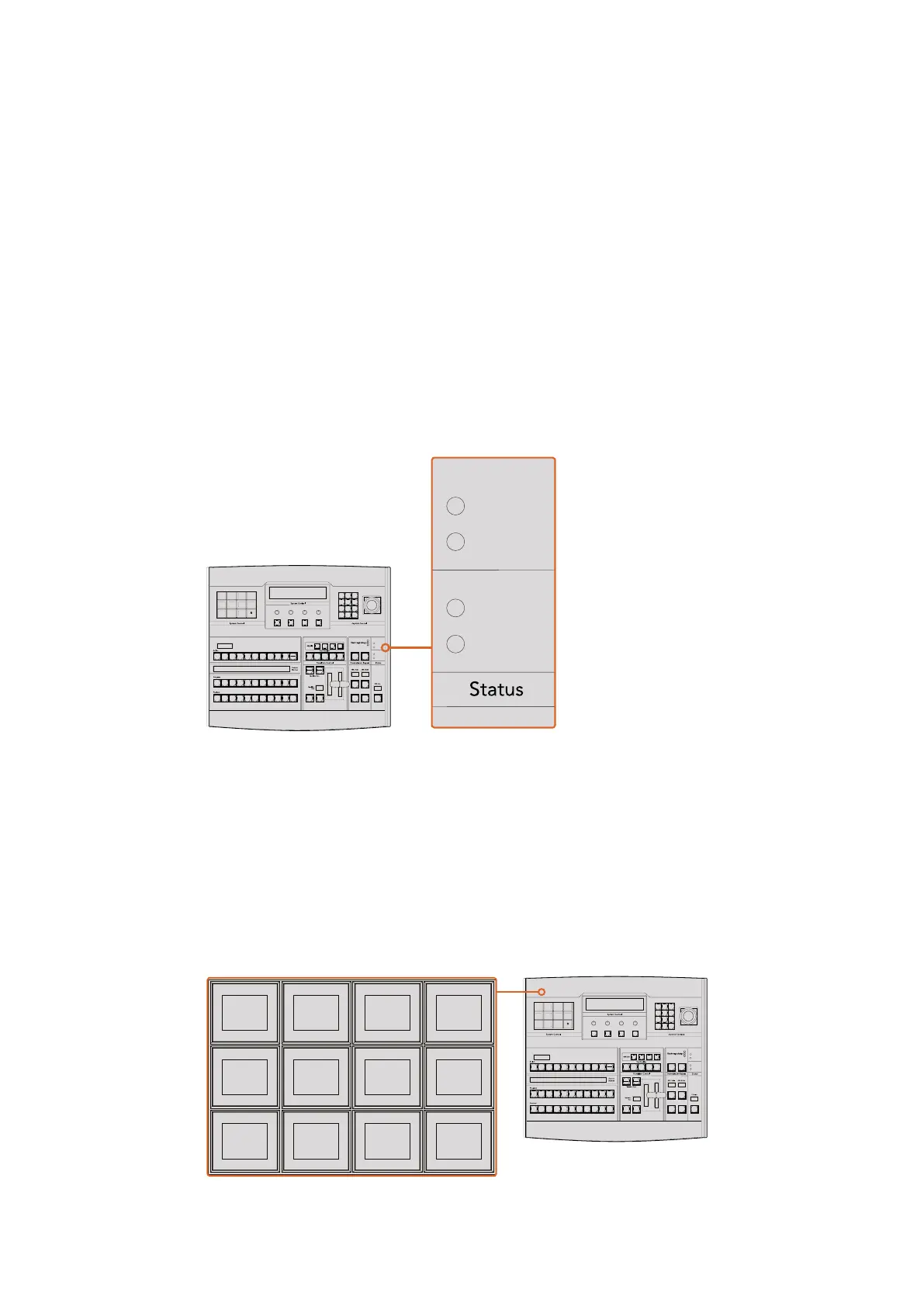
System Status
The status lights provide feedback on the power supplies connected to the broadcast panel
and the switcher. Not all ATEM switcher models have redundant power supplies so sometimes
you will only see a single light illuminated for the power status of the switcher.
However if your switcher model has redundant power and you have two power supplies
connected to the switcher and the control panel, then all the lights should be on. In this situation
where you are using redundant power supplies, any light that turns off could indicate a power
supply or cable is faulty, and this should be checked.
Power Status
System Control
The twelve menu buttons, the display window, the four knobs and the four soft buttons under
the knobs together are called the system control. The 4 line display is used to identify the
operation of the soft buttons and knobs.
The system control is context sensitive and allows you to adjust parameters for the current
operation. For example if you enable KEY 1 in your next transition, the system control allows
you to adjust the parameters of KEY 1. The system control is also used for configuring other
parts of the switcher such as connecting and controlling HyperDeck disk recorders.
System Control
CUT
SHIFT
ON
KEY 1
KEY
1
KEY
2
KEY
3
KEY
4
PATTRN
KEY
CHROMA
KEY
LUMA
KEY
MASK
MENU
HOME
DVE
BKGD
CUT AUTO
KEY 2 KEY 3 KEY 4
ON ON ON
1 2 3
4 5 6
7 8 9
CAM 0 CLR
PREV
TRANS
FILL
DIP
MIX
DVE
WIPE
DSK 1
TIE
DSK 2
Control Panel
Switcher
Main
Backup
Main
Backup
TIE
DSK 1
CUT
DSK 2
CUT
DSK 1
AUTO
DSK 2
AUTO
FTB
CUT
SHIFT
ON
KEY 1
KEY
1
KEY
2
KEY
3
KEY
4
PATTRN
KEY
CHROMA
KEY
LUMA
KEY
MASK
MENU
HOME
DVE
BKGD
CUT AUTO
KEY 2 KEY 3 KEY 4
ON ON ON
1 2 3
4 5 6
7 8 9
CAM 0 CLR
PREV
TRANS
FILL
DIP
MIX
DVE
WIPE
DSK 1
TIE
DSK 2
Control Panel
Switcher
Main
Backup
Main
Backup
TIE
DSK 1
CUT
DSK 2
CUT
DSK 1
AUTO
DSK 2
AUTO
FTB
CUT
SHIFT
ON
KEY 1
KEY
1
KEY
2
KEY
3
KEY
4
PATTRN
KEY
CHROMA
KEY
LUMA
KEY
MASK
MENU
HOME
DVE
BKGD
CUT AUTO
KEY 2 KEY 3 KEY 4
ON ON ON
1 2 3
4 5 6
7 8 9
CAM 0 CLR
PREV
TRANS
FILL
DIP
MIX
DVE
WIPE
DSK 1
TIE
DSK 2
Control Panel
Switcher
Main
Backup
Main
Backup
TIE
DSK 1
CUT
DSK 2
CUT
DSK 1
AUTO
DSK 2
AUTO
FTB
TRANS
EFFECTS
KEYS
DSK COLOR
MEDIA
PLAYER
SUPER
SOURCE
HYPER
DECK
AUX
SETUP PTZ
MACRO
183










 To Next Page