Using ATEM Software Control
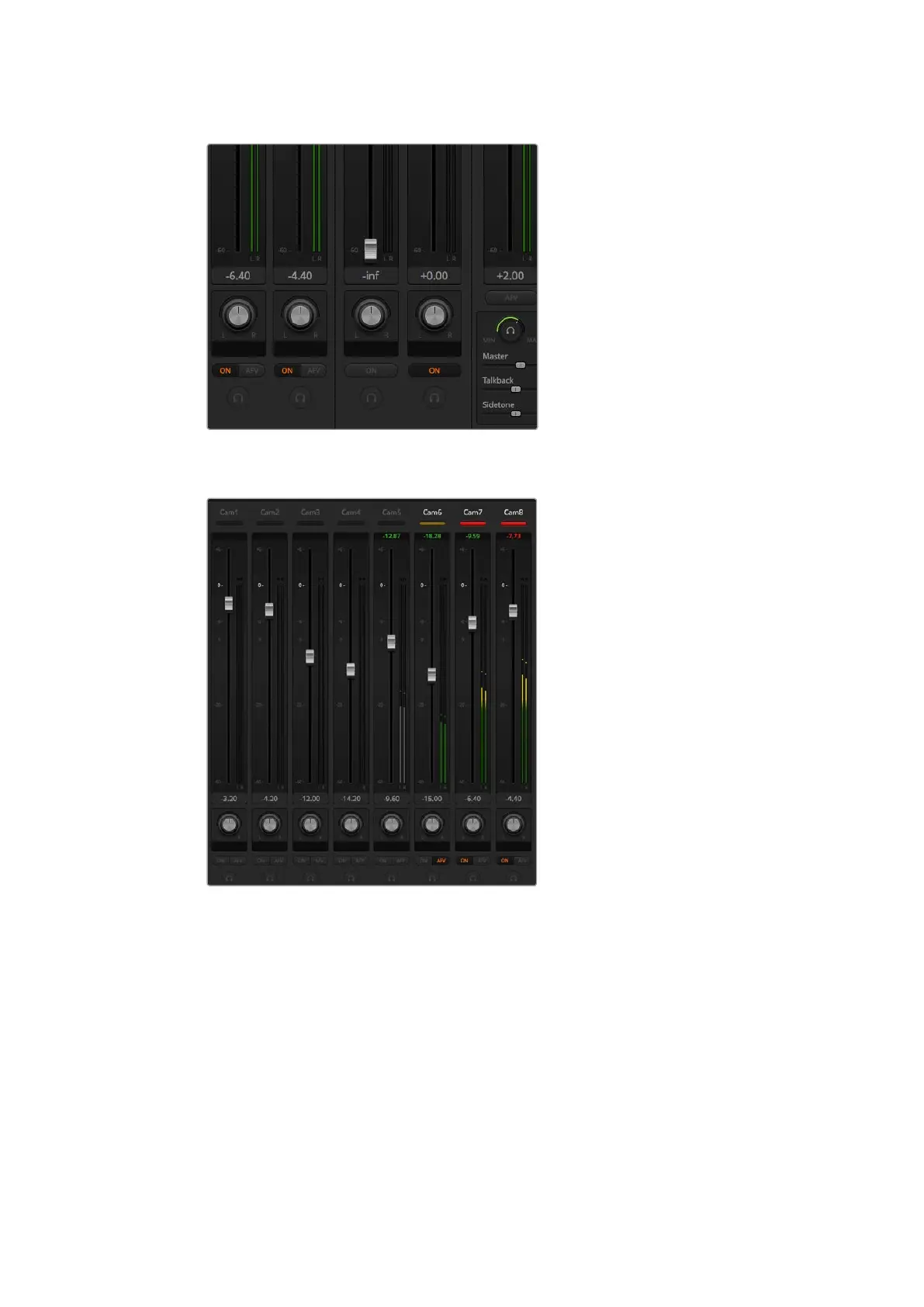
You can adjust the mix of the master, talkback and sidetone monitoring
levels by adjusting their settings in the audio mixer
The audio meter for Cam5 is shown in gray to indicate that its audio will not be used as
neither of its ON or AFV buttons are enabled. Cam6 has AFV selected but its audio is not
currently being used as the camera is not on air as is indicated by its dull yellow tally light.
Cam7 and Cam8 have their direct mix set to ON so their mixed audio is always used, and
their tally lights remain lit, even if another camera is currently on air. The audio level meters
for Cam1, Cam2, Cam3 and Cam4 show that no audio is present on these cameras.
Audio Source Selection
Below each audio level meter, you will find the ON and AFV buttons that select which audio
sources are sent to the program output of the switcher.
ON
Selecting the direct mix to ON allows an audio input to be permanently mixed into the
program output, even when the associated video source is not on air. The red tally light
will always be lit because the audio is always on air. Selecting this option automatically
disables AFV.
41










 To Next Page