Using ATEM Software Control
Audio Follow Video
Audio follow video allows audio to crossfade when inputs change. The audio will only
be sent to the program output when the input is on air, lighting the red tally light above.
When off air, the tally light is lit dull yellow. Selecting this option automatically disables
the direct mix ON setting.
SOLO
The solo feature appears as a headphones icon below each input and is available for
ATEM Production Studio and Broadcast Studio model switchers.
Master Audio Level Output
The master fader on the right side of the audio mixer is used to set the gain on the audio level
on the SDI program output and has its own audio level meter. Select the AFV button on the
master audio output fader to enable the AFV fade to black feature. This lets you fade your
master audio when you click on the fade to black button.
Audio Mixer Monitor
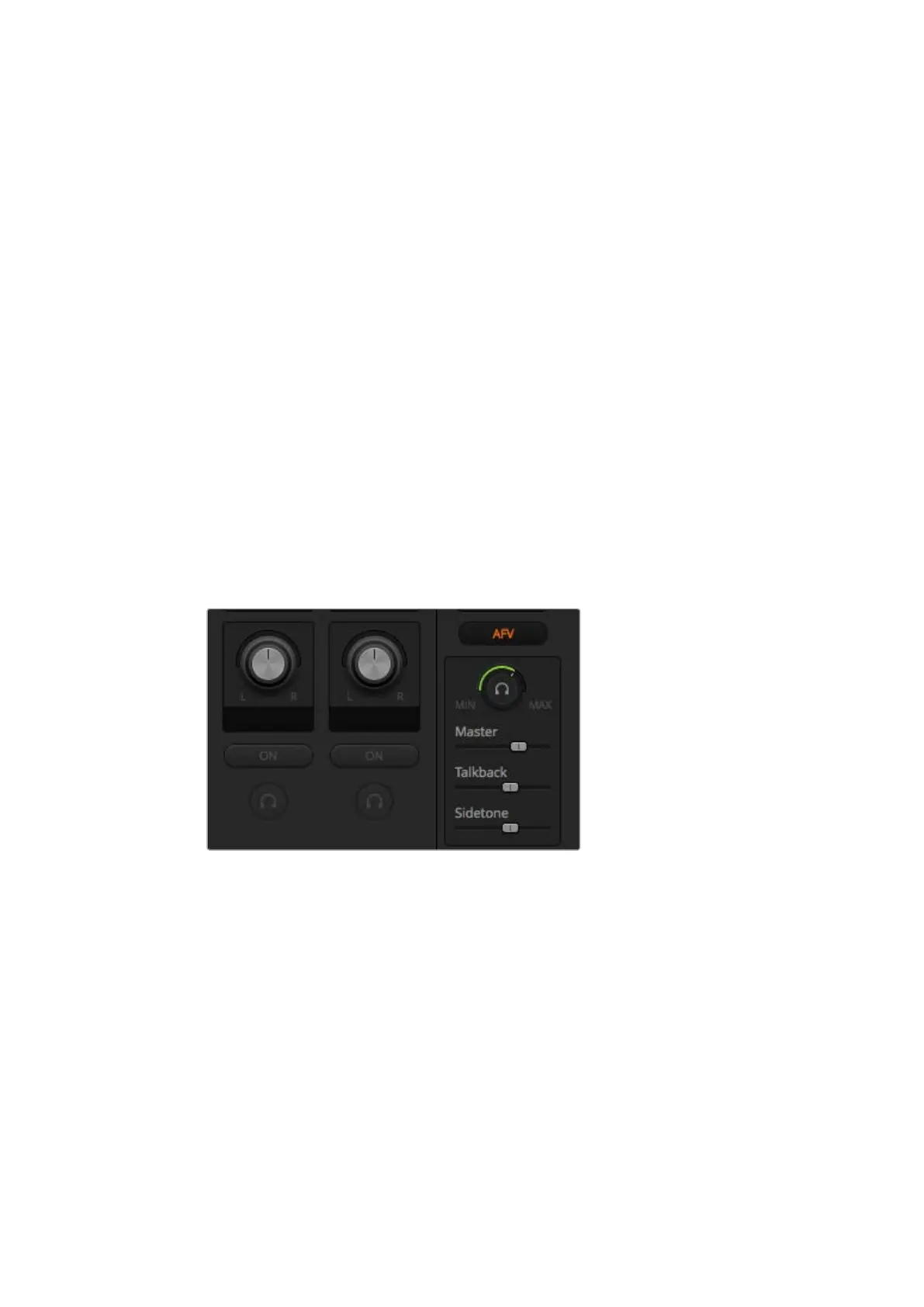
The monitor headphones knob and sliders appear below the master fader and control the
monitoring audio output behavior. You can use these settings to set independent audio levels
for monitoring the audio mix without affecting the program output audio. ATEM Television
Studio model switchers feature built in control panels with built in talkback and this means it has
headset connections for communicating with camera operators. However, the headset is not
just limited to talkback use as you can also use the headset microphone for doing voice overs
and you can use the headset headphones for program audio monitoring.
The monitor volume knob and sliders set the independent audio
levels for monitoring the program audio together with talkback
and sidetone, plus the overall volume of the mix.
Master
Adjust the master level slider to set the program audio level in the headset and if you
don’t want to listen to program audio, then slide this control fully to the left.
Talkback
The talkback level slider sets the audio level of camera operators who are talking to
you and by setting the master and talkback sliders you can get your preferred balance
of talkback and program audio into your headset.
Sidetone
The sidetone level slider lets you mix your voice from your headset mic into the monitor
output. This is helpful when wearing a headset that supports noise canceling.
42










 To Next Page