Using ATEM Software Control
Coarse Setting
The coarse setting is located to the right of the iris/pedestal control and is used to limit
the iris range. This feature helps you prevent over exposed images from going to air.
To set your coarse threshold, completely open the iris using the iris control, then drag
the coarse setting up or down to set optimum exposure. Now when you adjust the iris,
the coarse threshold will prevent it from going above optimum exposure.
Iris Indicator
The iris indicator is located to the left of the iris/pedestal control and displays a visual
reference so you can easily see how open or closed the lens aperture is. The iris
indicator is affected by the coarse setting.
Auto Focus Button
The auto focus button is located at the bottom right corner of each camera controller.
Press to automatically set the focus when you have an active lens that supports
electronic focus adjustments. It’s important to know that while most lenses support
electronic focus, some lenses can be set to manual or auto focus modes, and so you
need to ensure your lens is set to auto focus mode. Sometimes this is set by sliding
thefocus ring on the lens forward or backward.
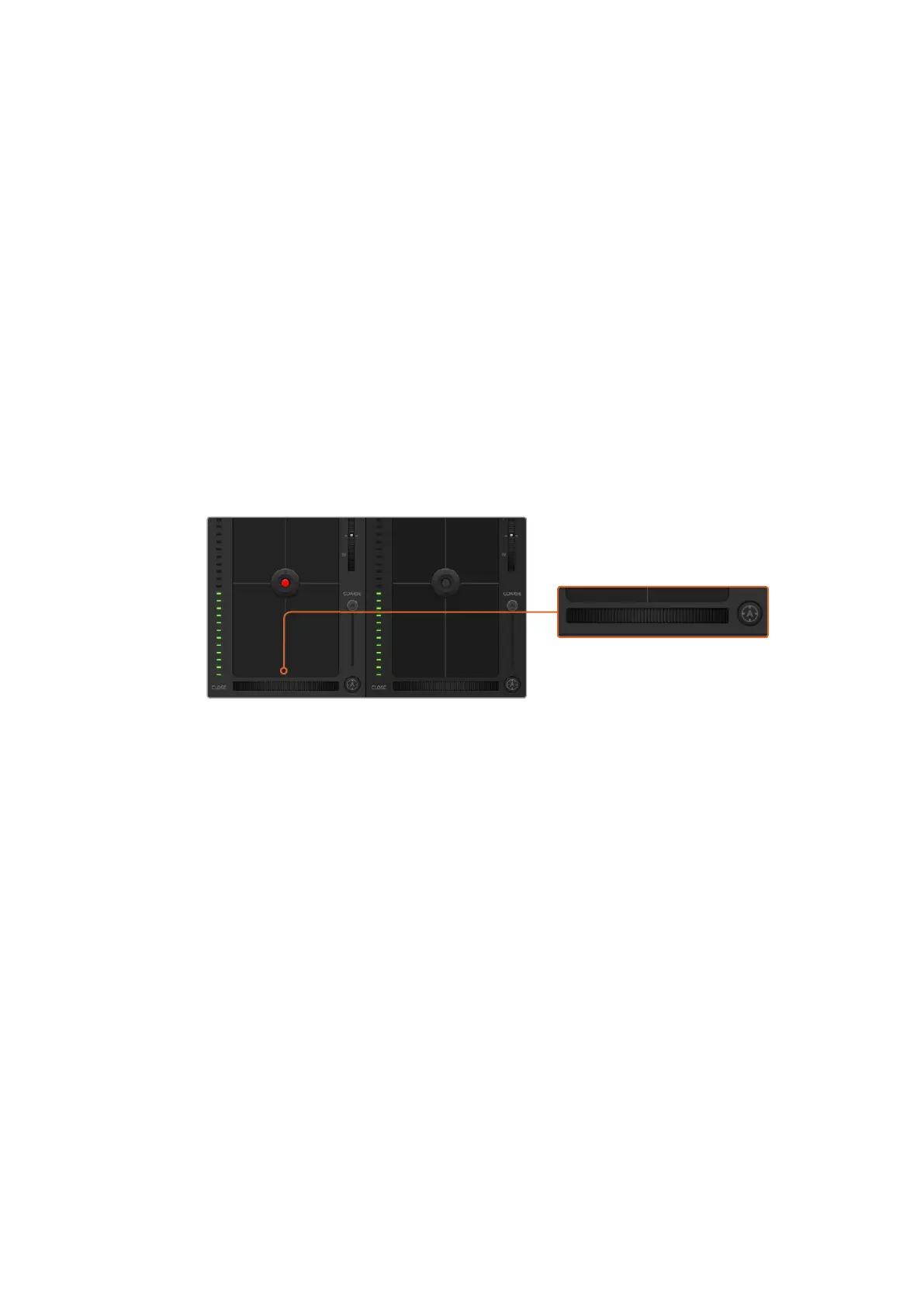
Click on the auto focus button or drag the manual focus
adjustment left or right to focus a compatible lens.
Manual Focus Adjustment
When you want to adjust the focus on your camera manually, you can use the focus
adjustment located at the bottom of each camera controller. Drag the wheel control left
or right to manually adjust focus while viewing the video feed from the camera to
ensure your image is nice and sharp.
Camera Gain
The camera gain setting allows you to turn on additional gain in the camera. This is
important when you are operating in low light conditions and need extra gain in the
front end of the camera to avoid your images being under exposed. You can decrease
or increase gain by clicking on the left or right arrows on the dB gain setting.
You can turn on some gain when you need it, such as outdoor shoots when the light
fades at sunset and you need to increase your image brightness. It’s worth noting that
adding gain will increase noise in your images.
Shutter Speed Control
The shutter speed control is located in the section between the color wheel and the
iris/pedestal control. Decrease or increase the shutter speed by hovering your mouse
pointer over the shutter speed indicator and then clicking on the left or right arrows.
67










 To Next Page