Engine Management Module (EMM)
Diagnostic Software Functions
76
the Utilities menu and refer to the instructions pro-
vided with the program.
IMPORTANT: If using Diagnostic Power Supply
Tool, P/N 587005, to supply power to the EMM,
use Accessory Power Cable Kit, P/N 5008092, to
connect an external 12 volt battery to the Power
Supply Tool.
If the internal batteries of the Power Supply Tool
have a low voltage condition the EMM could turn
OFF during the software upload, resulting in a
failed software update.
IMPORTANT: Software replacement requires
the use of Bootstrap Tool, P/N 586551. Install tool
between engine and boat harness key/stop switch
connectors as instructed by update program.
EMM
Transfer
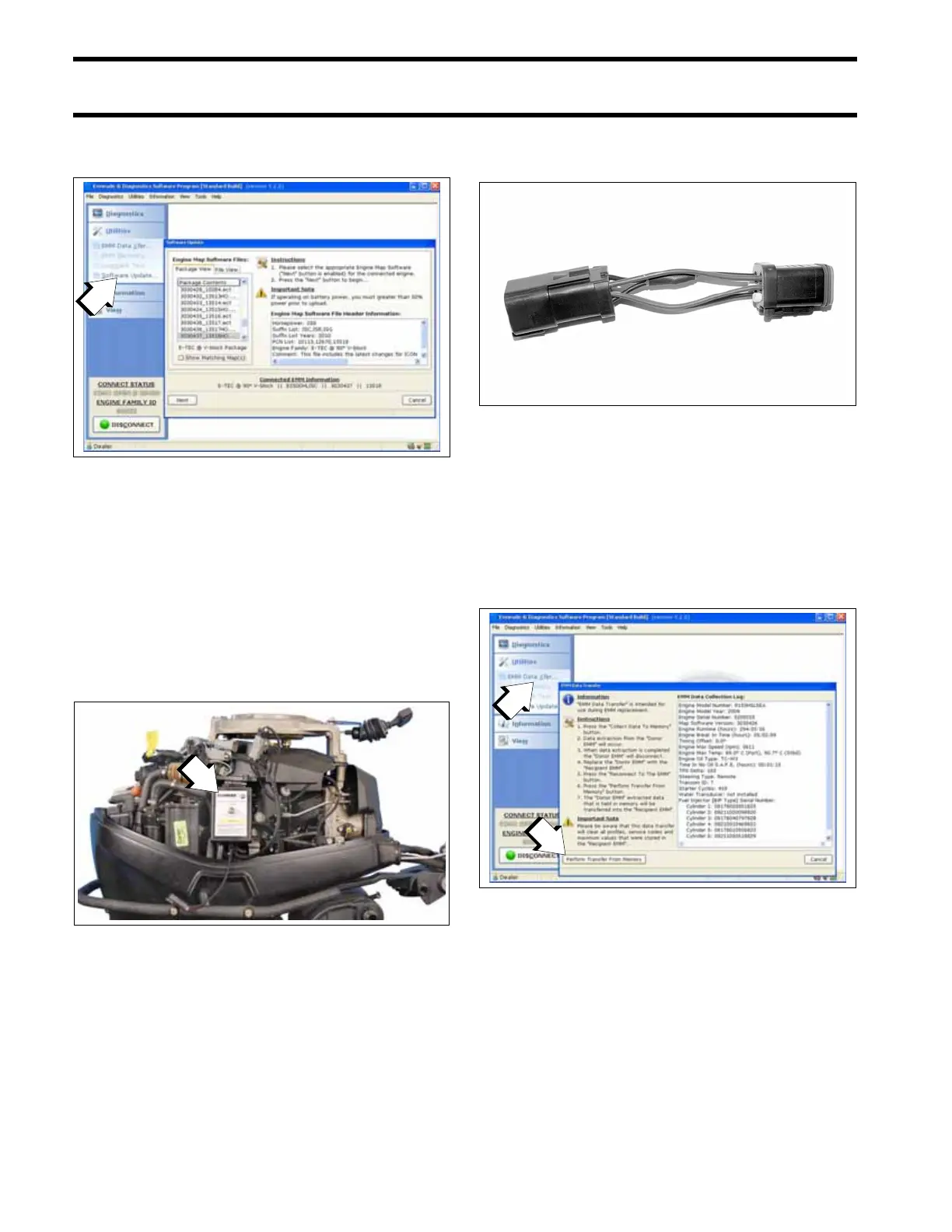
EMM Transfer is used to save engine history data
when the EMM must be replaced.
Select EMM Data Transfer from the Utilities menu.
Select Perform Transfer From Memory and follow
the instructions provided with the program.
IMPORTANT: Whenever the EMM is replaced,
EMM timing must be synchronized to crankshaft
position. Refer to Timing Adjustments on p. 119.
1. Software Update button
008594
1. Power supply tool
007279
002383
1. Select EMM Data Transfer
2. Select Perform Transfer From Memory
008495







 To Next Page