EasyManua.ls Logo

BTG ICEfx - User Manual

BTG ICEfx
112 pages
Print Icon
To Next Page IconTo Next Page
Loading...
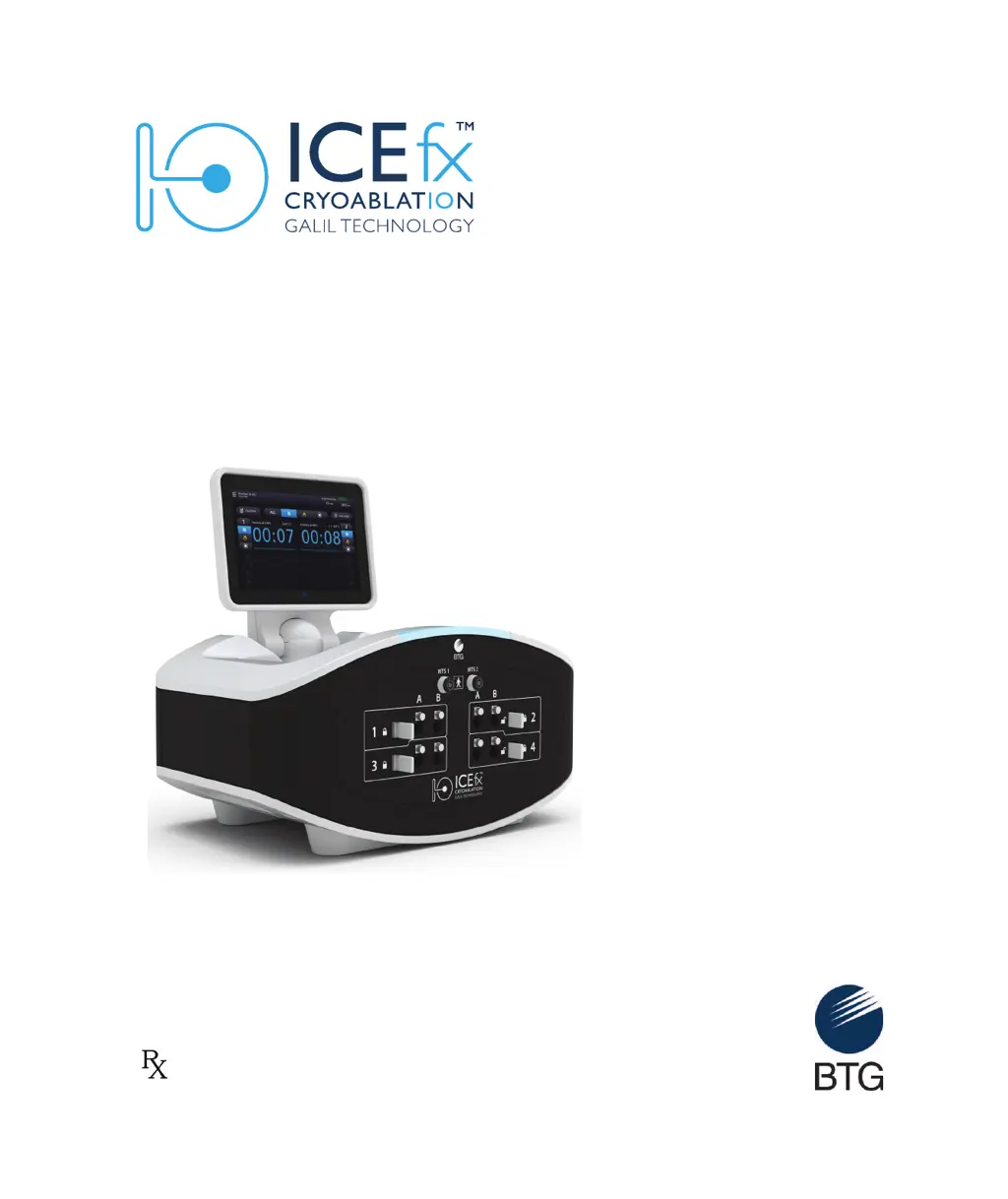
ICEfx™ Cryoablation System
User Manual
Only

Table of Contents

Questions and Answers

  • J
    Jackson JacksonSep 9, 2025
    What to do if during the Needle Integrity and Functionality test bubbles are seen escaping from the needle of BTG Medical Equipment?
    • J
      Jonathan MooreSep 9, 2025
      Do not use the needle. Disconnect and segregate the needle and return it to Galil Medical for evaluation. Use a new needle to continue the procedure and test the new needle to confirm its integrity and functionality.
  • M
    Mrs. Katie Wallace MDSep 8, 2025
    What to do if, during the freeze phase or following a thaw phase, no iceball forms on the needle(s) in a given channel of BTG ICEfx?
    • D
      Dennis MorrisSep 8, 2025
      For CX needles: Stop freezing/thawing actions for all channels, thaw the problematic needle(s) for at least one minute, and then freeze the needle(s) to verify proper function. If the problem persists, connect a new needle into a different channel and test the needle. Continue the procedure with the newly tested needle. For non-CX needles: Stop freezing/thawing actions for all channels, wait for any formed ice to passively thaw. Do not use the needle. Use a new needle to continue the procedure.
  • B
    Benjamin RushSep 7, 2025
    What to do if the Vent Valve cannot be used to depressurize the BTG Medical Equipment system?
    • M
      Michael HarrisonSep 7, 2025
      If the Vent Valve is plugged: Press CANCEL, then START CASE, and select SKIP SETUP WIZARD. Perform a freeze on one or more channels, monitoring the pressure on the Gas Indicator. When the pressure goes below 50 psi, which could take more than 10 minutes, stop the freeze and then press END CASE.
  • P
    Patty SmithAug 22, 2025
    What to do if BTG ICEfx Medical Equipment system does not turn on?
    • M
      Megan HernandezAug 22, 2025
      First, ensure the power switch on the rear panel is turned ON. Check the power cable, making sure it is fully connected to both the ICEfx Console and the power outlet. Verify that the power outlet is switched ON. If issues persist, call the hospital Biomedical Engineer for assistance.
  • S
    Sarah SimonSep 5, 2025
    What to do if needle cannot be firmly connected in the needle port of BTG Medical Equipment?
    • A
      amy12Sep 5, 2025
      Verify that the locking bar is in the UNLOCKED position. If the needle connector may be defective, use a different needle. If residual gas pressure may be in the needle port, use a different channel. Check the Gas Indicator display. If there is pressure in the system, end the procedure and open the Vent Valve on the rear of the system to completely vent the system.
  • A
    Alejandro HarveySep 3, 2025
    What to do if locking bar on the Needle Connection Panel cannot be positioned in the LOCKED position on BTG ICEfx?
    • H
      hernandezmelissaSep 4, 2025
      Verify that all needles in the channel are fully inserted in the needle connection ports. If the Locking Bar may be defective, move the needle to a different channel and contact Galil Medical customer service to schedule a service call. Check the Gas Indicator display and verify the system is not pressurized.
  • W
    William Rodriguez IISep 2, 2025
    What to do if BTG ICEfx Medical Equipment doesn't allow testing of a needle in a locked channel?
    • D
      danieldawnSep 2, 2025
      Verify that the system is at operating pressure. Also, verify that the Argon Shutoff Valve is in the ON position to allow sufficient gas flow. If necessary, further open the argon cylinder valve by turning the valve counterclockwise to allow sufficient gas flow, and verify that appropriate pressure is displayed on the Gas Indicator.
  • W
    walkerrobertSep 1, 2025
    How to fix a gas leak between the gauge adapter and the cylinder valve on BTG ICEfx Medical Equipment?
    • W
      Wanda RandallSep 1, 2025
      Tighten the connection using the wrench provided with the ICEfx System. If that doesn't work, close the cylinder valve and vent the gas from the ICEfx System and the gas supply line using the Vent Valve, ensuring the system is depressurized. Then, loosen and remove the gauge assembly adapter, check for any debris on the gas cylinder connection point, clean if necessary, and then reposition and tighten the gauge assembly adapter onto the cylinder valve using the wrench.
  • J
    Jerome JohnsonAug 31, 2025
    What to do if BTG ICEfx touch screen goes blank during a procedure?
    • K
      Kenneth MunozAug 31, 2025
      Do not touch the screen if the touch screen monitor goes blank for greater than five (5) seconds during a procedure. Immediately turn off power to the system and end the procedure to avoid inadvertent activation of needles.
  • D
    Dawn MahoneyAug 29, 2025
    What to do if channel or needle is not recognized by BTG Medical Equipment?
    • E
      ejonesAug 30, 2025
      Check the corresponding Channel Locking Bar and ensure it is fully in the locked position. Ensure at least one needle is inserted into a channel for the channel to be available for use. If the channel may be defective, do not use this channel, move the needle(s) to a different channel, and conduct the Needle Integrity and Functionality Test again.

Summary

System Overview

Brief Description

Provides an overview of the ICEfx Cryoablation System and its function.

How Supplied

Details the components included with the ICEfx Cryoablation System and accessories.

Intended Use

Defines the system's purpose and indications for cryoablative tissue destruction.

Indications

Lists the specific medical fields and conditions for which the system is indicated.

Contraindications

States any conditions or situations where the system should not be used.

Warnings

Highlights critical safety information and potential hazards associated with system use.

Precautions

Outlines important steps and considerations for safe operation and handling.

Potential Adverse Events

Lists potential side effects or complications that may occur during or after procedures.

System Description

Console

Describes the main unit of the ICEfx Cryoablation System, including its interface and ports.

ICEfx Cart

Details the optional cart used for supporting and moving the ICEfx Console.

System Setup

Preparation for Use

Steps to inspect and prepare the system components before operation.

Attaching the Console to the ICEfx Cart

Instructions for securing the Console onto the ICEfx Cart.

Setting up the Console

Procedure for powering on, configuring, and logging into the system.

Connecting the Argon Gas

Steps for safely connecting the argon gas supply to the system.

Getting Started With the User Interface

Document Conventions

Explains the typesetting conventions used throughout the user manual.

Logging In

Details the process for accessing the system software via username and password.

Navigating the User Interface

Guides users on how to interact with the system's graphical interface.

Starting the Procedure

Initiates the cryoablation procedure setup and wizard.

Entering Case Information

Optional step to input patient and procedure-specific details.

Using the Procedure Screen

Describes the main interface for controlling and monitoring cryoablation.

Reports

Information on viewing, saving, and exporting procedure reports.

Configuring Settings

Options for customizing system parameters and user preferences.

Administrative Options

Access to advanced features like software updates and user management.

Performing the Cryoablation Procedure

Pre-Procedure Needle;MTS Testing

Essential steps to test needles and sensors before patient treatment.

Performing a Cryoablation Procedure

Detailed steps for conducting the cryoablation treatment.

System Shutdown

Shutting Down the System

Procedures for safely powering off and venting the system.

Removing the Console from the Cart

Instructions for detaching the Console for storage or service.

System Care and Maintenance

Cleaning the ICEfx Cryoablation System

Guidelines for cleaning the system components after use.

Service and Preventive Maintenance

Information on scheduled maintenance and authorized service.

System Disposal

Procedures for decommissioning and disposing of the system.

Troubleshooting

Software Recovery

Steps to restore or update the system software in case of failure.

Electronics, Electrical and User Error Related Issues

Troubleshooting for hardware, electrical, and user-caused problems.

Gas Issues

Solutions for problems related to argon gas supply and pressure.

Mechanical Issues

Guidance for resolving issues with physical components of the system.

Gas Cylinder and Gas Supply Line

Troubleshooting for problems with gas cylinders and supply lines.

Needles

Specific troubleshooting steps for cryoablation needles.

Multi-Point Thermal Sensors

Solutions for issues related to MTS sensor readings and connectivity.

Displayed Messages

Explanation of system messages and recommended actions for errors.

System Specifications

Operating Conditions

Defines the environmental parameters for system operation.

Storage Conditions

Specifies the temperature and humidity ranges for system storage.

Transportation Conditions

Guidelines for safely transporting the ICEfx Cryoablation System.

Mechanical Specifications

Details the physical dimensions, weight, and footprint of the system.

Argon Gas Supply

Requirements for the argon gas used with the system.

Gas Cylinder Specifications

Information on pressure and volume for gas cylinders.

Accuracy of Displayed Values

Specifies the precision of system measurements for temperature and pressure.

Electrical Specifications

Provides details on power input, frequency, and ports.

Essential Performance

Defines the core functional capabilities of the ICEfx System.

References

Patents

Information on patents covering the ICEfx Cryoablation System.

Trademarks

Lists trademarks associated with the system and related products.

Contact

Provides contact information for Galil Medical Customer Service and support.

Disclaimer of Warranty

BTG ICEfx Specifications

General IconGeneral
BrandBTG
ModelICEfx
CategoryMedical Equipment
LanguageEnglish