4-25
Recording
MIDI data is recorded using Step Record even if the track is not armed,
loop markers are ignored, and Step Record always uses the Sound on
Sound (blend) record mode, regardless of the current record mode.
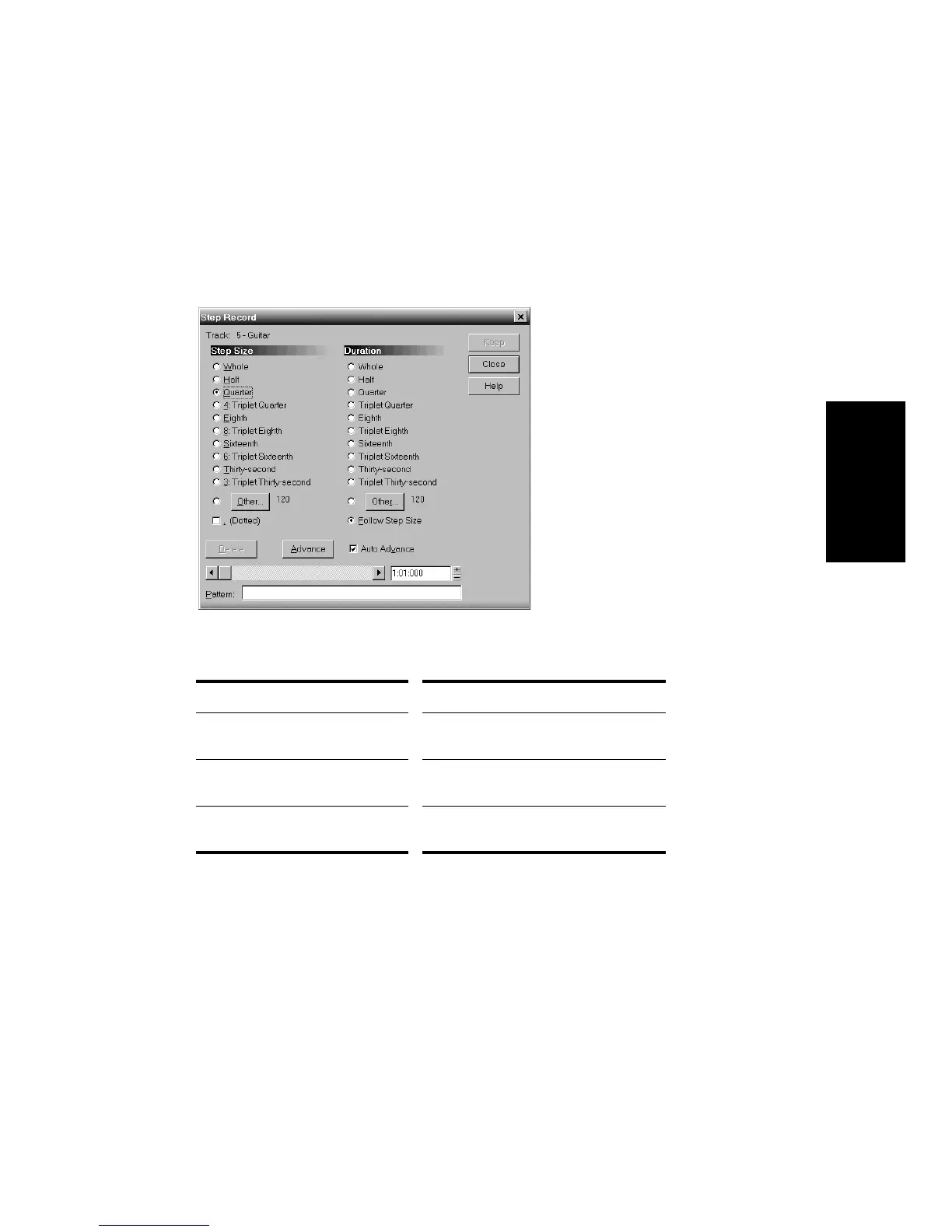
You use the Step Record dialog box to perform step recording:
The step size and the duration can each be set to one of three things:
The Auto Advance option automatically advances recording to the next
step when all MIDI input stops. For example, if you press the three keys
that make up a C major chord, as soon as you release all three keys, Pro
Audio automatically advances to the next step. This makes it very easy
to record a series of chords that are spaced at regular intervals.
With Auto Advance disabled, you must click Advance each time you
want to advance to the next step. While this requires more effort, it also
Setting… How to use it…
A particular note value Simply choose the note value from the
list
A dotted note value Choose the note value and check the
Dotted option
A number of MIDI ticks Click Other, enter the number of MIDI
ticks, and click OK



 To Next Page